
Complete guide to tracking your Valorant spending with expert tips for budget management
Understanding Valorant’s Purchase System
Valorant continues dominating the competitive FPS landscape with millions of daily active players engaging with its dynamic marketplace. The game’s extensive cosmetic collection offers countless customization options through weapon skins, character cosmetics, and premium bundles that enhance the visual experience. Understanding how to monitor your investment in these digital assets becomes crucial for both casual players and dedicated collectors.
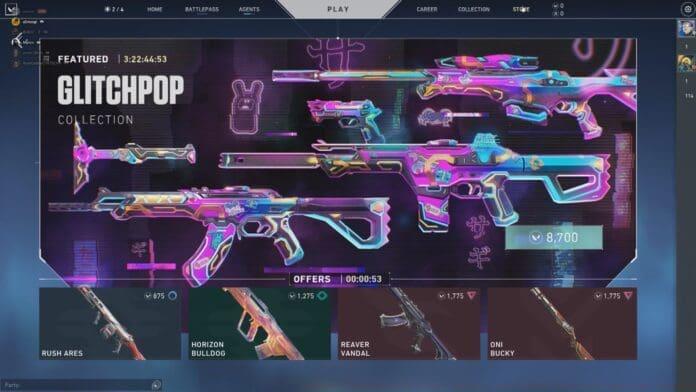
The rotating store mechanism presents specific skins for limited 24-hour windows, creating artificial scarcity that often triggers impulse buying behavior. This strategic approach by Riot Games encourages frequent store checks but complicates long-term purchasing planning. Players must navigate this system carefully to avoid overspending on items that may reappear later or fail to meet their actual gameplay needs.
Step-by-Step Purchase History Access
Despite the absence of built-in spending analytics within Valorant’s client interface, Riot provides comprehensive transaction tracking through their dedicated support platform. This external system offers complete lifetime purchase visibility, enabling players to review every Valorant Points transaction, skin acquisition, and bundle purchase since account creation. The process requires minimal technical knowledge but delivers maximum financial transparency.
- Navigate directly to Riot’s official purchase history portal through their support website – bookmark this page for future reference
- Authenticate using your Riot Games credentials, ensuring you select the correct regional server if you have multiple accounts
- Click the prominently displayed ‘Get Your Purchase History’ button to generate your complete transaction timeline
- Review the comprehensive list displaying all Valorant purchases with dates, amounts, and specific item details for complete spending awareness
Pro Tip: Export your purchase data quarterly to track spending trends and identify potential budget adjustments needed for future cosmetic acquisitions.
Advanced Spending Analysis Techniques
Seasoned Valorant players develop sophisticated approaches to purchase analysis beyond basic transaction review. By categorizing spending into weapon skins, character bundles, and premium passes, you can identify which cosmetic types consume the largest portion of your budget. This analytical approach reveals personal spending patterns and helps establish more informed future purchasing decisions aligned with your actual gameplay preferences.
Common financial pitfalls include panic buying limited-time offers without proper research, duplicate purchases across multiple accounts, and overlooking bundle discounts in favor of individual item acquisitions. Many players discover they’ve spent significant amounts on skins for weapons they rarely use in actual gameplay, highlighting the importance of aligning purchases with your main arsenal preferences and playstyle.
Pro Tips for Smart Valorant Spending
Strategic Valorant shoppers employ several advanced techniques to maximize value while minimizing unnecessary expenditure. Timing purchases around seasonal events often provides access to exclusive discounts or bonus Valorant Points, substantially increasing your purchasing power. Researching skin animations and effects through community videos before buying prevents disappointment with underwhelming cosmetic upgrades that don’t justify their premium cost.
Establish a monthly spending limit based on your purchase history analysis and stick to this budget regardless of tempting store rotations. Prioritize skins for your most-used weapons and consider waiting for bundle releases rather than purchasing individual items separately. Remember that cosmetic items don’t affect gameplay performance, so allocate your entertainment budget accordingly based on personal financial priorities.
No reproduction without permission:GameCDjnh » Valorant Purchase History: How to Check Your Valorant Purchase History Complete guide to tracking your Valorant spending with expert tips for budget management