
TL;DR
- Valorant’s gifting feature launched May 2025 allowing skin and bundle sharing between friends
- Complete gifting requires specific account age, friendship duration, and purchase history requirements
- Navigate to Store → Select Item → Click Gift → Choose Recipient → Confirm Purchase
- Strategic gifting during sales and bundle releases maximizes value for both giver and receiver
- Avoid common mistakes like insufficient funds, wrong recipient selection, and ignoring cooldown periods
Riot Games revolutionized the Valorant experience on May 1, 2025, with the Season V25 Act 3 update that brought the community-requested gifting functionality to the tactical shooter ecosystem. This long-awaited feature represents a significant milestone for player interaction and cosmetic sharing within the game’s vibrant community.
The Valorant gifting system empowers players to purchase and send any currently featured skin collection or individual cosmetic bundle from the in-game marketplace directly to their connected friends. This addresses a feature gap that community members have passionately requested since the game’s initial launch, though it operates within carefully designed limitations to maintain system integrity and prevent abuse.
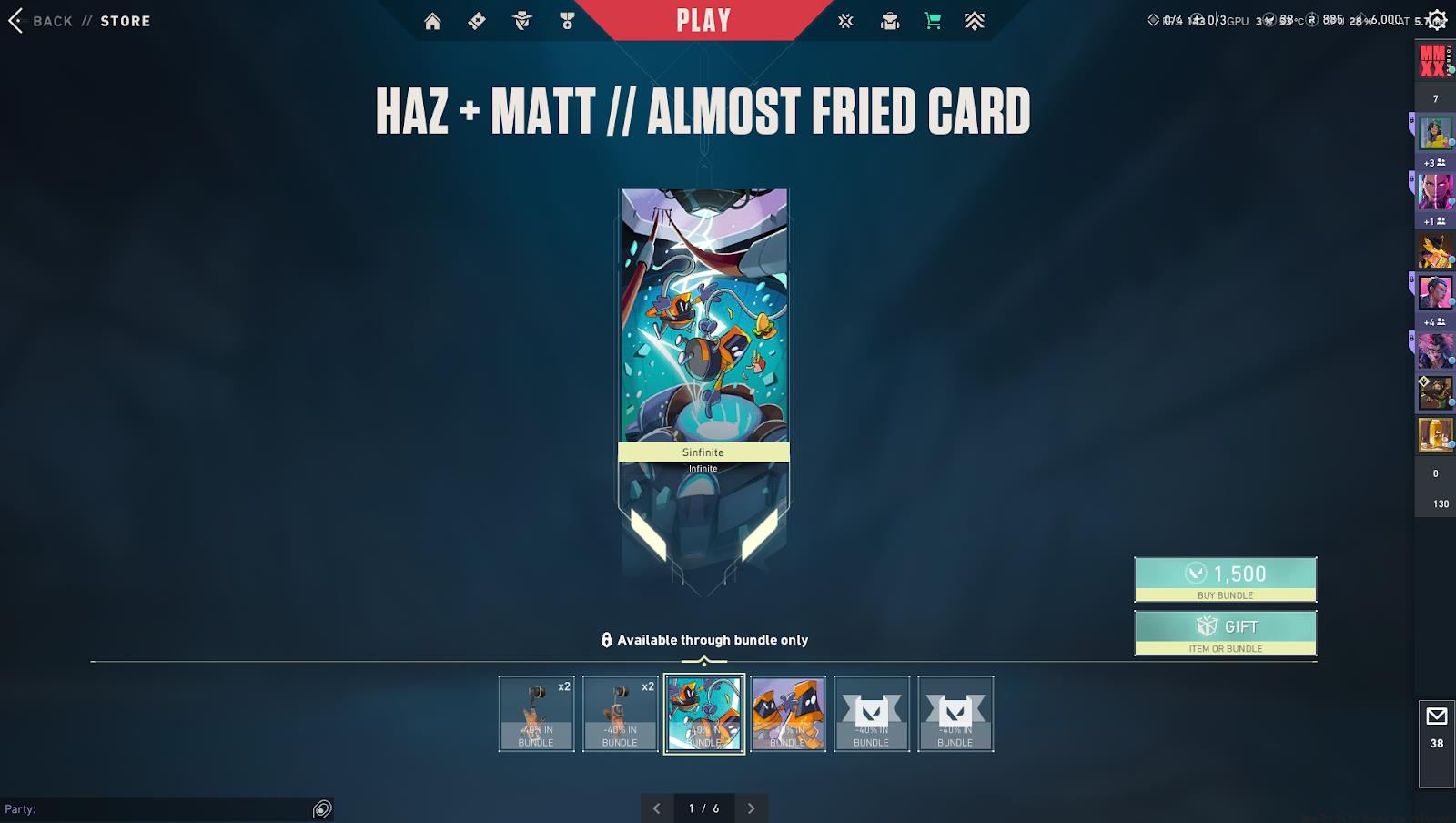
With the gifting mechanism now fully operational, players across all ranks are actively exploring how to share premium cosmetics with their gaming partners. Whether you want to reward the teammate who helped you climb to Diamond rank or surprise your duo partner with the latest Player Card collection, understanding the gifting process is essential for maximizing this new social feature.
Mastering Valorant’s gifting workflow requires precise navigation through the game’s interface. Follow this comprehensive guide to ensure successful skin transfers to your valued teammates and friends.
Begin by accessing the main menu interface after logging into your Valorant client. Locate and select the store icon typically positioned in the upper right corner of your screen. This portal provides access to all available cosmetics and bundles currently featured in the marketplace rotation.
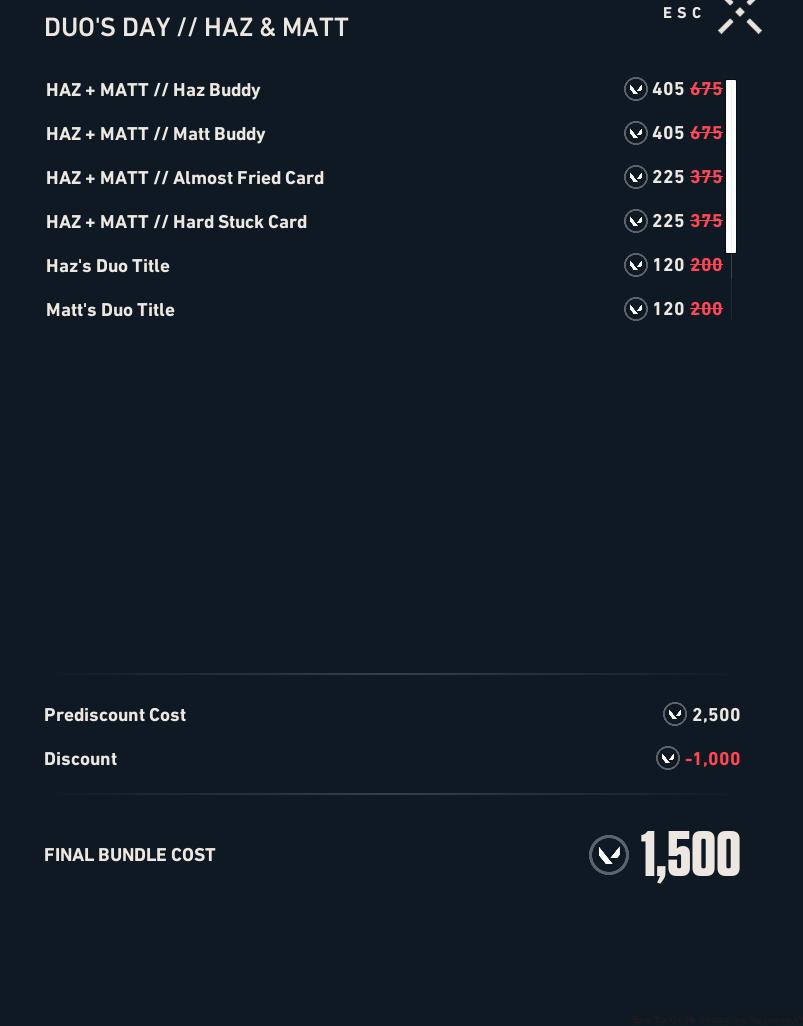
Browse through the available skin collections and individual items to identify the perfect gift for your recipient. Consider their playstyle, preferred agents, and existing cosmetic inventory when making your selection. The Divergence bundle might suit a technically-oriented player, while the Duo’s Day collection appeals to those who value partnership aesthetics.
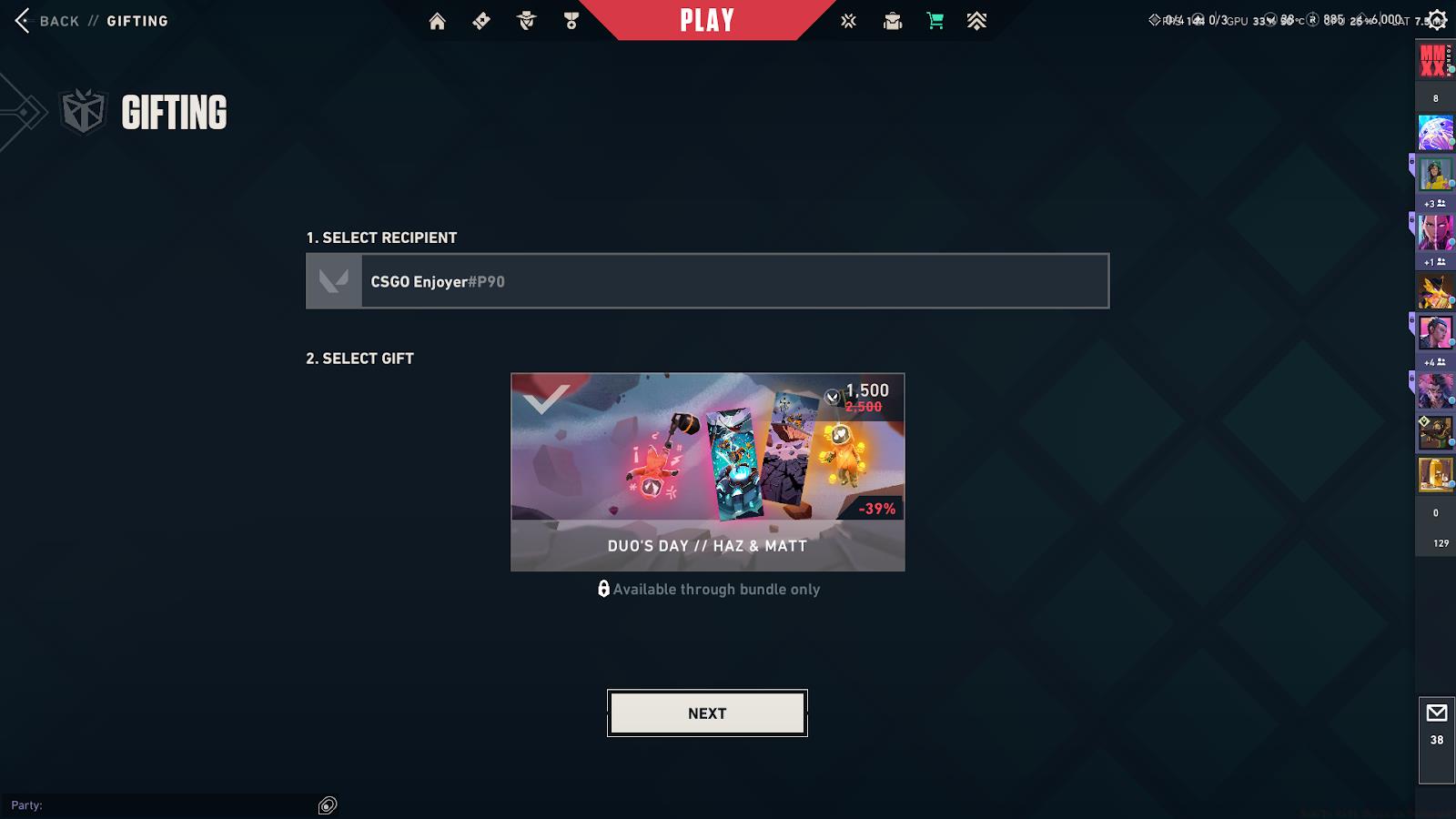
Once you’ve chosen the ideal cosmetic item, examine the pricing information display. Directly beneath the cost indicator, you’ll notice a prominently displayed ‘Gift’ button interface. Selecting this option initiates the recipient selection phase of the gifting process.
The system will present your friends list with eligible recipients highlighted. Choose the intended friend carefully—gifts cannot be revoked once confirmed. Complete the transaction by finalizing the purchase using your available Valorant Points balance.
Valorant’s gifting system incorporates several important restrictions designed to maintain security and prevent fraudulent activities. Both senders and recipients must meet specific eligibility criteria before gifting transactions can proceed.
Account age represents a critical factor in gifting eligibility. Your Riot Games account must be at least 14 days old to participate in gifting activities. Additionally, you must have established a two-factor authentication method to enhance account security before the gifting feature becomes available.
The friendship duration between giver and receiver also impacts eligibility. You and your intended recipient must have been connected as Valorant friends for a minimum of seven consecutive days before gifting becomes possible. This precaution prevents impulsive gifting to recently added strangers and reduces potential scam incidents.
Purchase history requirements further regulate the system. Accounts must have completed at least one successful Valorant Point purchase within the last 90 days to maintain gifting privileges. This ensures that only established, financially-verified accounts can distribute cosmetics to others.
Regional restrictions may apply depending on your geographical location and local gaming regulations. Some countries impose additional verification steps or limit gifting frequencies to comply with regional digital goods legislation. Always check your specific region’s requirements before attempting to gift cosmetics.
Maximize your gifting experience with these professional strategies developed through extensive testing of the Valorant gifting ecosystem. Proper timing can significantly enhance the impact and value of your cosmetic gifts.
Coordinate your gifting activities with Valorant’s regular sales cycles and bundle release schedules. New collections often debut with limited-time discounts during their initial availability window. Gifting during these periods extends your purchasing power while providing recipients with premium cosmetics at optimal value.
Bundle selection requires strategic consideration. Evaluate your recipient’s current inventory and play patterns before committing to a purchase. High-tier bundles like the Divergence collection offer comprehensive cosmetic sets, while individual skin gifts allow for targeted agent customization. Consider consulting our Weapons Unlock guide for insights on weapon preference patterns that might inform your gifting decisions.
Recipient management represents another crucial aspect of successful gifting. Maintain an organized friends list with notes about each contact’s cosmetic preferences and main agents. This preparation enables quick, appropriate gifting decisions when opportunities arise. For broader gameplay improvement strategies that complement cosmetic gifting, explore our Complete Guide to tactical shooter mastery.
Avoid common gifting mistakes by double-checking recipient selection before confirmation. Gifts cannot be refunded or transferred once completed. Ensure your Valorant Points balance covers the full cost including any applicable taxes. Be mindful of daily gifting limits that prevent mass distribution and potential exploitation of the system.
For players looking to enhance their overall gameplay approach alongside cosmetic collection, our Class Guide provides essential strategies for agent selection and role specialization that complement your gifting activities.
Action Checklist
- Verify account meets 14-day age requirement and has 2FA enabled
- Confirm friendship with recipient has existed for 7+ days
- Navigate to Store and select desired skin or bundle
- Click Gift button and carefully select intended recipient
- Complete purchase using sufficient Valorant Points balance
- Notify recipient and confirm successful gift delivery
No reproduction without permission:GameCDjnh » How To Gift Skins in Valorant? Master Valorant's new gifting system with step-by-step instructions, restrictions, and pro tips for seamless skin sharing