
Essential PEAK game mods to enhance climbing adventures with practical installation tips and strategies
Introduction to PEAK Modding
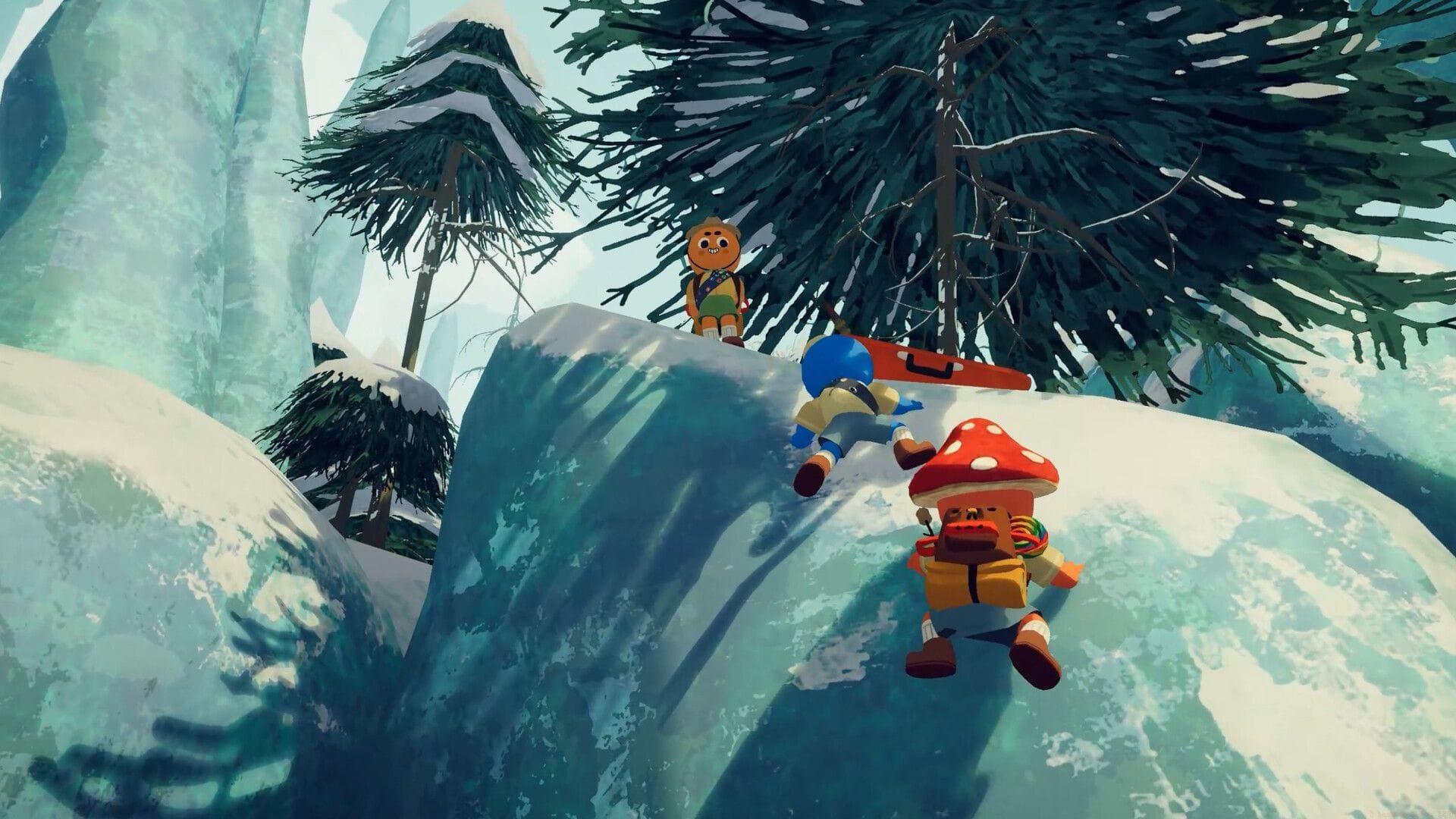
Customizing your PEAK experience through mods for PEAK represents one of the most effective methods to inject additional entertainment or controlled chaos into your climbing sessions. Whether you’re pursuing boundless endurance capabilities, transporting inactive teammates, or experimenting with aerial navigation modes, these modifications allow you to reshape the gaming environment according to your preferences. While the base game delivers plenty of comedic situations and punishing descents, incorporating well-chosen mods enables complete personalization of the title’s mechanics and atmosphere.
Before diving into modifications, ensure you have the BepInEx framework properly installed, as many PEAK mods depend on this foundation. Beginners should start with one or two simple mods to understand the installation process before adding more complex modifications. Always back up your save files before implementing new mods to prevent potential data loss.
Essential Multiplayer Enhancement Mods
Developed by glarmer, this represents one of the most valuable mods for PEAK by eliminating player restrictions in gaming sessions. Imagine no longer being confined to merely four mountaineers—this modification shatters that limitation completely. Only the session host requires this modification installation, making it ideal for extended friend circles where everyone wishes to join the adventure. The setup process is remarkably simple, and once activated, your mountainous expeditions will transform into significantly more vibrant (and wonderfully chaotic) experiences.
Created by Roose, this modification enables you to lift and transport fellow players regardless of their consciousness state. This proves exceptionally useful when participants become temporarily unavailable or during casual gameplay moments. The most advantageous aspect is that solely the transporting individual needs the modification installed. It additionally includes customizable parameters for interaction duration requirements and perspective options for the transported player—either first-person from the carrier’s viewpoint or maintaining their original visual perspective.
Also read — PEAK: How to heal
For optimal multiplayer sessions, combine these mods to create massive climbing parties where stronger players can assist newcomers. The expanded lobby mod works exceptionally well with the carrying function during rescue missions or when guiding less experienced climbers through difficult sections.
Gameplay Customization Mods
Crafted by Luluberlu, as referenced in earlier coverage, this modification delivers precisely what it advertises—your endurance meter remains perpetually full. Eliminate concerns about losing grip during leaps or plummeting from vertical surfaces. It’s perfect for unrestricted exploration, relaxed gameplay, or finally achieving vengeance against that persistent tree root that continuously causes stumbles.
Despite its advantages, I would advise against excessive reliance, as it may diminish the game’s challenging aspects, though ultimately the decision rests with you. Unquestionably, it ranks among the premier mods for PEAK available.
This represents another excellent creation by Luluberlu, undoubtedly, though it similarly reduces gameplay difficulty. However, we’re the identical gamers who employed every available cheat code in Grand Theft Auto, so why not indulge in some amusement? With a simple F6 keystroke, you activate comprehensive flight mode. Utilize the jump command to ascend, crouch to descend, and navigate using standard movement keys.
It’s valuable for route experimentation, capturing screenshots, or simply soaring above other players while they grapple with cliff faces.
Developed by Zahirgamer444, this PEAK modification protects you from all descent impact consequences. Desire to vault from a precipice directly toward your subsequent objective like an action sequence? Now you can. You can configure whether falling results in unconsciousness or not, but regardless, the harm disappears. This modification additionally necessitates installing BepInEx, a specific modification management system on your computer.
When using flight and infinite stamina mods together, consider enabling them only for specific challenges rather than continuous use to maintain gameplay balance. The fall damage removal mod proves particularly useful for practicing difficult jumps without the penalty of repeated failures.
Advanced Developer Tools
This entry among the catalog of finest mods for PEAK activates the game’s internal console using F1. You gain access to numerous developer-level instructions including item generation, teleportation, atmospheric changes, providing yourself with limitless endurance, and even immediate demise (why indeed?).
It’s potent, and while primarily intended for testing and experimentation, substantial practical utility exists here as well.
Several commands have been referenced below:
The console incorporates auto-completion functionality as well, so memorizing every instruction becomes unnecessary.
By smckeen, this modification eliminates waiting periods for daily terrain layouts and loads fresh randomized versions each time you initiate a session. If you’re intensively practicing the game or simply prefer not to repeatedly ascend identical paths, this modification revolutionizes the experience. It even includes a configuration file should you desire greater control over terrain loading procedures.
This represents a straightforward modification by RatherChaotic that introduces fresh complexion options for your avatar. It’s minor yet enjoyable, particularly if the standard color selection has grown tedious and you seek slightly enhanced variety.
Advanced players can create custom gameplay scenarios using console commands, such as organizing teleportation races or setting up challenging weather conditions for group events. The map randomization mod helps maintain freshness during extended play sessions by ensuring no two climbs feel identical.
Mod Installation Best Practices
That completes our compilation of the finest mods for PEAK.
Check out: Is there couch co-op in PEAK?
When installing multiple mods, always check for compatibility issues between different modifications. Some mods may conflict with each other, causing game crashes or unexpected behavior. Begin with a clean installation of PEAK before adding mods, and introduce them one at a time to identify any problematic combinations.
Monitor your game’s performance after mod installation, as some modifications may impact frame rates or loading times. The expanded lobby mod particularly may affect performance with many players, so adjust accordingly based on your system capabilities. Regularly update your mods when game patches are released to ensure continued compatibility.
For the console command mod, create a cheat sheet of your most frequently used commands to streamline your gameplay modifications. Consider using the flight and infinite stamina mods selectively for specific challenges rather than keeping them permanently enabled to preserve the game’s intended challenge level.
No reproduction without permission:GameCDjnh » 7 best mods for PEAK Essential PEAK game mods to enhance climbing adventures with practical installation tips and strategies