
TL;DR
- Use CurseForge for reliable addon management and automatic updates
- Configure Threat Plates with specific dimensions for optimal enemy tracking in dungeons
- Implement sUI for cleaner action bars and reduced visual clutter
- Set up Ability Team Tracker to monitor party cooldowns efficiently
- Customize fonts and organize inventory with ADI Bags for streamlined gameplay
Are you seeking a polished, streamlined interface that enhances your World of Warcraft experience? This comprehensive guide covers essential UI improvements including clear nameplates, WeakAuras integration, party ability monitoring, and numerous quality-of-life enhancements. The original tutorial comes from MarcelianOnline, and by following these detailed steps, you’ll master the installation and configuration process for creating your ideal gaming interface.
CurseForge stands as the premier application for managing your addon collection, providing access to every modification featured in this tutorial with reliable update management.
Threat Plates Setup
Once you’ve installed the Threat Plates addon, navigate through these specific configuration steps to optimize your enemy tracking system.
Access the Interface menu, select Addons from the left panel, then locate and activate Threat Plates to begin customization.
General Configuration Tab
Begin by selecting Healthbar View from the main options. Configure the visual presentation with Smooth appearance settings for fluid animations during combat encounters.
Format Specifications: Bar Width: 120 pixels, Bar Height: 23 pixels
Castbar Menu Adjustments: Appearance Width: 127 pixels, Height: 14 pixels
Layout Positioning: Healthbar View X Offset: 0, Y Offset: -27
Spell Icon Configuration: Size: 23 pixels with positioning at X: 76, Y: -26 for optimal visibility.
Widgets and Target Highlighting
For dungeon content and raid environments, clear target identification becomes crucial. Access the Widgets tab to implement enhanced selection indicators.
Target Highlight customization enables precise enemy tracking. Select the Less-Than Arrow style for distinctive visual marking during combat sequences.
Layout Parameters: Size: 50 units with Horizontal Offset: 8 for perfect positioning relative to enemy frames.
sUI Visual Enhancement Suite
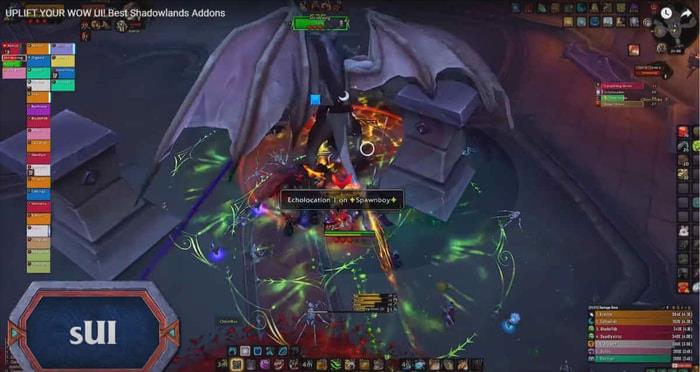
This comprehensive interface modification eliminates the default gryphon artwork from your action bars while applying a sophisticated dark overlay to screen elements. The package includes extensive additional functionality that you can explore based on your specific gameplay preferences.
For precise replication of our demonstrated interface, simply pause the reference video and meticulously follow the checkbox configurations displayed on-screen.
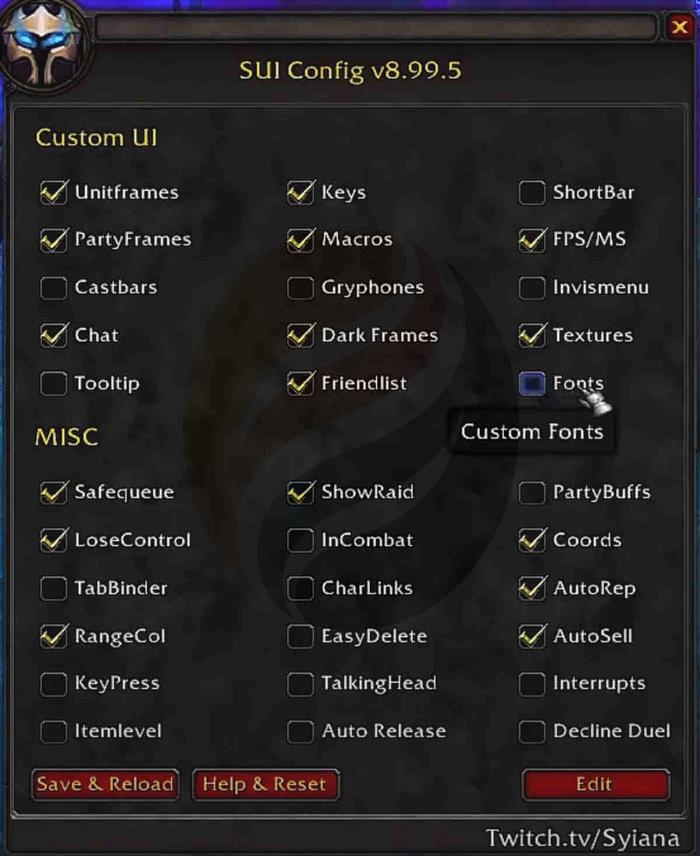
Important compatibility note: If you’re already using a dedicated castbar addon, consider disabling sUI’s castbar configuration to prevent potential interface conflicts.
Ability Team Tracker Implementation
This powerful tool provides non-intrusive monitoring of your party members’ available abilities and active cooldowns, significantly enhancing group coordination during challenging content.
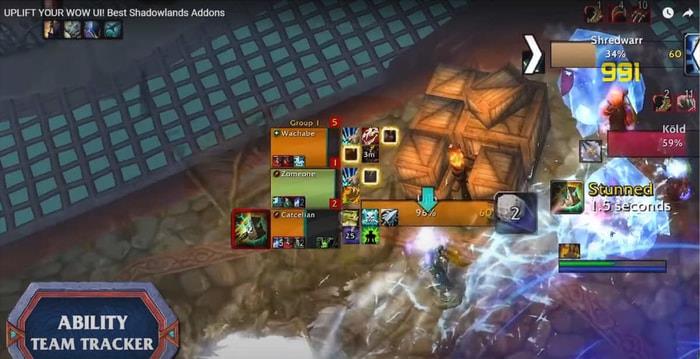
Access the configuration by typing “/att” in your chat interface, then navigate to Addons in the Interface menu.
Essential Ability Team Tracker settings: Enable Two Rows display and activate Glow Icons for enhanced visibility. Adjust scale to 0.6 for optimal screen space utilization.
To expand tracked abilities or additional cooldowns, first select the appropriate class, accurately input the ability name, then execute Add/Update to incorporate new tracking elements.
Custom Font Implementation
Critical compatibility warning: This font modification will not function properly if you have LVY installed or utilize other font management addons or scrolling combat text modifications. Meticulous adherence to installation procedures is essential for successful implementation.
Post-installation, download the Pepsi typeface from font.com. After extracting the archive contents, rename the Pepsi font file to “font” before transferring it to your World of Warcraft Retail directory under Interface – Addons – Any Font, replacing the existing file. While we prefer Pepsi font for its clarity, you can substitute any preferred typeface using identical procedural steps.
For visual learners, this segment proves more comprehensible through direct video observation (reference timestamp 5:35 – 6:00).
Narcissus Character Display
This sophisticated character inspection addon delivers extensive features including multiple camera perspectives and advanced screenshot capabilities for creating impressive character poses. Its enhanced clarity and refined interface make it particularly valuable for detailed character assessment.
Interface navigation: Access Addons settings, locate Narcissus configuration, and enable Double-tap activation in Shortcuts for rapid access via the ‘C’ key.
ADI Bags Inventory Management
Transform your inventory presentation with clean, organized bag interfaces using ADI Bags.
Bag Configuration Parameters
Backpack configuration: Set to open display with Position Mode: manual operation. Adjust Scale to 90% with Maximum Back Height: 58 units while ensuring Compact Layout remains deactivated.
Item Display Settings
Bag type categorization: Enable checking system with Virtual Stacks: all options disabled for clarity.
Plugin Management
Currency display: Deactivate all unwanted currency types from bag visibility to reduce interface clutter.
WeakAuras Integration via Luxthoes
Install WeakAuras 2 addon, then type “/wa” in chat to access the configuration interface. Click Import function and navigate to Luxthoes online repository.
Browse to your preferred class specialization, then systematically activate modules individually. Return to WoW and paste imported configurations using Ctrl+V keyboard shortcut.
World Quest Tracker Enhancement
This modification simplifies anima reward tracking by displaying cumulative totals from all available quests, enabling efficient resource farming decisions.
Talent Set Manager Utility
This invaluable tool provides exceptional talent management capabilities, particularly beneficial for players engaging in multiple gameplay aspects like PvP, raiding, and mythic dungeons.
Access your talent interface and select the card-shaped icon to begin configuration.
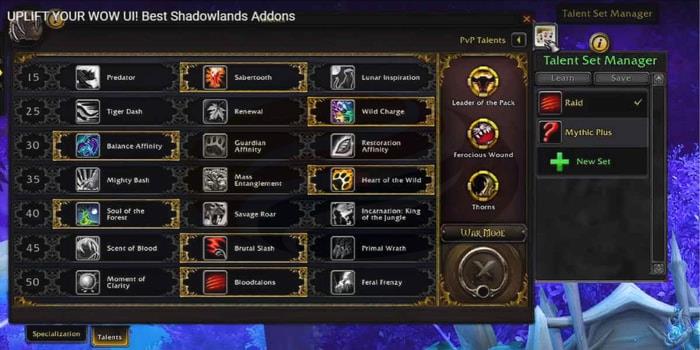
Initiate New Set creation, choose an appropriate icon, and assign a descriptive name corresponding to your intended gameplay mode.
Select desired talent configurations, then execute Save command to preserve your specialized setups.
MBB Minimap Consolidation
This utility aggregates minimap buttons from various addons including DBM, Narcissus, and Details into a single unified interface element.
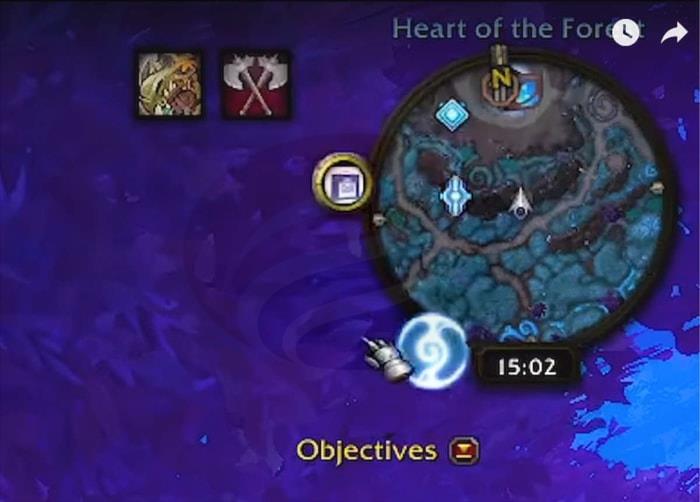
This consolidation dramatically cleans your minimap display, ensuring uninterrupted visibility of queue timers and essential interface information.
Naturally, we incorporate additional essential modifications like Details for damage analysis and DBM for encounter alerts. These are considered standard utilities within the community. Continue following MmoGah for additional WoW Shadowlands guidance. Our platform consistently ranks among the top three results when searching for premier WoW Gold purchasing destinations on Google. For time-constrained players, our gold acquisition services present an optimal solution for progression.
Action Checklist
- Install CurseForge and download all recommended addons
- Configure Threat Plates with specified dimensions and target highlighting
- Set up sUI following the exact checkbox configurations shown in video
- Implement Ability Team Tracker with Two Rows and Glow Icons enabled
- Customize fonts and configure ADI Bags for inventory organization
- Import WeakAuras from Luxthoes and set up remaining quality-of-life addons
No reproduction without permission:GameCDjnh » Uplift Your UI with the Best WoW Shadowlands Addons! Transform your WoW UI with essential addons for nameplates, tracking, and quality of life improvements