
TL;DR
- Flex cosmetics are new in-game items for showcasing achievements and style
- All players receive one free Flex item after Episode 10 update
- Second Flex available at Battle Pass Tier 37 for premium users
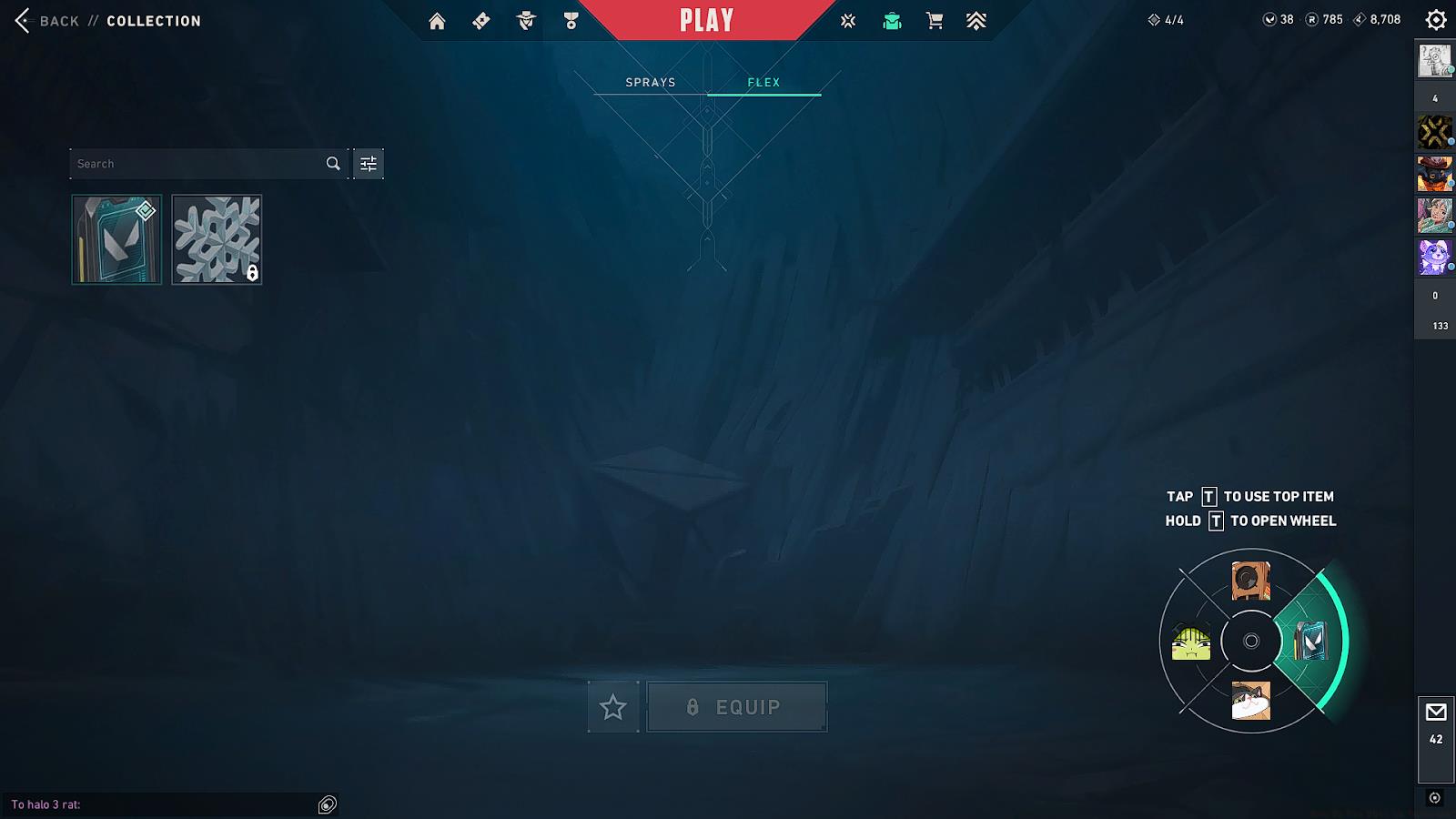
- Equip through Collections menu and inspect during matches to display
- Strategic timing maximizes impact and avoids gameplay disruption
Valorant’s Episode 10 introduced a revolutionary cosmetic category that has captivated the tactical shooter community—Flex items represent a new dimension of player expression beyond traditional weapon skins and character cosmetics.
For those unfamiliar with the concept, Flex constitutes a specialized cosmetic classification within Valorant designed specifically for in-game exhibition of player accomplishments and personal style. During matches, you can display your Flex possessions through the inspection interface, similar to how you would examine your equipped firearms or melee weapon finishes.

Strategic deployment of Flex items can psychologically impact opponents by showcasing your dedication and achievements. Many professional players use these moments during buy phases or after clutch rounds to establish mental dominance.
Before deploying Flex cosmetics during matches, you must first understand the acquisition pathways available. Fortunately, Riot Games has implemented accessible methods for obtaining these showcase items.
The development team has generously provided complimentary Flex access to every player who logs into Valorant following the Episode 10 deployment. This ensures the entire community can participate in this new form of expression without financial barriers.
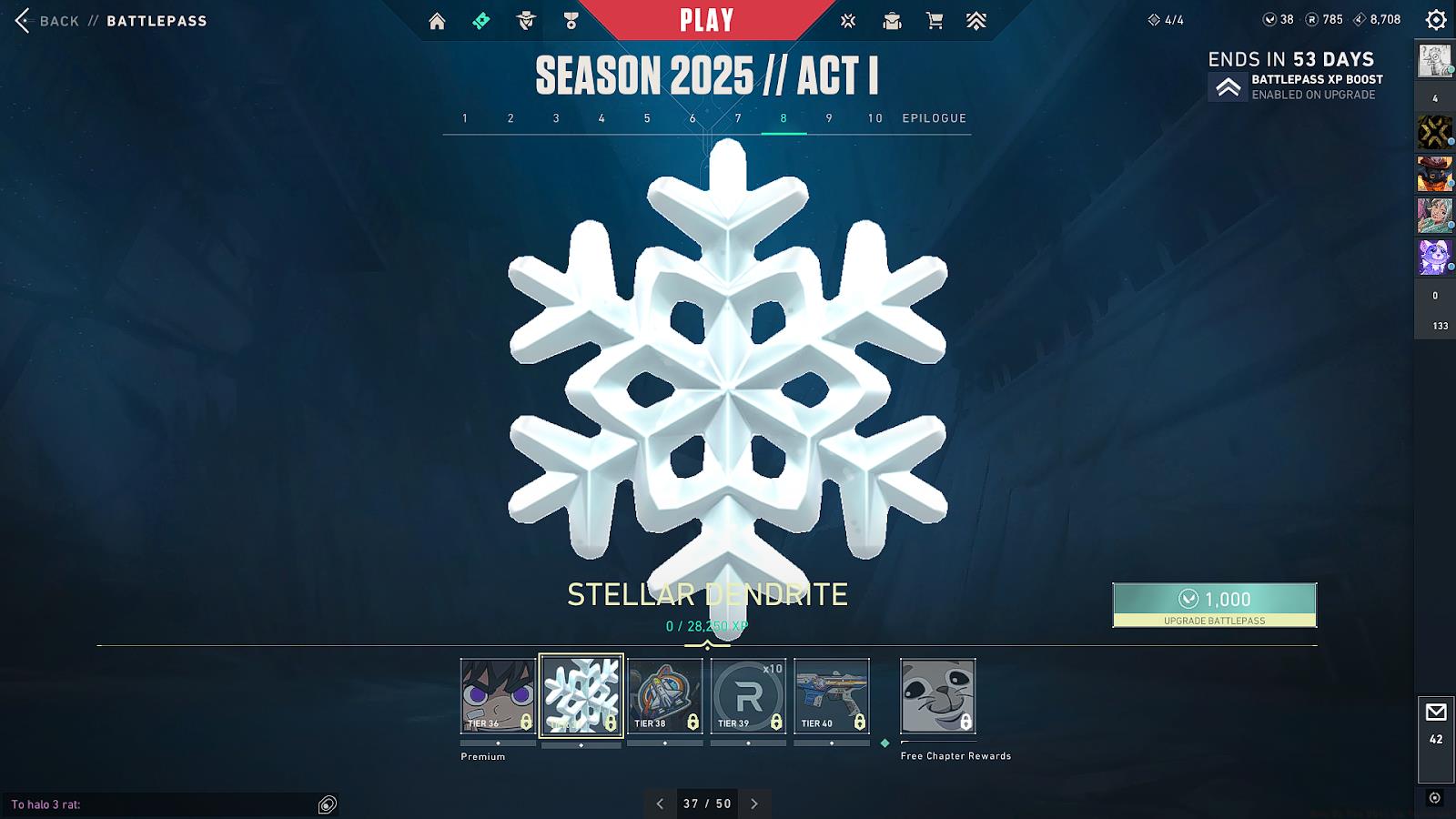
For collectors seeking additional options, a secondary Flex variant becomes available upon purchasing the Episode 10 Act 1 Battle Pass and achieving progression milestone Tier 37. This provides dedicated players with exclusive cosmetic alternatives to distinguish their profiles further.
Future updates may introduce additional acquisition methods, including event rewards, bundle purchases, or achievement-based unlocks. Monitoring patch notes and community announcements ensures you won’t miss limited-time opportunities.
Once you’ve secured your Flex cosmetics, proper configuration becomes essential for in-game implementation. The equipment process follows intuitive steps similar to other cosmetic categories.
Navigate to your Collections interface and locate the Flex category tab. Here you can preview available items and assign them to your preferred loadout slots. Unlike weapon skins that occupy specific firearm categories, Flex items function as universal cosmetics applicable across all agent selections.
During matches, activate your Flex display by utilizing the inspect command (default key ‘N’ or right-click + inspect). Optimal timing occurs during buy phases, after successful round conclusions, or during strategic downtime—avoid showcasing during critical combat moments to maintain competitive focus.
Advanced techniques include coordinating Flex displays with teammates for synchronized celebrations or using specific items to commemorate milestone achievements like ace rounds or comeback victories. Remember that excessive flexing might trigger opponent retaliation, so employ strategic discretion.
For comprehensive gameplay enhancement, consult our Class Guide to optimize your agent selection alongside your cosmetic presentation strategy.
Action Checklist
- Log into Valorant post-Episode 10 to claim free Flex item
- Purchase Battle Pass and reach Tier 37 for additional Flex variant
- Equip Flex through Collections menu before matches
- Practice inspect timing during buy phases and round transitions
- Develop strategic showcase patterns for psychological advantage
No reproduction without permission:GameCDjnh » How To Use Flex in Valorant? Complete guide to acquiring and mastering Valorant's Flex cosmetics with pro tips and strategies