
A comprehensive guide to unlocking Emma Frost’s Will of Galacta skin, including Twitch linking, viewing strategies, and exclusive event details.
Introduction: The Exclusive Twitch Drop
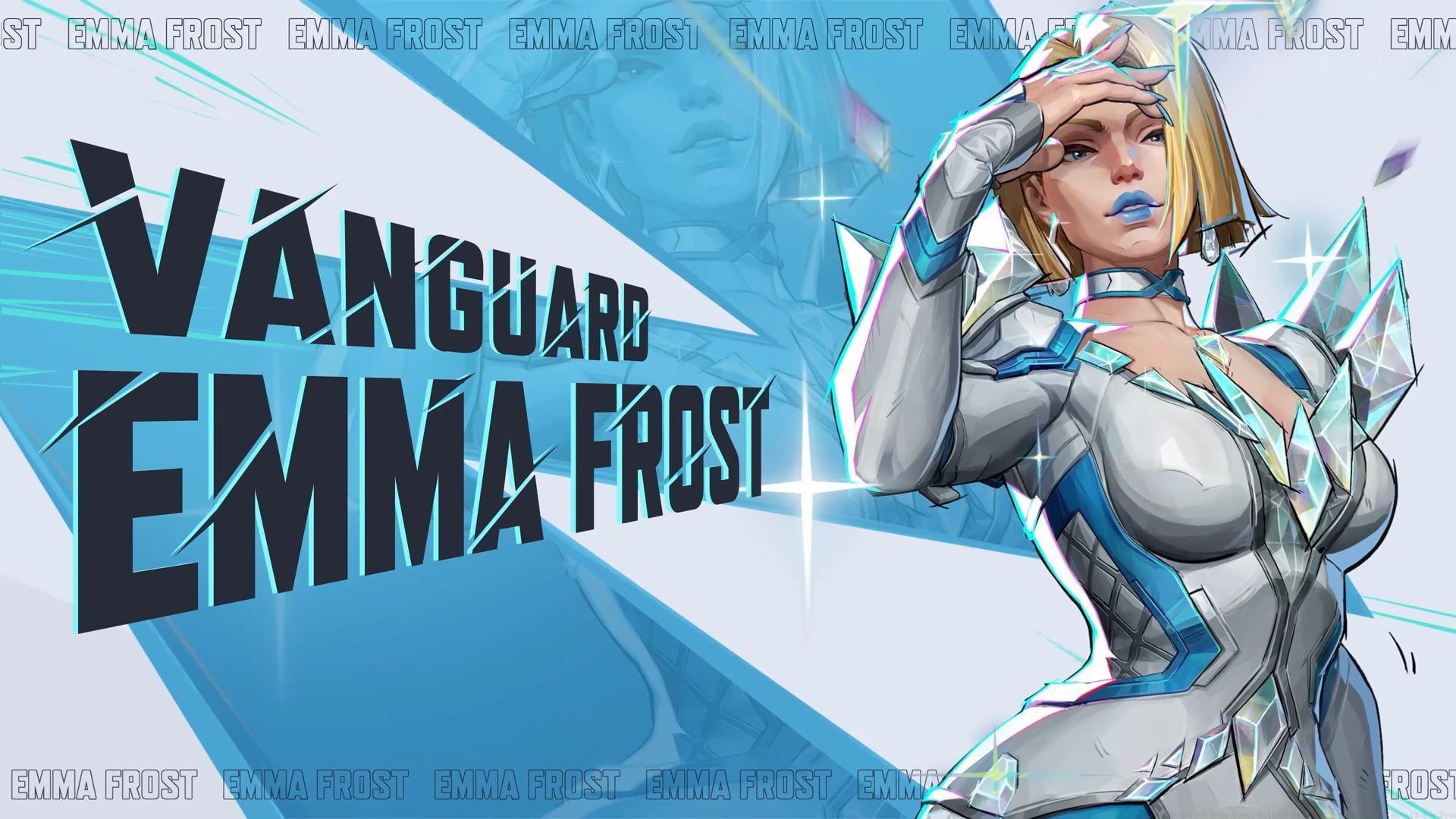
Marvel Rivals Season 2.5 introduces a coveted cosmetic reward: the Emma Frost Will of Galacta skin, available exclusively as a free Twitch Drop. NetEase Games continues its tradition of offering themed Twitch Drops during seasonal launches, with this mid-season update placing the White Queen in the spotlight. This skin represents more than just a visual update; it’s a marker of participation in a specific, limited-time community event.
Unlike standard unlockables, this cosmetic is tied directly to an external platform engagement, making it a unique collector’s item. For players who enjoy showcasing their dedication and timing, securing this skin is a must-do activity during the specified event window.
Account Setup: Linking Marvel Rivals and Twitch
Before you can start earning watch time, you must establish a secure bridge between your game account and your Twitch profile. This process is straightforward but requires attention to detail to avoid common authentication errors.
Here is the essential step-by-step guide to linking your accounts successfully:
- Initiate from the Game: Log into your Marvel Rivals account via the official game client or website. Navigate to the settings or profile section dedicated to external connections.
- Locate the Twitch Drops Portal: Find the specific subsection labeled “Twitch Drops” or “Connected Accounts.” This is usually under “Account Settings” or a similar menu.
- Initiate the Link: Click the prompt to link your Twitch account. This will redirect you to Twitch’s official authorization page.
- Grant Permissions: On the Twitch pop-up window, carefully review and authorize the connection request. Ensure you are logged into the correct Twitch account before confirming.
Common Pitfall: Many players encounter issues because they attempt to link accounts while logged into the wrong Twitch profile on their browser. Always double-check your active Twitch login before authorizing. If the connection fails, clear your browser cache and restart the process from the game’s site.
Earning the Skin: Viewing Requirements & Strategies
Once your accounts are successfully linked, the path to earning the skin involves dedicated viewing time. The requirement is precise: you must accumulate four hours of watch time on Marvel Rivals streams that have “Drops Enabled” clearly tagged.
Finding Eligible Streams: Do not assume every Marvel Rivals stream qualifies. On Twitch, use the search filters or look for the “Drops Enabled” tag in the stream title or description. The time is cumulative, meaning you can watch multiple streams across different days until you hit four hours.
Optimizing Your Viewing: To efficiently meet the requirement without needing to be actively engaged for four consecutive hours:
- Use Muted Tabs: You can mute the stream tab (not the player) and browse other sites; the watch time still counts as long as the stream is playing.
- Background Viewing: Mobile apps also count. Start a stream on your phone while doing other tasks.
- Check Progress: Monitor your drop progress in the Twitch “Drops & Rewards” inventory section to track your accumulated time.
Reward Delivery Timeline: After completing the four-hour requirement, the skin will be sent to your in-game mail. Delivery is not always instantaneous. It is normal for a delay of 24 to 72 hours to occur. Do not panic if it doesn’t appear immediately; check your in-game mail over the next few days. If it hasn’t arrived after a week, verify your account link and contact support with your Twitch and Marvel Rivals usernames.
Event Details & Strategic Importance
This opportunity is strictly bound by time and exclusivity, adding significant value to the cosmetic.
The limited-time event window runs from May 29, 2025, at 8 AM Eastern Time to June 27, 2025, at 5 PM Eastern Time. Mark these dates; there will be no extensions.
Critical Exclusivity Note: NetEase has confirmed this is a true exclusive item. It will not return to Marvel Rivals in the future as a purchasable item in the shop, a battle pass reward, or through any other means. This “free” skin is your only chance to ever own it. Missing the event means permanently missing out on this specific variant, which could impact the completeness of a dedicated Emma Frost player’s collection.
For collectors and competitive players alike, exclusive skins like this serve as a badge of honor and a timestamp of your activity during a specific season, making them highly desirable beyond their visual appeal.
Pro Tips & Common Pitfalls
Maximize your chances of success and avoid frustration by following these advanced guidelines.
Optimization Tips:
- Multi-Stream Wisely: While you can only earn progress from one stream at a time, you can switch between eligible streams if your main stream goes offline without losing cumulative time.
- Set Reminders: Use calendar alerts for the event end date (June 27, 2025, 5 PM ET) to ensure you don’t run out of time.
- Verify Before Watching: Spend 30 seconds at the start of any viewing session confirming the “Drops Enabled” tag is active. Watching an ineligible stream wastes time.
Common Mistakes to Avoid:
- Assuming All Streams Count: The #1 error. Always check for the tag.
- Ignoring the Account Link: You cannot earn time before the accounts are linked. Complete this first.
- Expecting Instant Delivery: As noted, delays are normal. Avoid submitting duplicate support tickets immediately.
- Forgetting the Time Zone: The event ends at 5 PM Eastern Time. Convert this to your local time zone to avoid a last-minute miscalculation.
By following this structured approach—linking early, verifying streams, optimizing view time, and understanding the delivery process—you will secure this exclusive Emma Frost skin without hassle.
No reproduction without permission:GameCDjnh » How to unlock Emma Frost Will of Galacta skin in Marvel Rivals for free A comprehensive guide to unlocking Emma Frost's Will of Galacta skin, including Twitch linking, viewing strategies, and exclusive event details.