
Master CSGO weapon hand switching with console commands and tactical binds for competitive advantage
Understanding CSGO’s Hand Switching System
Counter-Strike: Global Offensive maintains its position as a premier tactical shooter over a decade after launch, continuing to dominate the esports landscape with unparalleled competitive integrity. The game’s enduring success stems from its deep customization options that empower players to fine-tune their experience.
What truly distinguishes CSGO from other FPS titles is the extensive control players wield over their gameplay environment. Through the developer console, competitors can implement adjustments spanning visual preferences to fundamental mechanics, creating personalized configurations that enhance performance.
Among the most frequently utilized console features is weapon hand positioning adjustment. This functionality provides immediate visual feedback modification that can impact both comfort and competitive effectiveness.
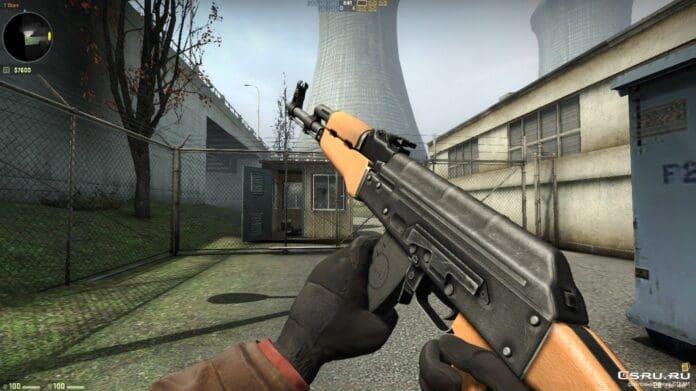
Weapon hand toggling enables instantaneous switching between left and right-handed ViewModel positioning. While this benefits left-handed players using default right-hand configurations, it also serves as a strategic tool for managing screen real estate during intense firefights. Understanding this system unlocks new dimensions of gameplay optimization.
Enabling and Using Console Commands
Implementing hand configuration changes requires minimal time investment and becomes second nature with practice. The process involves straightforward console commands that deliver immediate visual feedback.
Follow this systematic approach to configure your weapon hand placement:
- Activate the developer console by navigating to Game Settings and selecting “Enable Developer Console” – this foundational step unlocks advanced customization capabilities
- Access the console interface by pressing the tilde (~) key; if unresponsive, verify key bindings in keyboard settings where alternative keys can be assigned
- Input “cl_righthand 0” to position your weapon on the left side of the screen, or “cl_righthand 1” for traditional right-hand placement – these commands take effect immediately upon execution
Successful command execution will instantly reposition your weapon model without requiring game restart. Many players overlook verifying their changes in different gameplay scenarios – test your new configuration across various weapons and positions to ensure optimal visibility.
Advanced Toggle Binding Techniques
While manual console commands provide basic functionality, dynamic toggle binding elevates hand switching to a tactical tool. This advanced technique enables real-time adjustment during matches to overcome visual obstructions.
Creating an efficient toggle bind follows this procedure:
- Execute “bindtoggle # cl_righthand” where the # symbol represents your chosen activation key – popular choices include V, B, or mouse side buttons for ergonomic access
- [Practical example: bindtoggle v cl_righthand] establishes V as your toggle key
- During matches, pressing your assigned key instantly alternates between left and right-hand configurations, allowing adaptive response to changing combat situations
Strategic applications include clearing visual clutter when holding right-side angles where your weapon model might obscure enemy movement. Conversely, left-side peeks might benefit from right-hand weapon positioning. Advanced players develop muscle memory for switching hands based on their positioning relative to cover and anticipated engagement angles.
A common mistake involves binding keys already assigned to critical functions – always verify key availability before implementing new binds. Additionally, avoid overly complex multi-command binds that might introduce input lag during crucial moments.
Pro-Level Optimization Strategies
Beyond basic implementation, professional players leverage hand switching as part of comprehensive gameplay optimization. Understanding when and why to toggle provides significant competitive edges.
Situational awareness dictates optimal hand configuration – right-hand positioning typically benefits left-side peeks by keeping your weapon model away from the angle you’re holding. Conversely, left-hand models improve visibility during right-side engagements. Map-specific strategies emerge as experienced players memorize sightlines where weapon models create visibility issues.
Performance considerations include potential frame rate impacts when frequently toggling during matches. While minimal, excessive switching might distract from core gameplay fundamentals. Develop a balanced approach that prioritizes crosshair placement and movement over constant hand adjustments.
Advanced users combine hand toggling with other ViewModel adjustments including weapon position offsets and custom viewmodel configurations. These sophisticated setups require extensive testing but can create truly personalized visual experiences that maximize both comfort and performance.
Recommended | Is CSGO dying in 2021?
No reproduction without permission:GameCDjnh » How to Switch Hands in CSGO? | Hand-Toggling in CSGO Explained Master CSGO weapon hand switching with console commands and tactical binds for competitive advantage