
Complete guide to linking Warframe with Twitch for exclusive rewards, troubleshooting tips, and optimization strategies
Why Connect Warframe to Twitch: Benefits Beyond Free Loot
Integrating your Warframe account with Twitch opens up a world of exclusive gaming advantages that extend far beyond simple cosmetic items. This strategic partnership between Digital Extremes and Amazon’s streaming platform provides ongoing value through timed exclusive offers, Prime Gaming rewards, and special event access that can significantly enhance your gameplay experience.
The primary benefit stems from Twitch Prime membership, which grants access to rotating monthly rewards that often include powerful weapons, rare mods, and even complete Warframe sets. Unlike temporary promotions, this integration provides sustained value with new content drops approximately every month, ensuring your gaming arsenal continues to expand without additional financial investment beyond your Prime subscription.
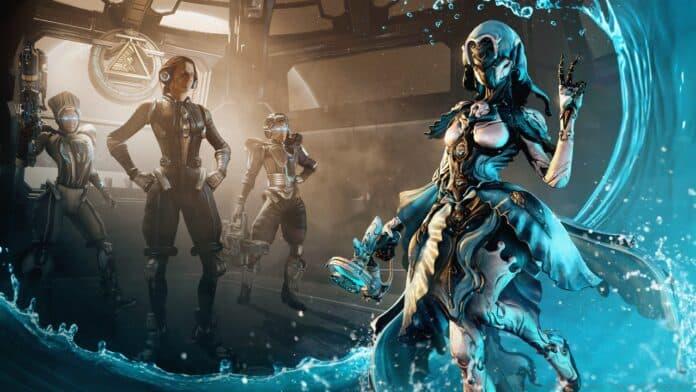
Beyond the immediate loot, connected accounts gain eligibility for special Twitch drop campaigns during major gaming events and developer streams. These time-sensitive opportunities can yield exceptionally rare items that aren’t available through normal gameplay, giving connected players distinct advantages in both PVE and PVP content.
Step-by-Step Linking Process: From Account Setup to Verification
Follow this comprehensive guide to establish a secure connection between your Warframe and Twitch accounts:
Following these connection steps, validation is crucial to ensure successful integration. Return to the Account Management portal and examine the User Information segment, where a confirmed Twitch account linkage will be displayed. For optimal results, completely exit and restart your Warframe client after linking to refresh your account status and trigger reward distribution.
Many players encounter authentication issues during this process, typically stemming from browser cache problems or incomplete Twitch Prime subscriptions. Clear your browser cache before beginning the linking process and verify your Twitch Prime status is active to prevent common connectivity failures.
Current Reward Catalog: What’s Available Through Twitch Integration
The reward ecosystem available through Warframe-Twitch connectivity offers substantial value for both new and veteran players. Current exclusive items include the high-precision Athodai Pistol sidearm, known for its alt-fire headshot bonus mechanic, and the devastating Vastilok Gunblade Weapon that blends melee and ranged combat capabilities.
Cosmetic enthusiasts can acquire the elegant Tannukai Longsword Skin and matching Armor Set, which provides distinctive visual customization without sacrificing statistical performance. The crown jewel remains Loki Prime Warframe accompanied by its dedicated slot, offering enhanced abilities and premium aesthetics for stealth gameplay enthusiasts.
Reward availability rotates periodically, so consistent checking of the Prime Gaming portal is recommended to avoid missing limited-time offerings. Some promotions require specific actions beyond simple account linking, such as watching designated Warframe partner streams or participating in community events for additional bonus items.
Pro Tip | Team Besties Banned From Riot-Sanctioned Events Following ‘Ringing’ Accusations
Advanced Tips and Troubleshooting: Maximizing Your Rewards
Seasoned players can optimize their Twitch integration experience through several advanced strategies. Establish a routine check of the Prime Gaming page every month when rewards typically refresh, usually around the first week. Enable Twitch notifications for Warframe’s official channel to receive immediate alerts about upcoming drop campaigns and limited-time offers.
Common connection problems often involve account region mismatches, where your Warframe and Twitch accounts are registered in different geographical zones. Ensure both accounts share the same region setting, particularly if you’ve relocated since creating either account. If rewards don’t appear despite successful linking, complete a manual claim through the Prime Gaming website rather than relying solely on automatic distribution.
Security considerations are paramount when connecting accounts. Never share your login credentials with third-party services claiming to facilitate linking, and always use the official Warframe website for authentication. Enable two-factor authentication on both your Warframe and Twitch accounts to prevent unauthorized access while maintaining connection integrity.
For persistent issues, the Warframe support team can verify connection status on their end and manually trigger reward distribution if technical glitches prevent automatic delivery. Keep records of your linking attempts and any error messages encountered for faster resolution through customer support channels.
No reproduction without permission:GameCDjnh » How to link Warframe to your Twitch account? Complete guide to linking Warframe with Twitch for exclusive rewards, troubleshooting tips, and optimization strategies