
Master bill identification techniques to boost your reputation and efficiency in Cash Cleaner Simulator
Understanding Different Marked Bill Types
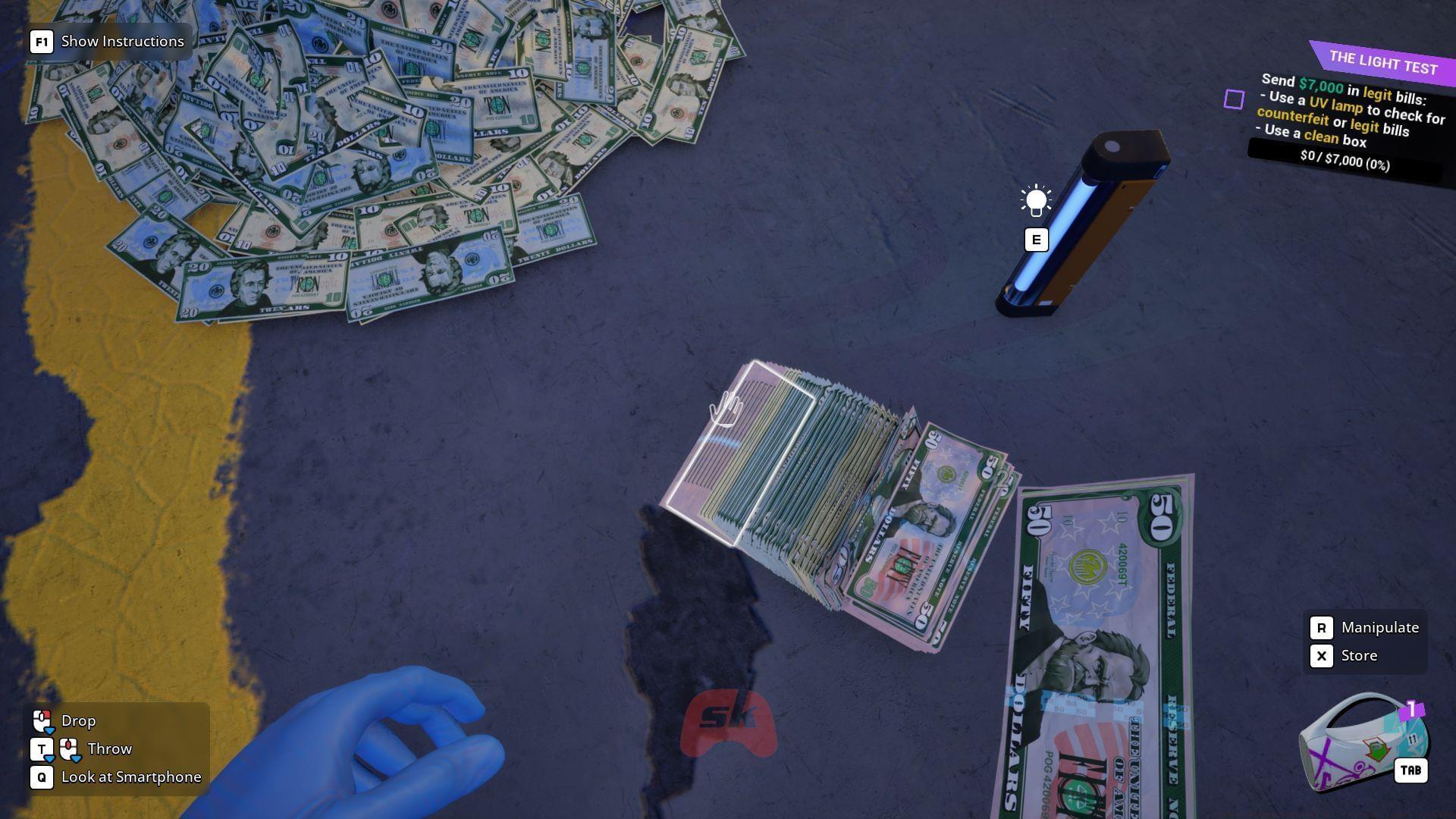
Throughout your Cash Cleaner Simulator career, you’ll encounter numerous missions where clients provide mixed bundles containing both marked bills in Cash Cleaner Simulator alongside unmarked currency. These assignments require precise sorting and selective return of either marked or clean bills based on client specifications. Your ability to accurately identify these distinctions directly impacts your professional reputation and mission success rates.
Beyond these primary categories, experienced players should watch for hybrid markings and faded indicators that may appear on heavily circulated bills. The positioning of marks can vary slightly between denominations, so developing a systematic inspection routine becomes crucial for consistent accuracy.
Also read: How long does it take to beat Cash Cleaner Simulator?
UV Light Mastery and Equipment Optimization
The most reliable method for identifying marked currency involves strategic use of specialized UV light equipment. After completing your initial missions during the game’s introductory phase, you’ll accumulate sufficient funds to purchase a professional-grade UV light from the in-game online marketplace. This essential tool enables comprehensive differentiation between counterfeit notes, marked currency, and legitimate unmarked bills through advanced fluorescence detection.
Mastering UV light application involves two primary techniques: dynamic hovering motion across bill surfaces and stationary positioning while systematically sorting through currency stacks. The hover method provides rapid initial screening, while the stationary approach offers more thorough inspection for subtle or faded markings. For optimal results, position your UV light at approximately 45-degree angles to minimize glare and maximize marking visibility.
We strongly recommend processing currency in controlled batches of approximately 50 notes to maintain efficiency while ensuring inspection accuracy. This batch size strikes the perfect balance between processing speed and manageable visual scanning. Larger bundles often lead to missed markings and sorting errors that can damage your reputation, while smaller batches unnecessarily slow your operation.
Avoid these common UV light mistakes: insufficient charging between sessions, improper angle positioning that creates shadows, rushing through large stacks without proper inspection, and failing to clean your equipment regularly. Dust accumulation on UV lenses can significantly reduce detection effectiveness. Additionally, remember that some markings may require multiple viewing angles for proper identification, especially on worn or crumpled bills.
Advanced Sorting Strategies
Developing efficient sorting methodologies dramatically improves your mission completion rates and reputation progression. Beyond the basic 50-note bundle recommendation, consider implementing a triage system: initial quick scan for obvious markings, secondary detailed inspection for subtle indicators, and final verification before packaging. This layered approach reduces errors while maintaining speed.
Your reputation system responds directly to sorting accuracy rather than speed alone. Consistently delivering correctly sorted bundles generates reputation bonuses that unlock higher-paying clients and more complex missions. However, repeated sorting errors trigger reputation penalties that can limit your access to premium contracts. Balance speed with precision—completed missions with perfect accuracy yield better long-term rewards than rushed jobs with mistakes.
Advanced players should develop muscle memory for common marking patterns and establish organized workspace layouts with designated areas for marked, unmarked, and questionable bills. Consider investing in additional sorting trays or organizational tools once your operation expands. The time invested in proper workspace organization pays dividends through reduced errors and faster processing times.
For more information on Cash Cleaner Simulator, check these articles out:
No reproduction without permission:GameCDjnh » How to recognize marked bills in Cash Cleaner Simulator Master bill identification techniques to boost your reputation and efficiency in Cash Cleaner Simulator