
Comprehensive guide to fixing and preventing the Cauldron bug in Schedule 1 with expert strategies
Understanding the Cauldron Bug
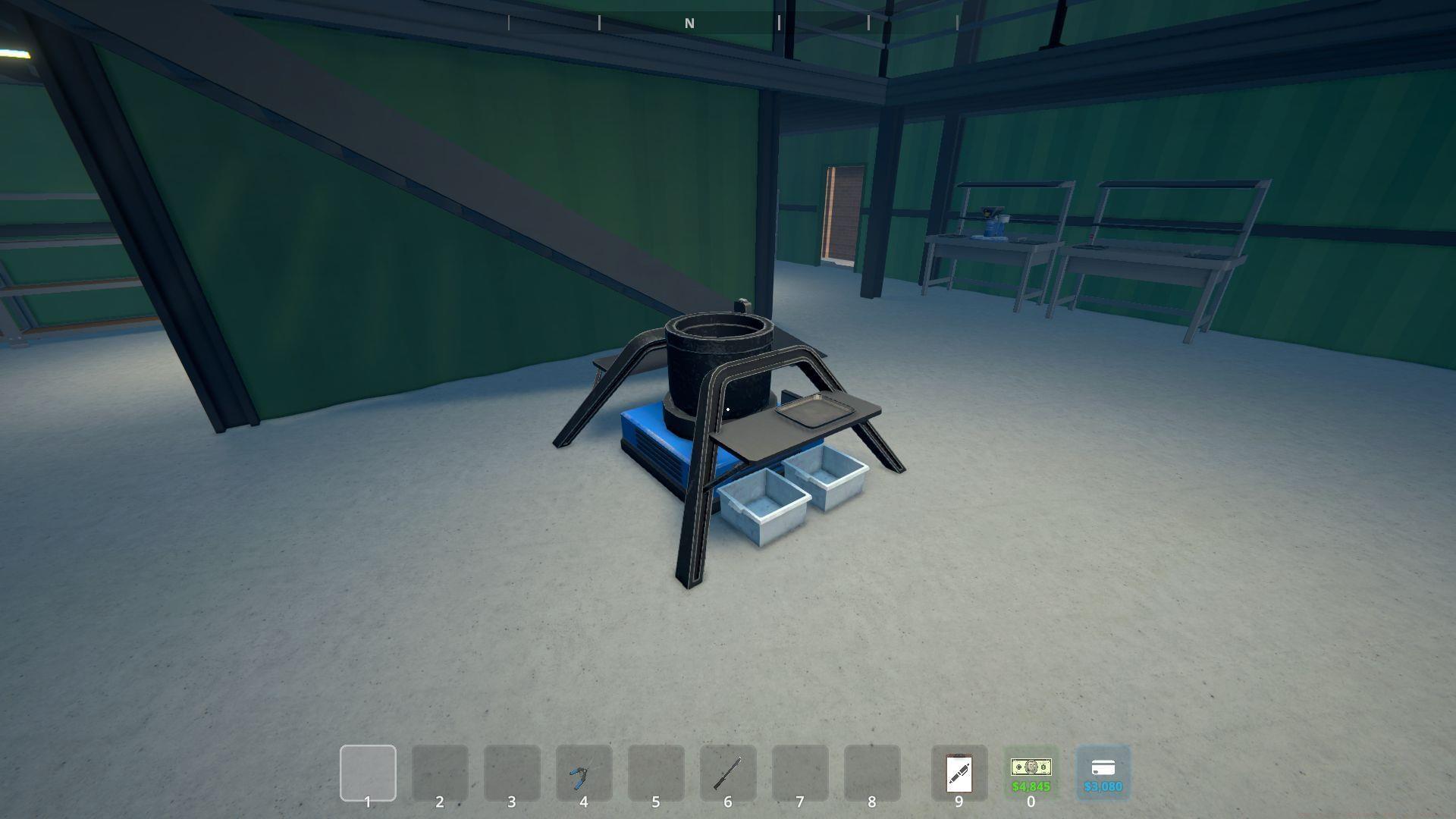
Players managing production teams for recipe creation frequently encounter the Cauldron bug in Schedule 1. This essential equipment becomes available during advanced stages of TVGS’ popular Breaking Bad-inspired title, primarily serving C***ine production workflows. The extensive grinding requirements and supplier progression mean that when this bug appears, it severely disrupts your entire operational output and business efficiency.
The cauldron enters a non-interactive locked state, simultaneously freezing the last assigned employee in a suspended animation. This dual paralysis affects both equipment accessibility and workforce productivity simultaneously.
Immediate Fix Solutions
Multiple effective approaches exist for resolving the Cauldron bug in Schedule 1, with community-tested methods showing remarkable success rates. Below you’ll find the most reliable techniques ranked by effectiveness and ease of implementation.
When a Chemist triggers the bug during cauldron operation, the simplest resolution involves removing them from assignment, creating a manual save, completely restarting the game application, then reassigning them to resume normal operations. This hard reset clears temporary memory conflicts causing the suspension state.
Another straightforward method requires utilizing the quick-save feature before exiting the game entirely. Upon reloading your session, the game engine refreshes all active states, frequently eliminating the bug without additional steps. This approach works particularly well when combined with a full application restart rather than just reloading the save file.
The gaming community discovered an unexpectedly entertaining solution involving physics interactions. Mounting a skateboard and deliberately colliding with frozen employees often jolts them back to normal functionality, eliminating repeated login attempts. Alternative impact methods using baseball bats or thrown bottles achieve similar results through environmental interaction mechanics.
Prevention Strategies
Managing Chemist employees effectively represents the cornerstone of avoiding the Cauldron bug in Schedule 1 entirely. These specialized workers require careful oversight to maintain production efficiency while minimizing technical issues.
Restrict each Chemist to managing no more than one or two cauldrons simultaneously. Overassignment creates pathfinding conflicts and state calculation errors that frequently trigger the suspension bug. Monitor their workload indicators and reassign before reaching critical mass.
Implement staggered work schedules rather than simultaneous cauldron operation across your entire workforce. This distributed approach reduces engine load and decreases the probability of state synchronization errors. Consider creating backup save files before major production cycles as an additional safety measure.
Advanced players should establish dedicated cauldron zones with clear pathways and minimal environmental obstacles. Poor navigation mesh design contributes significantly to employee freezing incidents. Regularly rotate chemists between different stations to prevent state accumulation bugs.
Advanced Troubleshooting
When standard solutions prove ineffective, deeper troubleshooting methods become necessary. The persistent nature of the Cauldron bug in Schedule 1 sometimes requires comprehensive approaches beyond basic fixes.
Community research indicates that bugs may correlate with specific game versions or mod installations. Verify your game integrity through platform validation tools and consider temporarily disabling modifications to identify conflict sources. Some players report success by completely rebuilding their production facility layout to reset persistent state errors.
For recurring issues, implement a systematic prevention protocol: regular save rotations, employee reassignment cycles every few in-game days, and maintaining equipment below maximum capacity. These practices significantly reduce bug recurrence rates and improve overall production stability.
Monitor community forums for patch notes and hotfix announcements addressing this specific issue. Developer updates frequently include behind-the-scenes improvements to state management systems that reduce cauldron-related bugs.
No reproduction without permission:GameCDjnh » How to fix Cauldron bug in Schedule 1 Comprehensive guide to fixing and preventing the Cauldron bug in Schedule 1 with expert strategies