
Complete guide to Mafia The Old Country system requirements, preloading instructions, and optimization strategies
Game Overview and Setting
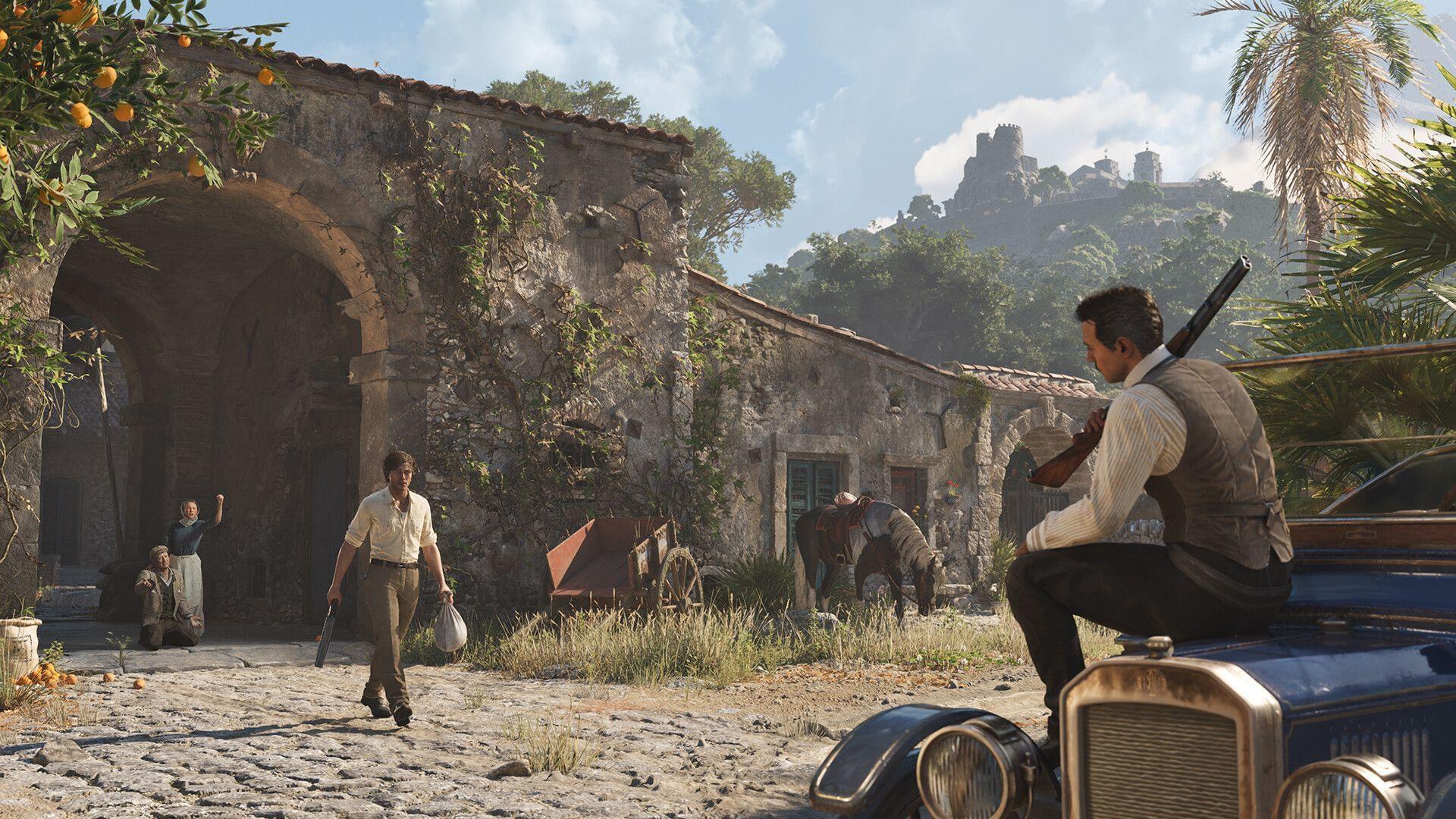
Step into the immersive world of organized crime with Mafia The Old Country, an action-adventure game that transports players to early 20th century Sicily. This narrative-driven experience explores the formative years of the Cosa Nostra criminal organization before its global expansion, offering a unique perspective on mafia origins.
Players assume the role of Enzo Favara, a local gangster navigating the treacherous political and criminal landscape of Italy’s island territories. The game promises deep character development within a historically rich setting, blending authentic period details with compelling storytelling.
The release date is set for August 7, 2025, with availability across multiple console platforms and PC systems, ensuring broad accessibility for gaming enthusiasts interested in this criminal epic.
Preloading Instructions and Availability
The preloading window for Mafia The Old Country opens on August 6, 2025, allowing players to download essential game files ahead of the official launch. This feature enables immediate access upon release, eliminating download delays when the game goes live.
Preloading Process:
- Navigate to your gaming library after completing your pre-purchase transaction
- Locate Mafia The Old Country in your purchased games section
- Select the prominent Download button to initiate file transfer
Storage requirements demand approximately 40 GB of available space across all platforms. However, important platform restrictions apply: preloading functionality is currently unavailable for PC and Xbox Series X/S users. Players on these platforms must wait until the official August 7, 2025 release date to begin downloading game files.
Platform Availability Notes: PlayStation 5 users enjoy full preloading capabilities, while Xbox and PC gamers should prepare for potential download queues post-release. Consider clearing sufficient storage space in advance to streamline your day-one experience.
PC System Requirements Breakdown
Mafia The Old Country features three distinct specification tiers catering to different gaming setups and visual preference levels. Understanding these requirements ensures optimal performance matching your hardware capabilities.
Minimum Specifications (HD Gaming):
- CPU: AMD Ryzen 7 2700X or Intel Core i7-9700K
- GPU: AMD Radeon RX 5700 XT or Nvidia RTX 2070
- Render resolution: HD with Medium preset (1920 x 1080)
- AA / Upscaling: Balanced
- Operating systems: Windows 10 / 11 with DirectX 12
Recommended Specifications (2K Gaming):
- CPU: AMD Ryzen 7 5800X or Intel Core i7-12700K
- GPU: AMD Radeon RX 6950 XT or Nvidia RTX 3080 Ti
- Render resolution: 2K with High preset (2560 x 1440)
- AA / Upscaling: Quality
- Operating systems: Windows 10 / 11 with DirectX 12
Ultra Specifications (4K Gaming):
- CPU: AMD Ryzen 7 9700X or Intel Core i7-14700K
- GPU: AMD Radeon RX 9070 or Nvidia RTX 4070 Ti
- Render resolution: 4K with High preset (2880 x 1620 with 75% scaling)
- AA / Upscaling: Quality
- Operating systems: Windows 10 / 11 with DirectX 12
Performance Interpretation: The 75% scaling noted in Ultra specifications indicates rendered resolution upscaling to 4K output, balancing visual fidelity with performance. This approach maintains high image quality while ensuring stable frame rates during demanding gameplay sequences.
Performance Optimization Tips
Maximizing your Mafia The Old Country experience requires strategic hardware configuration and settings adjustment. These optimization strategies help bridge performance gaps if your system falls between specification tiers.
Hardware Considerations: The CPU requirements indicate substantial physics and AI processing demands. Prioritize processors with strong single-core performance over core count alone. For GPU selection, focus on VRAM capacity – 8GB minimum for HD, 12GB for 2K, and 16GB for 4K gameplay ensures texture streaming stability.
Settings Optimization Strategy: Begin with the preset matching your hardware tier, then manually adjust these key settings:
- Shadow Quality: High impact on performance – consider reducing first if experiencing frame drops
- Anti-Aliasing: Balanced mode provides best performance/quality ratio for mid-range systems
- Texture Filtering: Minimal performance impact – keep at maximum for better visual clarity
- Environmental Details: Moderate impact – adjust based on CPU capabilities
Common Performance Pitfalls: Avoid these frequent mistakes: neglecting driver updates, insufficient storage defragmentation for HDD users, and background application interference. Ensure your system meets the minimum VRAM requirements to prevent texture pop-in and streaming issues during critical gameplay moments.
Advanced Optimization: Experienced users can experiment with resolution scaling – reducing internal resolution to 85-90% with Quality upscaling often provides significant performance gains with minimal visual degradation. Monitor your GPU utilization to identify specific bottlenecks affecting your gameplay experience.
No reproduction without permission:GameCDjnh » How to preload Mafia The Old Country? System requirements and file size explored Complete guide to Mafia The Old Country system requirements, preloading instructions, and optimization strategies