
Complete guide to accessing your Valorant 2022 stats with practical tips and common pitfalls
Understanding Valorant Flashback 2022
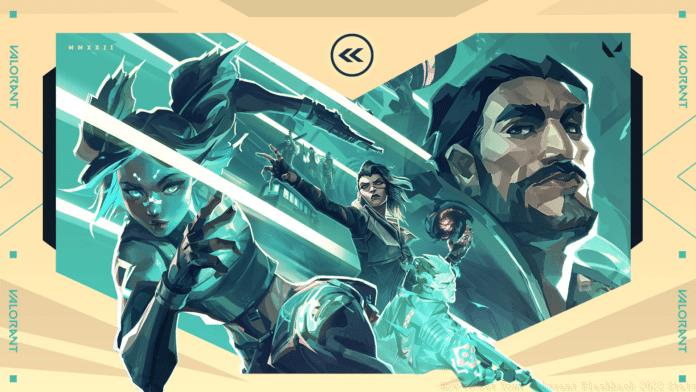
As the gaming year draws to a close, Valorant enthusiasts worldwide eagerly await their personalized performance review through the Valorant Flashback 2022 system. This annual tradition provides players with deep insights into their gaming journey throughout the year.
The Valorant Flashback 2022 serves as your comprehensive performance dossier, detailing every significant achievement and statistic you’ve accumulated during your 2022 gameplay sessions. Think of it as your personalized annual report card that captures your growth as a tactical shooter player.
Your Flashback will reveal critical performance metrics including your Kill/Death/Assist ratio, precision statistics like headshot percentage, and various other combat efficiency measurements. More importantly, it enables direct comparison with your 2021 performance, allowing you to track your improvement over time.
Beyond personal metrics, the system benchmarks your performance against the global player base, showing how you rank among fellow Valorant competitors. This contextual data helps you understand your standing within the broader community.
#VALORANTflashback pic.twitter.com/N1nrkdmSbx
Many players misunderstand the scope of these reports. The Valorant Flashback 2022 encompasses your complete statistical profile from the entire year, not just seasonal or episodic performance snapshots.
Step-by-Step Access Guide
Securing your Valorant Flashback 2022 requires a straightforward account configuration process through Riot Games’ official platform. The entire setup takes less than five minutes but must be completed before the distribution deadline.
To guarantee receipt of your personalized stats report, navigate to the Riot Games official website and authenticate using your gaming credentials. The critical step involves adjusting your communication settings to permit official messages from the development team.
Follow this precise sequence to configure your account properly:
- Access the official Riot Games website through your preferred browser
- Authenticate using your exact Valorant account credentials
- Locate the ‘Communication Preferences’ section in your account settings
- Activate the toggle or checkbox labeled “Communications from Riot Games”
Once properly configured, your registration for the Valorant Flashback 2022 is complete. Riot Games typically dispatches these personalized reports via email during the final week of December. Monitor your inbox for a message titled “See how you stacked up last year” containing your comprehensive performance analysis.
Advanced Tips and Common Issues
Seasoned players recommend completing the communication preferences setup by mid-December to avoid missing the distribution window. Many users encounter issues because they delay this configuration until the last moment.
Before proceeding, verify that your registered email address remains active and accessible. Numerous players miss their Flashback reports because they use outdated email accounts or forget to check spam folders. Add Riot Games to your email safe-senders list to prevent delivery problems.
Common configuration mistakes include:
- Using incorrect account credentials during login
- Navigating to regional Riot sites instead of the global portal
- Overlooking the communications toggle in account settings
- Assuming automatic enrollment without verification
For competitive players, the Flashback data serves as invaluable feedback for skill development. Analyze your headshot percentage trends between 2021 and 2022 to gauge aim improvement. Compare your KDA fluctuations across different agents to identify your most effective characters.
If you don’t receive your report by early January, first check all email folders including spam, then verify your Riot account settings remain correctly configured. As a last resort, contact Riot support with your account details for assistance.
Related gaming content you might find useful:
- Valorant Flashback: How to check your Valorant Stats of 2021?
- League of Legends: All Legendary Skins in 2021
- How to complete FIFA 22 Kevin De Bruyne Flashback SBC?
- How To Get Axel Witsel Flashback Card in Fifa 21
- Valorant Ion Skin Bundle Announced
No reproduction without permission:GameCDjnh » How To Get Your Valorant Flashback 2022 Stats Complete guide to accessing your Valorant 2022 stats with practical tips and common pitfalls