
Complete guide to troubleshooting FIFA 23 Ultimate Team connection errors with expert solutions
Understanding FIFA 23 Connection Issues
With the recent Qatar World Cup driving increased interest in football gaming, FIFA 23 has experienced a significant surge in player engagement across all platforms. Major digital storefronts including Steam, Epic Games Store, and EA’s proprietary platform have capitalized on this momentum by offering substantial discounts, making the title more accessible than ever. This influx of new and returning players has unfortunately exposed underlying connectivity challenges within the Ultimate Team mode, where server capacity and network infrastructure struggle to maintain stability during peak usage periods.
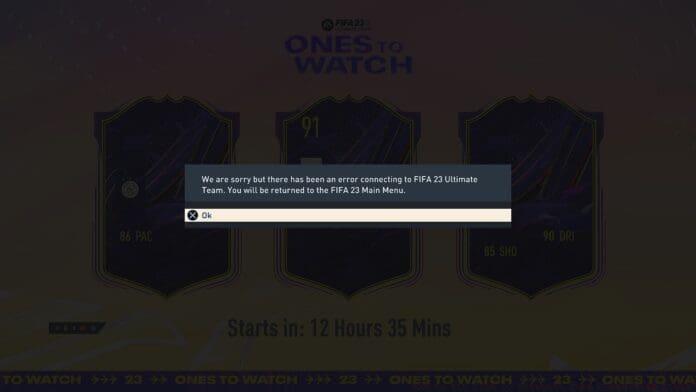
The connection errors plaguing FIFA 23 Ultimate Team typically manifest as persistent timeout messages, failed matchmaking attempts, or sudden disconnections during gameplay. These interruptions not only disrupt competitive matches but can also result in lost progress and frustration for dedicated players investing time in building their ultimate squads. Understanding the multifaceted nature of these connectivity problems is essential for implementing effective solutions.
Network Configuration Solutions
Begin your troubleshooting journey by examining fundamental network settings that frequently contribute to connectivity disruptions. IP address conflicts represent one of the most common culprits behind FIFA 23 connection failures. When multiple devices on your local network compete for limited IP resources or when your ISP employs restrictive NAT types, the game’s ability to maintain stable connections with EA servers becomes compromised. Implementing IP address rotation or requesting a static IP from your internet service provider can dramatically improve connection reliability.
DNS server configuration deserves particular attention, as suboptimal domain name resolution can introduce significant latency into your connection pathway. While most players default to their ISP’s DNS servers, these are often overloaded during peak gaming hours. Transitioning to performance-oriented DNS providers like Google DNS (8.8.8.8 and 8.8.4.4) or Cloudflare DNS (1.1.1.1) can reduce resolution times by 30-50%, resulting in noticeably smoother matchmaking and reduced connection timeouts.
Account and System Settings
Security measures designed to protect your EA account can inadvertently create connectivity barriers within FIFA 23 Ultimate Team. Two-factor authentication (2FA), while excellent for account security, occasionally interferes with the game’s authentication protocols, particularly when session tokens expire unexpectedly. Some players report that temporarily disabling 2FA, establishing a stable connection, then re-enabling the security feature resolves persistent login issues. Alternatively, password resets can clear corrupted authentication data that may be hindering your access to Ultimate Team servers.
Platform-specific considerations vary significantly between PC, PlayStation, and Xbox ecosystems. PC players should verify that their EA App or Origin client is fully updated and doesn’t contain corrupted local files. Console users benefit from clearing persistent cache data that can accumulate and disrupt online functionality. For all platforms, ensuring that your game receives all available title updates is crucial, as outdated versions frequently lose compatibility with current server infrastructure.
Advanced troubleshooting techniques include port forwarding configuration for FIFA 23’s specific requirements (ports 3659, 10000-10100 UDP for PC), adjusting QoS settings on your router to prioritize gaming traffic, and verifying that UPnP (Universal Plug and Play) is enabled to facilitate automatic port management. These technical adjustments address underlying network communication issues that basic troubleshooting often misses.
When to Contact Support
When exhaustive self-troubleshooting fails to resolve FIFA 23 Ultimate Team connection errors, engaging with official support channels becomes necessary. Before contacting EA Help, document your troubleshooting efforts including screenshots of error messages, network test results, and the specific timing of connectivity issues. This preparation enables support representatives to quickly identify patterns and provide targeted solutions rather than guiding you through basic steps you’ve already completed.
If persistent problems continue despite implementing all recommended solutions, utilize the dedicated support portal where you can submit detailed trouble tickets. The escalation process typically involves connection diagnostics, account verification, and potentially server-side adjustments that individual players cannot implement independently. Remember that during major gaming events or content releases, support response times may extend due to increased demand, so patience coupled with clear communication yields the best results.
For ongoing coverage of esports competitions and gaming industry developments, continue following TalkEsport through their Google News channel for timely updates and expert analysis.
No reproduction without permission:GameCDjnh » How to fix FIFA 23 Ultimate Team Connecting Error? Complete guide to troubleshooting FIFA 23 Ultimate Team connection errors with expert solutions