
TL;DR
- Custom graphics settings with SSGI Low and Screen Space Reflections provide optimal performance
- Medium shadow and foliage details maintain visual clarity while boosting FPS significantly
- Proper display configuration and driver optimization are crucial for competitive gameplay
- Advanced system tweaks can provide additional 10-15% performance improvements
- Regular monitoring and adjustment ensures consistent high-performance gaming experience
Mastering Marvel Rivals demands more than just skill—it requires precise PC settings optimization to achieve the fluid gameplay essential for competitive advantage. This third-person arena shooter’s dynamic combat and fast-paced action make consistent high FPS crucial for reacting to enemy movements and executing precise abilities. Unlike traditional shooters, Marvel Rivals features unique visual effects and character abilities that can significantly impact performance if not properly configured.
The game engine powering Marvel Rivals leverages advanced rendering techniques that, while visually impressive, can strain even capable hardware systems. Many players encounter performance bottlenecks not from raw graphical power limitations, but from suboptimal configuration choices. Understanding how each setting impacts both visual fidelity and frame rate is the first step toward achieving the smooth, responsive gameplay that separates casual players from competitive contenders.
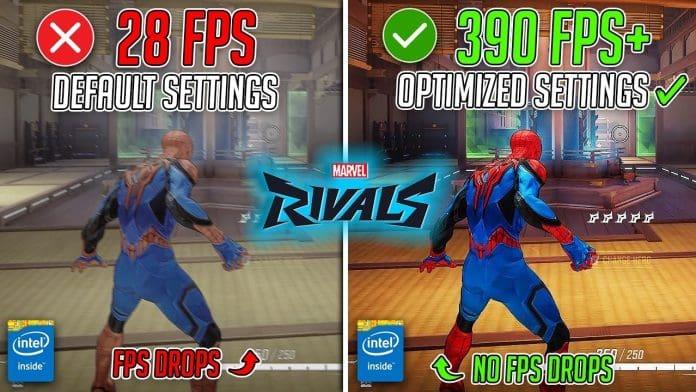
Strategic configuration of graphics settings represents the most impactful method for boosting performance in Marvel Rivals. The recommended settings below have been tested across various hardware configurations to deliver maximum frames per second while maintaining essential visual information for competitive play:
These carefully calibrated settings prioritize fluid gameplay while retaining the visual clarity necessary for strategic decision-making during matches. Players should note that individual hardware capabilities may warrant slight adjustments—monitoring performance metrics during gameplay is recommended for fine-tuning.
Beyond in-game settings, proper display configuration plays a pivotal role in achieving smooth Marvel Rivals gameplay. Many players overlook these system-level optimizations that can provide substantial performance improvements:
Additional system optimizations include updating GPU drivers to the latest stable version, closing background applications that consume system resources, and ensuring adequate cooling to prevent thermal throttling during extended gaming sessions. These complementary adjustments work synergistically with in-game settings to deliver the optimal Marvel Rivals experience.
For players seeking every possible performance advantage, these advanced tweaks can extract additional frames from your hardware configuration. These optimizations require more technical knowledge but can provide meaningful improvements for competitive play:
Regular performance monitoring using tools like MSI Afterburner or the in-game FPS counter helps identify specific bottlenecks. Track CPU and GPU utilization, frame times, and temperature metrics to guide further optimization efforts. Remember that stability is as important as raw performance—a consistent 120 FPS often provides better gameplay experience than fluctuating 140-90 FPS.
For players looking to expand their tactical knowledge beyond performance optimization, our Class Guide provides comprehensive character strategy insights that complement technical improvements.
Action Checklist
- Configure custom graphics settings with SSGI Low and Screen Space Reflections
- Set shadow and foliage details to Medium for optimal performance/visibility balance
- Update GPU drivers and disable VSync for reduced input latency
- Configure Windows power plan to High Performance and set game priority
- Monitor performance metrics and fine-tune settings based on hardware capabilities
No reproduction without permission:GameCDjnh » Best Marvel Rivals PC Settings for Higher FPS Expert PC optimization guide for Marvel Rivals to achieve maximum FPS and competitive performance