
Master Valorant crosshair setup with pro codes, customization tips, and performance optimization strategies
Understanding Crosshair Importance in Valorant
Crafting the ideal crosshair in Valorant represents a crucial element that directly influences your shooting precision and overall gameplay performance. While personal preference plays a significant role in crosshair selection, many players struggle to identify settings that enhance their aiming capabilities rather than hinder them during critical combat situations.
The visual reference point provided by your crosshair serves as your primary aiming tool, affecting everything from flick shots to tracking moving targets. Newer players frequently underestimate how much their crosshair configuration impacts their ability to consistently land shots across different weapons and engagement distances.
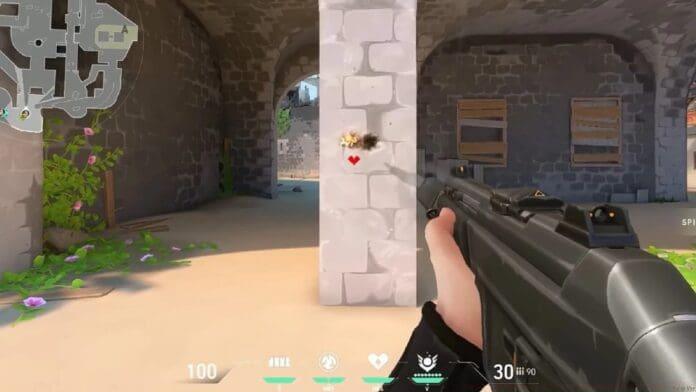
Pro Crosshair Benefits and Selection Strategy
When you encounter difficulties establishing your optimal crosshair configuration, adopting settings from professional Valorant competitors offers an excellent starting point. These players have refined their crosshairs through thousands of hours of competitive play, providing you with battle-tested configurations that facilitate precise aiming.
Professional crosshairs typically feature clean, distraction-free designs with optimal visibility across various map environments and lighting conditions. We’ve assembled a comprehensive collection of crosshair codes from elite professional players that you can immediately implement to elevate your shooting accuracy and gunfight performance.
Rather than randomly selecting pro crosshairs, consider matching them to your specific needs: aggressive players might prefer TenZ’s dynamic settings, while methodical players may benefit from crashies’ more conservative configuration. Testing multiple professional crosshairs helps identify which visual style and size work best with your monitor resolution, sensitivity settings, and personal reaction times.
Step-by-Step Crosshair Import Guide
Implementing professional crosshair codes in Valorant follows a straightforward process that takes just moments to complete. Begin by launching Valorant and accessing the Settings menu, then navigate specifically to the ‘Crosshair’ tab where all visual aiming customization occurs.
- Locate the Crosshair Profile section and click the small arrow icon adjacent to it to reveal the import functionality
- Copy your desired professional crosshair code from a reliable source and paste it into the import field that appears
- After pasting the complete crosshair code, select the ‘Import’ confirmation option to immediately apply the new configuration to your active profile
Following import, always test your new crosshair in the practice range or deathmatch to ensure it provides the visibility and precision you require. Many players make the mistake of importing a crosshair then immediately jumping into competitive games without proper adjustment time, which can negatively impact performance during the adaptation period.
Advanced Crosshair Customization Techniques
Once you’ve imported a professional crosshair foundation, consider fine-tuning specific elements to better match your visual preferences and gameplay requirements. Adjust crosshair color based on map environments – cyan and green often provide the best visibility against most backgrounds, while red may blend with enemy outlines on certain maps.
Experiment with opacity settings to find the perfect balance between visibility and screen obstruction. Many professionals use around 70-80% opacity to maintain crosshair prominence without completely blocking targets during precise aiming. Additionally, consider adding a small center dot if you struggle with micro-adjustments, or increasing outline thickness if your crosshair becomes difficult to see during hectic firefights.
Advanced players should regularly revisit their crosshair settings as their skills evolve – what worked during your initial learning phases may not suit your refined aiming capabilities months later. Many top players make subtle crosshair adjustments between tournaments based on new strategies or meta shifts.
Stay updated with the latest news in gaming and esports by signing up for early access to TalkEsport’s Mobile App. Follow us on Twitter and Google News to ensure you never miss the exciting updates.
No reproduction without permission:GameCDjnh » How to Copy Crosshair in Valorant? Master Valorant crosshair setup with pro codes, customization tips, and performance optimization strategies