
TL;DR
- Riot ID is your display name, separate from login credentials
- Change via League client shop or Riot account website
- 30-day cooldown between changes requires strategic planning
- Tagline customization adds personalization options
- Name availability checks prevent disappointment
Many League of Legends veterans eventually reach a point where their current in-game identity no longer represents their gaming persona accurately. Whether you’re rebranding after climbing the ranked ladder or simply want a fresh start, understanding the distinction between your account credentials and display identity is crucial for a smooth transition.
Your username serves as the primary authentication method for accessing your League of Legends account, functioning alongside your password during the login process. This combination remains private and shouldn’t be shared with other players. Meanwhile, your Riot ID represents your public-facing gaming identity—the name that appears in champion select, during matches, and when friends search for you to team up.
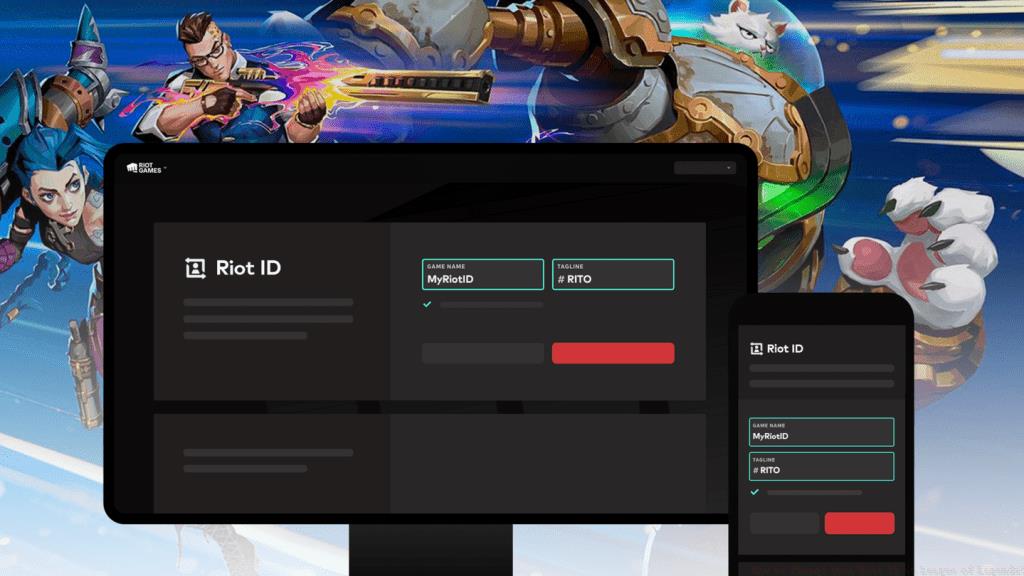
This separation provides significant security benefits while allowing creative freedom in how you present yourself within the gaming community. Your Riot ID also includes a customizable tagline (following the # symbol) that adds another layer of personalization, similar to how other modern gaming platforms handle player identification systems.
Changing your Riot ID follows a straightforward procedure through the League client interface, though many players overlook the web-based alternative that offers additional account management features. Here’s the comprehensive approach to updating your gaming identity:
- Launch the League of Legends client and authenticate using your standard login credentials. Ensure you’re using the correct regional server for your account.
- Navigate to the in-game store interface and locate the Account management button positioned in the upper-right corner of the screen.
- Identify and select the “Change Riot ID” option from the available account customization menu.
- The system will automatically redirect you to Riot’s secure account management portal, where you may need to re-authenticate for security verification.
- Once logged in, locate the Riot ID configuration section at the top of the management dashboard.
- Input your desired new display name and optionally modify your tagline according to your preferences.
For players preferring direct access, you can bypass the client entirely by visiting Riot’s account management website directly. This method often provides faster loading times and additional account security options that aren’t available through the game client interface.
Strategic name selection can significantly impact your gaming experience and social interactions within the League community. When considering your new Riot ID, prioritize names that are memorable yet appropriate, avoiding potentially offensive terms that might violate Riot’s code of conduct and result in forced name changes.
Timing your Riot ID change requires awareness of the 30-day cooldown period between modifications. Plan significant rebrands around seasonal transitions, rank resets, or before major tournaments if you participate in competitive play. Many professional players coordinate name changes with team affiliations or sponsorship announcements for maximum impact.
Before finalizing your decision, utilize third-party name checking tools to verify availability across multiple regions if you play on different servers. This prevents disappointment when discovering your chosen name is already taken on your primary gaming platform. Consider creating a shortlist of 3-5 potential names to have alternatives ready during the change process.
Several frequent errors can complicate the Riot ID modification process, with name availability issues ranking as the most common frustration. The system prevents duplicate display names within the same region, so having backup options prepared saves time and disappointment. Remember that capitalization and special character variations don’t create uniqueness—”Summoner” and “summoner” are treated as identical by the system.
The 30-day restriction between changes catches many players unaware, especially those who make impulsive naming decisions. If you’ve recently modified your Riot ID and immediately regret the choice, you’ll need to wait the full cooldown period before making another adjustment. Mark this date on your calendar to avoid forgetting when you become eligible for another change.
Technical issues sometimes interfere with the process, particularly during server maintenance periods or high-traffic events. If you encounter error messages during the change procedure, first verify server status through Riot’s official service status page. Clearing your client cache or trying the web-based method often resolves persistent technical problems that prevent successful Riot ID updates.
Action Checklist
- Verify current Riot ID change eligibility (30-day cooldown)
- Research and reserve 3-5 alternative name options
- Access Riot account portal via client or website
- Execute name change and confirm new tagline
- Test new ID functionality in practice tool
No reproduction without permission:GameCDjnh » How to Change Your Riot ID in League of Legends? Complete guide to changing your Riot ID in League of Legends with pro tips and common pitfalls