
Master Assetto Corsa Rally camera settings for competitive edge and immersive racing experience
Understanding Camera Dynamics in Rally Racing
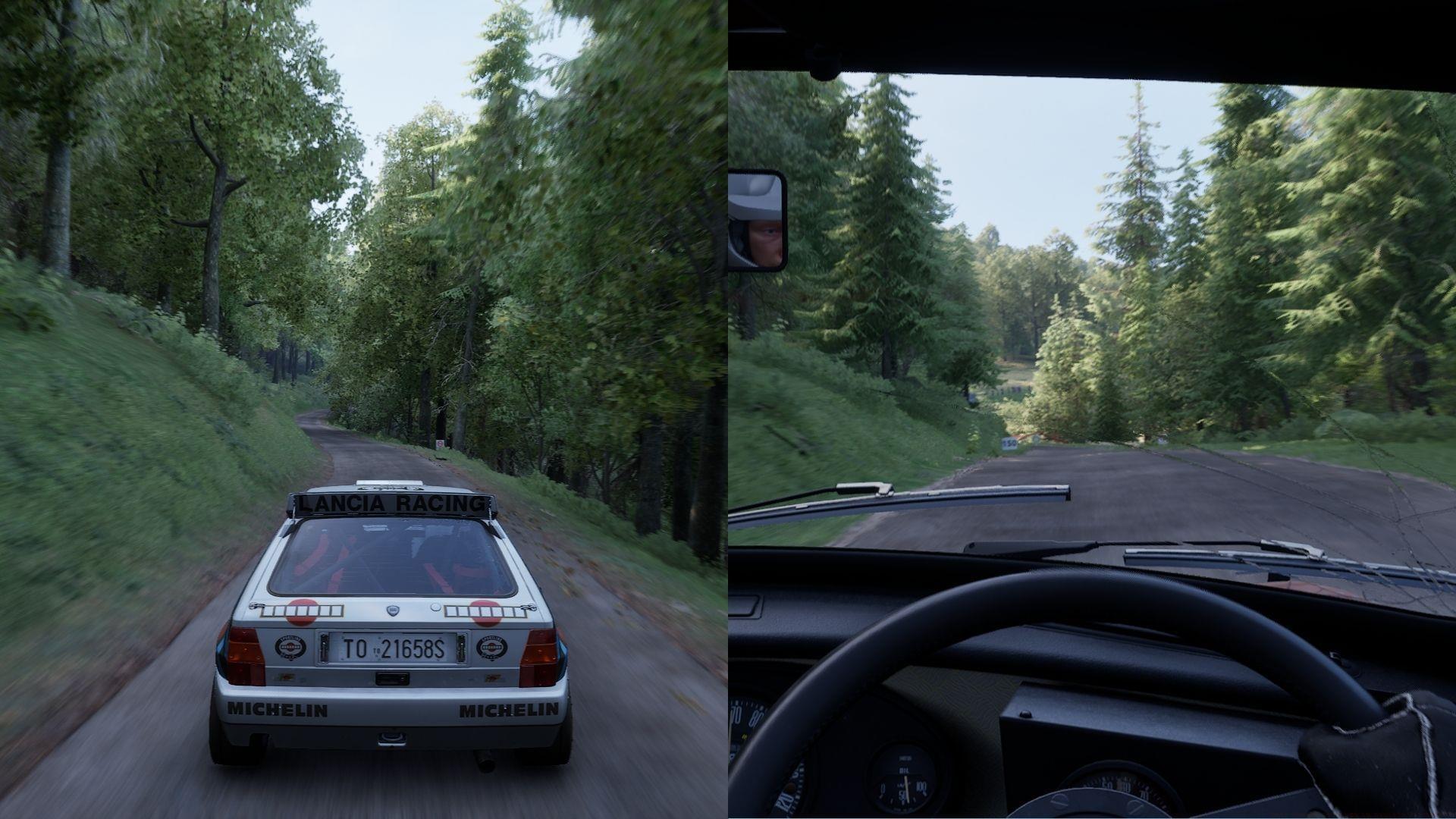
Assetto Corsa Rally delivers an authentic rally simulation through dynamic environmental interactions and realistic vehicle physics. The default camera positioning provides a solid foundation, but strategic adjustments can significantly enhance both competitive performance and immersive engagement. Understanding how camera parameters affect your perception of vehicle behavior is crucial for mastering challenging rally stages.
Camera configuration directly influences your ability to judge cornering angles, anticipate vehicle slides, and maintain situational awareness during high-speed sections. Professional rally drivers often customize their viewing perspective to match their driving style and monitor preferences.
Core Camera Configuration Parameters
These foundational camera settings establish the baseline for responsive and comfortable racing perspectives in Assetto Corsa Rally:
- Movement Multipliers: Configure all axis multipliers around 40% to maintain visual stability during intense driving moments. This setting reduces excessive camera shake while preserving essential motion feedback.
- Movement Speeds: Set speed parameters approximately at 10% for gradual camera transitions that won’t distract from critical driving inputs. Higher values can cause disorienting camera movements during rapid direction changes.
The relationship between multiplier percentages and camera responsiveness follows a logarithmic curve, meaning small adjustments at lower values have more significant impact than changes at higher percentages. This mathematical relationship explains why professional drivers prefer conservative multiplier settings for precision driving.
Specialized Presets for Different Playstyles
Competitive Racing Configuration:
- Maintain all movement multipliers around 40% for maximum stability during timed stages
- Keep movement speeds at 10% or lower to minimize visual distractions
- Consider reducing wheel visibility for clearer track perspective
Immersive Experience (Authentic Rally Cockpit Simulation):
- Increase pitch, lateral, and vertical multipliers to approximately 60%
- This enhances the sensation of vehicle weight transfer and suspension movement
- Provides more pronounced feedback during hard braking and aggressive cornering
Competitive players should note that higher immersion settings, while realistic, can slightly reduce lap time consistency due to increased visual motion. Finding your personal balance between immersion and performance requires testing different combinations across various track types.
Advanced Display Optimization
Virtual reality and triple-screen setups require special consideration for camera configuration. The expanded field of view and depth perception in these systems magnify camera movement effects, potentially causing discomfort during extended sessions.
For VR headset users and triple-monitor configurations, maintain all movement multipliers below 40% threshold to prevent simulator sickness and visual disorientation. The stereoscopic vision in VR particularly amplifies lateral and vertical movements, making conservative settings essential for comfortable extended play.
Bonnet camera enthusiasts can create a more road-centric perspective by adjusting height to -1 and distance to -2. This positions the camera lower and closer to the virtual hood, improving your view of upcoming corners and road surface details while maintaining the rally driving immersion. This configuration works exceptionally well for technical stages with frequent hairpin turns and narrow roads.
Professional Setup Recommendations
Avoid These Common Configuration Mistakes:
- Never max out movement multipliers – this creates uncontrollable camera shaking
- Avoid setting movement speeds above 20% as it causes distracting camera transitions
- Don’t use identical settings for different display types – VR requires more conservative values
Advanced Optimization Strategies:
- Create separate camera profiles for different weather conditions – rain stages benefit from slightly higher camera stability
- Adjust FOV based on screen size and viewing distance using online FOV calculators
- Experiment with minimal head movement during testing to isolate the effects of each parameter
- Save multiple configurations for different car types – rally cars versus track cars require different camera behaviors
Remember that camera preferences are highly individual. What works for one driver may not suit another’s visual processing style. Dedicate time to methodical testing rather than copying settings blindly.
Also read: Assetto Corsa Rally Review: Immersive gameplay brings the art of rallying to life
Check out some other articles:
- Assetto Corsa Rally best controller settings
No reproduction without permission:GameCDjnh » Best camera settings in Assetto Corsa Rally Master Assetto Corsa Rally camera settings for competitive edge and immersive racing experience