
Complete guide to Marvel Rivals Twitch Drops with strategies for earning Rocket Raccoon’s Will of Galacta cosmetics
Event Overview and Timing
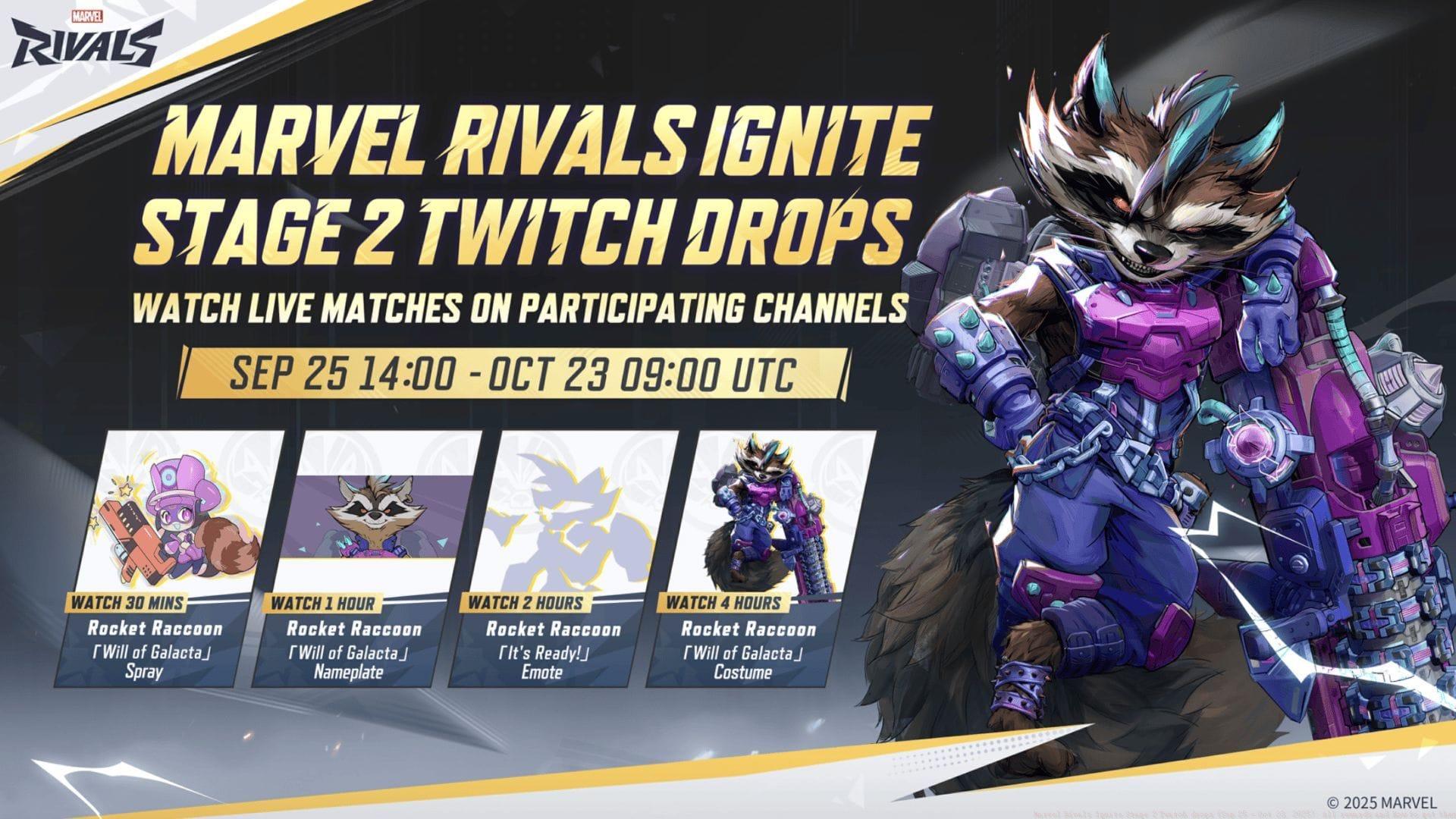
Marvel Rivals Ignite Stage 2 Twitch Drops are active from September 25 through October 23, 2025. This second phase of the Ignite tournament series continues NetEase’s tradition of rewarding dedicated viewers with exclusive in-game items. The spotlight now shines on Rocket Raccoon, the beloved Guardian of the Galaxy member receiving his first comprehensive Will of Galacta cosmetic collection through this promotional campaign.
Available exclusively during this limited window, the Twitch Drops program requires participation before the October 23 deadline expires. Missing this timeframe means permanently losing access to these unique cosmetic items, as NetEase typically doesn’t reintroduce Twitch Drop exclusives through other acquisition methods.
Complete Reward Breakdown
Rocket Raccoon’s Will of Galacta bundle represents one of the most comprehensive cosmetic sets available through Twitch Drops. The progression-based reward system unlocks items sequentially as you accumulate viewing time:
- 30 minutes watched – Will of Galacta Spray: A thematic spray featuring cosmic elements matching the Galacta aesthetic
- 1 hour watched – Will of Galacta Nameplate: Player profile customization showing your dedication to the character
- 2 hours watched – It’s Ready! Emote: An animated emote perfect for celebrating successful plays in matches
- 4 hours watched – Will of Galacta Costume: The centerpiece reward featuring a complete character skin transformation
The cumulative viewing system allows flexibility – you don’t need to complete all four hours in one session. Progress saves across different streams and days, provided you’re watching channels with Drops enabled. The costume represents significant value, as premium skins typically cost real money or require extensive gameplay to unlock through normal progression.
Step-by-Step Claim Process
Successfully claiming your Twitch Drops requires following a specific sequence of actions. Many players miss crucial steps, resulting in frustration when rewards don’t appear in-game.
- Account Linking – Visit the official Marvel Rivals website and securely connect your Twitch account through the authorized linking system. This essential step creates the bridge between viewing and reward delivery.
- Stream Selection Strategy – Identify participating channels by looking for the “Drops Enabled” tag beneath stream titles. Official tournament broadcasts and partnered creators guarantee eligibility, while random streams may not participate.
- Progress Monitoring – Track your accumulated watch time through Twitch’s Drops Inventory page. Remember that viewing time only registers for one stream simultaneously – multiple tabs won’t accelerate progress.
- Manual Claiming Requirement – When reaching each milestone, you must actively claim the reward through your Twitch inventory. Unclaimed progress doesn’t automatically transfer to subsequent tiers.
- In-Game Collection – After claiming on Twitch, log into Marvel Rivals and check your in-game mailbox where items typically appear within minutes of claiming.
Advanced Strategies and Tips
Maximize your efficiency with these professional strategies for completing the Twitch Drops requirements:
Efficiency Optimization: Official Ignite tournament broadcasts typically run for extended periods, allowing you to complete the entire four-hour requirement in a single viewing session. Schedule your viewing during major tournament days for the most time-effective completion.
Avoid Common Pitfalls: Many players mistakenly believe background tabs continue counting watch time. Twitch’s system may pause progress if the stream isn’t the active browser tab or if volume is completely muted. Maintain minimal volume and ensure the stream remains in an active tab.
Technical Considerations: If rewards don’t appear in-game after claiming, first check that your account linking remains active. Sometimes connections can disconnect, requiring re-authentication. Also verify that you’re checking the correct in-game mailbox section, as Twitch Drops typically have a dedicated category.
Community Resources: Join Marvel Rivals community Discord servers where members often share notifications when major Drops-enabled streams go live. This eliminates the need to constantly search for eligible channels manually.
No reproduction without permission:GameCDjnh » Marvel Rivals Ignite Stage 2 Twitch drops (Sep 25 – Oct 23, 2025): All rewards and How to get them Complete guide to Marvel Rivals Twitch Drops with strategies for earning Rocket Raccoon's Will of Galacta cosmetics