
Master Mario Kart World’s Smart Steering: When to use it, when to disable it, and advanced racing techniques for all skill levels
What is Smart Steering and Who Should Use It
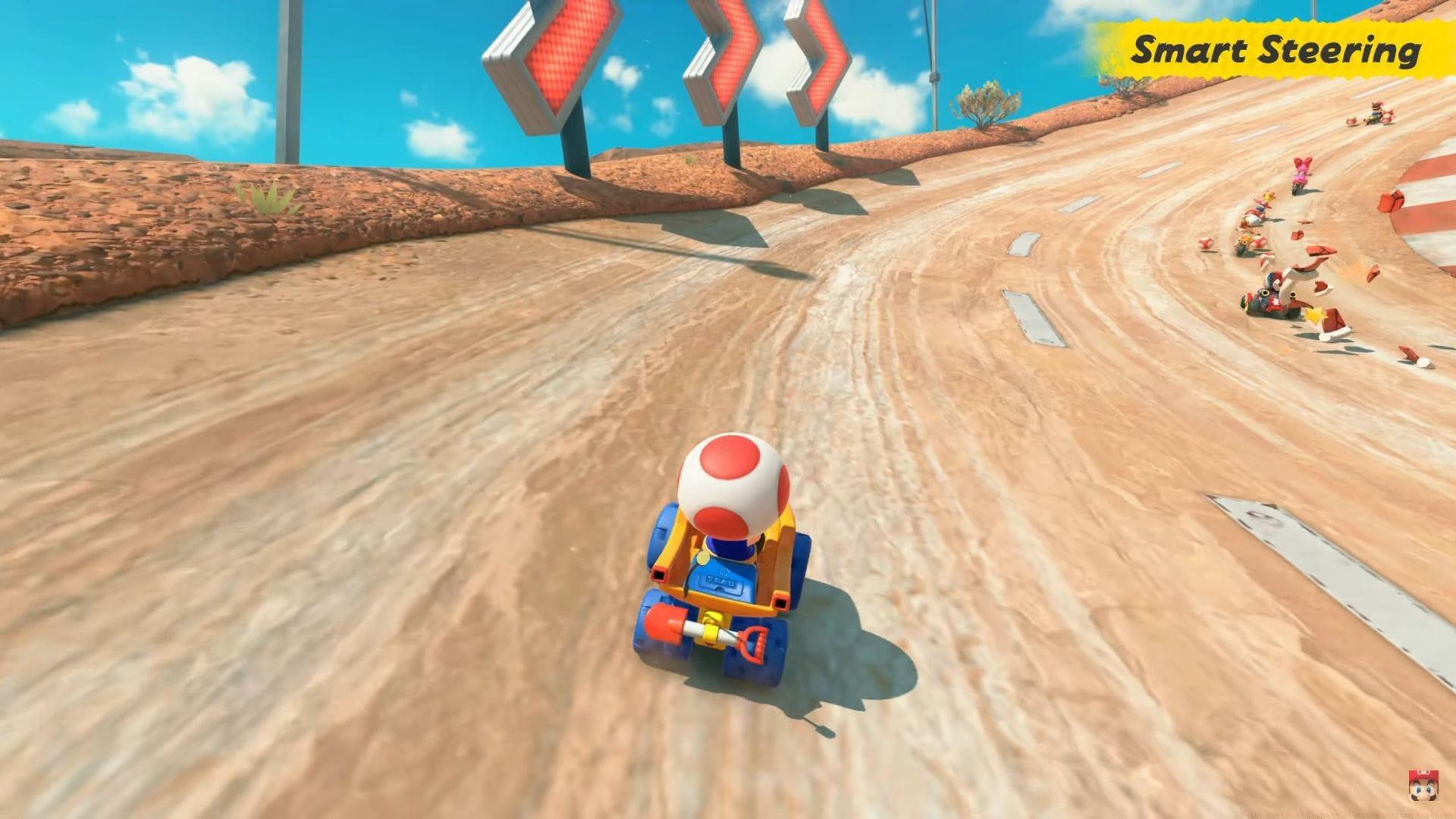
Mario Kart World introduces Smart Steering as a default accessibility feature designed to maintain kart stability during races. This automated assistance system primarily targets novice players and younger audiences who are developing fundamental racing mechanics. The technology automatically adjusts steering inputs to prevent catastrophic track exits, particularly on complex course sections with narrow pathways or sharp elevation changes.
New racers benefit significantly from this safeguard during their initial learning phase. The system proves exceptionally valuable when navigating notoriously challenging circuits like Rainbow Road’s precarious edges or Cheese Land’s deceptive shortcuts. By reducing the cognitive load associated with precise steering, beginners can focus on mastering acceleration timing, item management, and basic racing lines without constant fear of elimination.
The Hidden Limitations of Smart Steering
While beneficial for newcomers, experienced competitors will encounter restrictive boundaries with Smart Steering enabled. The system’s conservative approach to track positioning actively interferes with advanced racing techniques. Most notably, it prevents execution of proper drift mechanics—the cornerstone of high-level Mario Kart gameplay that generates crucial speed boosts through controlled slides.
Seasoned players quickly discover that Smart Steering blocks access to numerous hidden shortcuts and alternate routes scattered throughout courses. These secret pathways often provide significant time advantages but require precise, unconventional approaches that the assist system deems “unsafe.” Additionally, the automated corrections create subtle but cumulative steering resistance that marginally reduces maximum achievable speeds on straightaways.
Common Mistake Alert: Many intermediate players maintain Smart Steering too long, developing dependency that hinders progression. The system creates artificial confidence that doesn’t translate to unassisted racing, leading to frustration when attempting competitive modes.
Step-by-Step Guide to Enabling and Disabling
Adjusting Smart Steering settings requires navigation through specific menu sequences:
Configuration changes demonstrate persistent behavior across gaming sessions. Once deactivated, Smart Steering remains disabled until deliberately reactivated, even after console shutdowns or game restarts. This stability allows players to establish consistent control schemes without repeated adjustments.
Pro Tip: Create separate player profiles—one with assists for casual play, another without for skill development. This eliminates constant menu navigation while accommodating different playstyles.
Game Mode Restrictions and Strategic Implications
Also read: Nintendo Switch 2 Error Code 2813-0171 in Mario Kart World: Possible reason and potential fixes
Smart Steering faces automatic deactivation within Time Attack mode’s competitive environment. When pursuing track records or optimizing lap durations, players must operate without assistive technologies. This design philosophy transforms Time Attack into an ideal training ground for developing genuine handling proficiency, as success depends entirely on player skill rather than automated corrections.
The restriction extends beyond Time Attack to various tournament and ranked competitive formats. Players transitioning from casual to serious racing should anticipate mandatory unassisted participation in these environments. Developing competence without Smart Steering before entering competitive spaces prevents dramatic skill discrepancies during initial attempts.
Strategic Approach: Utilize Time Attack specifically to practice sections where Smart Steering previously provided assistance. Focus on mastering three key trouble spots per session—sharp hairpin turns, narrow bridge crossings, and deceptive off-camber corners.
Advanced Player Optimization Strategies
Optimal Smart Steering utilization depends entirely on individual progression goals and playstyle preferences. The feature provides valuable scaffolding during initial skill acquisition but becomes counterproductive for competitive advancement.
Progressive Disablement Method: Rather than abrupt removal, gradually reduce reliance through structured practice. Begin with Smart Steering active on familiar tracks, then disable for specific difficult sections only. Next, race entire courses with assists but consciously avoid using automated corrections. Finally, compete without assistance while implementing learned techniques.
Advanced competitors should master the subtle art of minimal steering inputs—excessive controller movements create speed-bleeding friction even without Smart Steering. Combine this with precise drift timing and strategic shortcut utilization to maximize performance ceilings.
Check out: What is Knockout Tour in Mario Kart World?
Optimization Checklist for Advanced Players:
1. Analyze replay data to identify corners where Smart Steering previously corrected your line
2. Practice those specific corners repeatedly with assists disabled
3. Develop muscle memory for optimal racing lines without automated help
4. Experiment with different kart/character combinations that complement your emerging driving style
5. Gradually increase difficulty by practicing on more technically demanding tracks
No reproduction without permission:GameCDjnh » Mario Kart World: Smart Steering setting explained Master Mario Kart World's Smart Steering: When to use it, when to disable it, and advanced racing techniques for all skill levels