
Complete guide to Fantasy Life i multiplayer with unlock requirements, platform setups, and optimization strategies
Introduction to Multiplayer Features
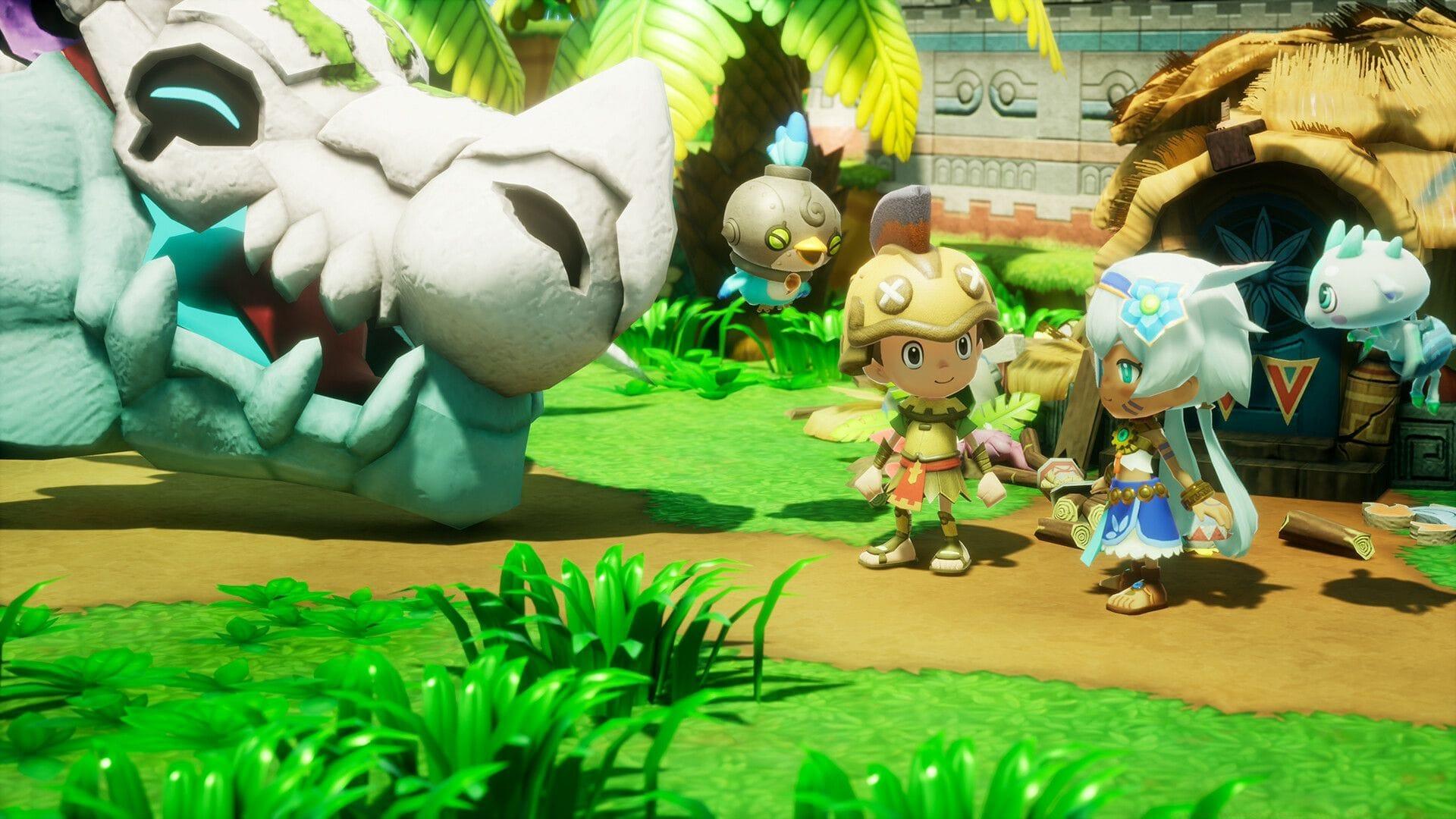
Fantasy Life i: The Girl Who Steals Time delivers an engaging multiplayer experience that allows adventurers to collaborate across multiple platforms. Whether you prefer exploring treacherous dungeons with companions or simply relaxing on your personalized island with friends, the game’s cooperative features provide diverse social interaction opportunities. The multiplayer system has been thoughtfully designed to accommodate various playstyles while maintaining the charming atmosphere that defines the Fantasy Life franchise.
Beyond basic cooperative functionality, the game introduces innovative cross-platform connectivity that breaks down traditional barriers between gaming ecosystems. This forward-thinking approach ensures that friend groups aren’t separated by their chosen gaming hardware, creating a unified community of players sharing experiences across Nintendo Switch, PlayStation, Xbox, and PC platforms simultaneously.
Unlocking Multiplayer Access
Accessing Fantasy Life i’s multiplayer features requires progressing through the initial storyline. The cooperative mode becomes available during Chapter 3 once you’ve established the Guild Office at your primary base camp. This deliberate pacing ensures players have mastered fundamental mechanics before diving into social gameplay elements.
To activate multiplayer functionality, navigate to the Guild Office and approach the main counter interface, then select the Online Play option from the interaction menu. The activation process is straightforward but requires completing specific story progression milestones first. Many players report this typically occurs after approximately 6-8 hours of gameplay, though individual pacing may vary based on exploration and side quest completion.
Pro Tip: Focus on main story quests marked with distinctive icons to accelerate your progress toward multiplayer unlocking. Completing key character introductions and tutorial missions will streamline your path to Chapter 3. Avoid spending excessive time on resource gathering during early game phases if your primary goal is accessing cooperative features quickly.
Platform-Specific Requirements
Each gaming platform imposes distinct requirements for accessing Fantasy Life i’s online multiplayer capabilities. Console players must maintain active subscription services to participate in cross-platform adventures:
- Nintendo Switch Online membership for Switch users
- Xbox Game Pass Core or Ultimate subscription for Xbox enthusiasts
- PlayStation Plus Essential or higher tier for PlayStation adventurers
Local cooperative play on Nintendo Switch demands specific hardware configurations. The system supports two-player shared-screen co-op, but each participant must possess their own set of Joy-Con controllers. This means you’ll need two complete Joy-Con pairs for local multiplayer sessions. The game doesn’t support single Joy-Con horizontal mode for co-op play, ensuring optimal control schemes for both players.
PC players utilizing Steam can leverage the Remote Play Together feature for two-player cooperative experiences. The activation process involves:
- Pressing Shift + Tab simultaneously to summon the Steam Overlay interface
- Selecting friends from your Steam list who maintain separate accounts
- Issuing Remote Play invitations for seamless co-op sessions
- Both players sharing the host’s game instance without individual copies
Common Mistake: Many players attempt local co-op with mismatched controller setups. Ensure both Joy-Con pairs are properly synced and charged before beginning your session. For Steam Remote Play, verify both players have stable internet connections to prevent latency issues during cooperative gameplay.
Advanced Multiplayer Strategies
Fantasy Life i’s cross-platform functionality represents one of its most impressive technical achievements. The game seamlessly connects players across Nintendo Switch, PlayStation, Xbox, and PC ecosystems, eliminating traditional platform barriers. This inclusive approach means friend groups can adventure together regardless of individual hardware preferences, fostering a unified gaming community.
For optimal multiplayer performance, consider these advanced strategies:
- Role Specialization: Coordinate with teammates to cover multiple professions – having dedicated gatherers, crafters, and combat specialists maximizes efficiency
- Communication Setup: Utilize platform-native voice chat or Discord for real-time coordination during dungeon expeditions
- Resource Sharing: Establish trading protocols to exchange rare materials and completed crafts between party members
- Session Planning: Schedule regular play sessions with consistent groups to build team synergy and progression alignment
Technical optimization can significantly enhance your multiplayer experience. PC players should ensure their systems meet recommended specifications for hosting Remote Play sessions. Console users benefit from wired internet connections when possible to maintain stable frame rates during intense cooperative battles. All platforms perform best when closing background applications to allocate maximum resources to the game.
Performance Tip: Monitor your network latency using in-game indicators. If experiencing connection issues, try switching between wireless and wired connections or resetting your router before extended multiplayer sessions. The game’s casual co-op design means minor latency won’t ruin the experience, but optimization ensures smoother gameplay.
Gameplay Activities in Multiplayer
The multiplayer mode in Fantasy Life i extends beyond simple co-existence to meaningful collaborative gameplay. Players can visit each other’s personally customized islands, exchanging design inspiration and showcasing creative layouts. This social hub functionality allows for relaxed interaction between more intense adventure sequences.
Cooperative dungeon crawling represents the primary engagement for action-oriented players. Teams can tackle challenging instanced content together, with difficulty scaling appropriately based on party size and composition. The game’s class system encourages complementary team builds, where players can combine different Life professions to overcome obstacles that might prove difficult solo.
Beyond structured activities, the multiplayer experience includes numerous casual social elements. Players can:
- Host fishing competitions at various island locations
- Collaborate on large-scale crafting projects requiring multiple specialties
- Share discovered secrets and hidden locations
- Participate in seasonal events with exclusive multiplayer rewards
- Form persistent parties for recurring gameplay sessions
The development team at LEVEL-5 has carefully balanced these social features to preserve the game’s signature casual atmosphere while providing substantial cooperative content. Whether you prefer intense monster hunting or peaceful island beautification, the multiplayer systems accommodate diverse play preferences within a shared world environment.
No reproduction without permission:GameCDjnh » Is there a multiplayer mode in Fantasy Life i: The Girl Who Steals Time? Complete guide to Fantasy Life i multiplayer with unlock requirements, platform setups, and optimization strategies