
Master Where Winds Meet Photo Mode with advanced controls, template tips, and professional photography techniques
Photo Mode Fundamentals
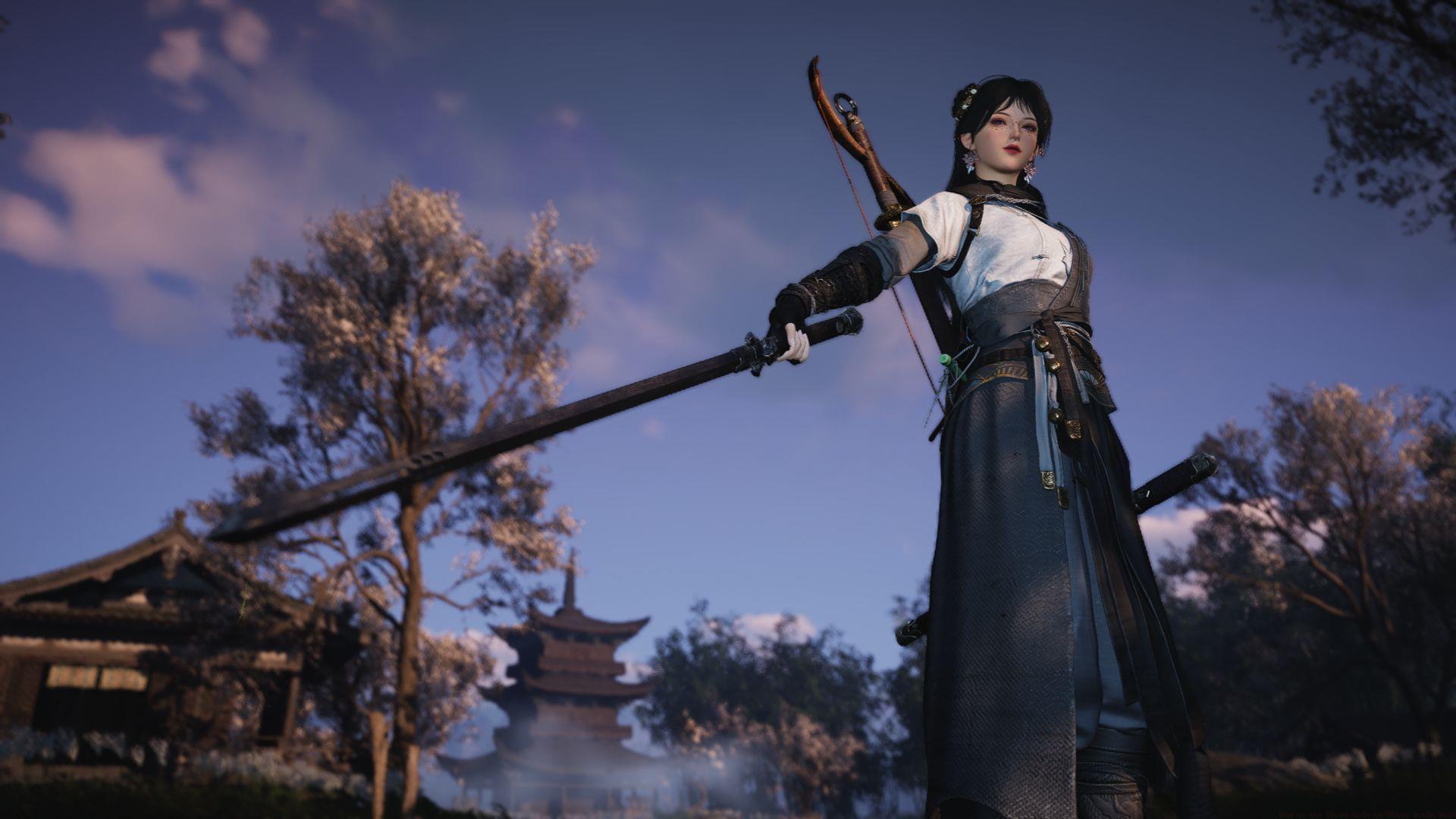
The photography system in Where Winds Meet stands out as one of the most comprehensive tools available to players. This feature grants complete creative freedom to capture your character in any location with customized poses and backgrounds. What makes WWM’s camera system particularly distinctive is its integration of community-shared templates alongside professional-grade adjustment options. The inclusion of a dedicated pro mode provides granular control over every visual element to achieve your ideal composition.
Advanced Pro Mode Controls
Within the Pro mode interface, you gain absolute authority over your photographic environment. The system enables you to selectively conceal various elements including your protagonist, non-player characters, structural elements, guild associates, and fellow adventurers. Beyond fundamental camera parameters, you can dynamically adjust meteorological conditions, illumination intensity, atmospheric effects like wind velocity and orientation, chronological settings, graphical fidelity, tonal contrast, and artistic filters.
For optimal results, consider these professional techniques: schedule golden hour shoots during dawn or dusk for natural warm lighting, use foggy weather to create atmospheric depth, and employ strong wind settings for dynamic hair and clothing movement. Avoid overusing filters that can make scenes appear artificial—subtle adjustments typically yield more professional results.
Camera Operation Mastery
Camera navigation utilizes the W, S, A, and D keys for directional movement. To adjust your viewing perspective, maintain pressure on the right mouse button while moving your mouse. Character orientation adjustments follow similar procedures but require holding the left mouse button instead.
Once you’ve finalized your composition settings, simply press the “space” key to capture your image. Alternatively, you can manually navigate your cursor to the camera icon positioned on the right screen edge to initiate photography.
Advanced positioning tip: Combine lateral movement (A/D keys) with vertical adjustments (W/S keys) while rotating the camera to achieve complex angled shots. For stable cinematic shots, reduce mouse sensitivity temporarily in your system settings. Common mistake: Many players forget to reset camera rotation, resulting in disorienting subsequent gameplay—always recenter your view after photography sessions.
Template System & Community Features
The photography system in Where Winds Meet incorporates both developer-created and community-generated composition templates. Within player-submitted options, you can access trending templates by selecting the “Popular” category. When you discover particularly appealing templates, you can preserve them for future use by adding them to your personal favorites collection.
Template strategy: Start with popular templates to understand composition principles, then experiment with lesser-known templates for unique results. Create template sets for different locations—what works in mountainous regions may not suit urban environments. Pro tip: Study the lighting and angle settings of highly-rated templates to improve your own photography skills.
Storage & Export Solutions
If you prefer third-party applications for screenshot capture, the game allows complete user interface concealment. Otherwise, you can preserve images locally through the integrated functionality. The designated storage pathway is:
Following image capture, you can select “More” and immediately access the local directory.
Organization recommendation: Create subfolders within the yysls directory to categorize your photos by location, character, or theme. Backup strategy: Regularly copy your favorite shots to cloud storage or external drives to prevent loss during game updates. Performance note: The directory might be hidden by default—enable “show hidden files” in Windows Explorer if you cannot locate it initially.
Pro Photography Techniques
Beyond basic controls, master these advanced photography principles for stunning results. The rule of thirds remains crucial—position key elements at intersection points rather than center-frame. Use environmental lighting to your advantage; backlighting creates dramatic silhouettes while side lighting emphasizes texture and depth.
Depth of field manipulation: Use the detail level settings to create bokeh effects, blurring backgrounds to make subjects pop. Weather sequencing: Capture the same location under different conditions to build thematic portfolios. Character positioning: Experiment with unconventional poses beyond the standard options—sometimes the most memorable shots come from unexpected angles and expressions.
Also read – Where Winds Meet Lite vs Standard vs Ultimate version: Which one should you play?
Check out the following articles related to Where Winds Meet:
No reproduction without permission:GameCDjnh » How to use Photo Mode in Where Winds Meet Master Where Winds Meet Photo Mode with advanced controls, template tips, and professional photography techniques