
TL;DR
- Access Photo Mode via ESC (PC) or Start button (console) after installing Summer 2024 update
- Master exposure, depth of field, and filters for professional-looking magical photography
- Control time of day and seasons to capture Hogwarts in perfect lighting conditions
- Use character posing strategically and remove characters for pure scenery shots
- Apply composition rules and avoid common photography mistakes for best results
The recently added Photo Mode feature in Hogwarts Legacy transforms how players document their magical journey through the wizarding world. This comprehensive tutorial reveals how to leverage this powerful tool to create breathtaking visual memories of your adventures.
Before diving into photography, ensure your game has the essential Summer 2024 update installed. This patch introduced the highly requested Photo Mode functionality that enables professional-grade screenshot capabilities within the magical environment.
- On PC: Press the ESC key to access the main navigation menu
- On Console: Utilize the Start button to open the interface
Once the menu appears, locate the Photo Mode selection positioned at the bottom section of available options. The interface design prioritizes accessibility while maintaining visual consistency with the game’s aesthetic.
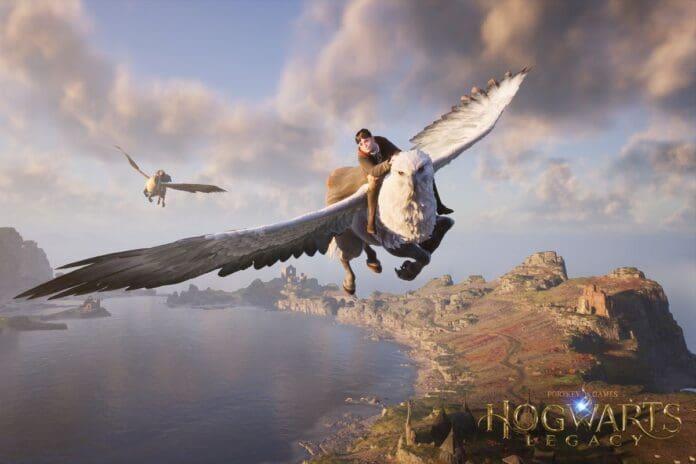
Hogwarts Legacy’s Photo Mode delivers sophisticated camera controls comparable to professional photography software. Understanding these tools separates amateur snapshots from gallery-worthy magical compositions.
Exposure adjustment serves as your primary tool for managing brightness levels in various lighting conditions. Proper exposure ensures your subjects remain visible without losing detail in shadows or highlights. Depth of field (DoF) manipulation creates cinematic focus effects by blurring background elements while keeping your main subject sharp. This technique works exceptionally well for character portraits against Hogwarts’ detailed architecture.
Filter application transforms the mood and atmosphere of your captures instantly. The game provides multiple preset filters that emulate different photographic styles and color grading techniques. For optimal results, combine filters with manual adjustments rather than relying on presets alone.
Pro Tip: When adjusting depth of field, position your focal point on the character’s eyes for portraits or the central architectural element for scenery shots. This creates natural focus points that guide viewer attention effectively.

The dynamic time and weather manipulation within Photo Mode represents one of its most powerful creative features. This capability allows photographers to capture Hogwarts Castle during golden hour, under mysterious moonlight, or amidst dramatic seasonal changes without waiting for natural progression.
Character posing introduces personality and narrative to your images, though requires careful selection. Some poses may appear unnatural or unsettling if chosen indiscriminately. Test multiple options before finalizing your composition to ensure the pose complements both your character and the environment.
For photographers preferring pristine landscape imagery, the character removal option provides clean scenic views uninterrupted by avatar presence. This proves particularly valuable when capturing architectural details, magical creatures in their natural habitat, or atmospheric environmental shots.
Avoid These Common Mistakes: Overusing extreme filters that distort natural colors, placing characters in awkward positions relative to lighting sources, and neglecting to adjust time of day for optimal natural illumination. These errors frequently undermine otherwise promising compositions.
Advanced Technique: Combine time-of-day adjustments with specific weather conditions to create unique atmospheric effects. For example, early morning fog combined with autumn settings produces exceptionally moody Hogwarts exterior shots that highlight the castle’s mysterious qualities.
Action Checklist
- Install Summer 2024 update and access Photo Mode via ESC/Start button
- Experiment with exposure, depth of field, and filter combinations
- Master time-of-day and seasonal adjustments for optimal lighting
- Practice character posing and removal for varied composition styles
- Apply advanced techniques combining multiple customization options
No reproduction without permission:GameCDjnh » How to Use Photo Mode in Hogwarts Legacy? Master Hogwarts Legacy's Photo Mode with expert techniques for stunning magical photography