
TL;DR
- Star Wars: Hunters offers seamless controller integration for enhanced mobile gameplay precision
- Automatic detection works with PlayStation, Xbox, and third-party Bluetooth controllers
- Controller support focuses primarily on gameplay with limited menu navigation capabilities
- Advanced optimization includes sensitivity adjustments and button mapping strategies
- Proper setup significantly improves competitive performance in fast-paced combat scenarios
The recent launch of Star Wars: Hunters by Zynga introduces a dynamic free-to-play mobile shooter experience featuring diverse characters with specialized combat abilities. This fast-paced tactical arena demands precise input control that many players find challenging with standard touch interfaces. The implementation of controller support addresses this critical gameplay need, transforming the mobile gaming experience into something closer to console-level precision.
For competitive players, controller integration provides substantial advantages in target acquisition, movement fluidity, and ability execution. The tactile feedback and physical buttons enable more consistent performance during intense firefights, where split-second decisions determine match outcomes. This hardware enhancement proves particularly valuable for veterans transitioning from traditional shooter platforms who prefer familiar control schemes.

Connecting your preferred gaming controller to Star Wars: Hunters follows a remarkably straightforward process designed for immediate accessibility. Begin by activating your controller’s pairing mode—typically accomplished by holding specific combination buttons until indicator lights flash. Navigate to your mobile device’s Bluetooth settings to establish the initial connection before launching the game application.
Upon successful pairing, Star Wars: Hunters automatically recognizes compatible controllers through its integrated detection system. The game interface will display controller-specific prompts instead of touch controls when everything functions correctly. For optimal results, ensure your game client is updated to the latest version, as controller compatibility improvements frequently arrive through patches and updates.
Verification of proper controller functionality should include testing basic movement, camera control, and ability activation before entering competitive matches. Many players overlook this crucial step and discover configuration issues mid-gameplay, potentially compromising match performance. Establish controller responsiveness during tutorial sections or practice modes to refine your setup without competitive consequences.
Star Wars: Hunters maintains extensive compatibility with controllers from leading gaming hardware manufacturers, including PlayStation DualSense, Xbox Wireless Controllers, and the Nintendo Switch Pro Controller. This broad official support ensures most players can utilize their existing gaming peripherals without additional investment. The development team has prioritized seamless integration with ecosystem-standard controllers to minimize setup friction.
Beyond first-party options, numerous third-party controllers function effectively with Star Wars: Hunters, provided they maintain Bluetooth compatibility with your mobile device. Reputable brands like Razer Kishi, Backbone One, and 8BitDo controllers typically deliver reliable performance. However, players should research specific model compatibility since some specialized controllers may lack full button mapping support or feature recognition.
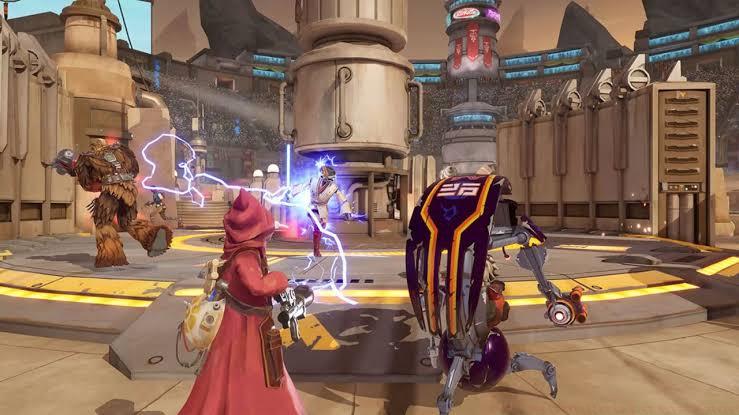
Platform-specific considerations include iOS users ensuring MFI (Made for iPhone) certification for optimal performance, while Android players benefit from broader controller support overall. Regional variations in controller hardware occasionally affect functionality, so international players should consult community forums for location-specific compatibility reports before purchasing specialized controllers exclusively for Star Wars: Hunters.
Controller implementation in Star Wars: Hunters focuses primarily on gameplay mechanics rather than comprehensive menu navigation. While you’ll enjoy full controller support during matches, certain interface elements still require touch input. This hybrid approach balances development resources while delivering controller advantages where they matter most—during active combat scenarios.
The limited menu support does include several key interfaces where controllers function perfectly: in-match ability information displays, real-time scoreboard access, post-match statistics review, and end-of-match result screens. This strategic implementation ensures you never need to switch control methods during critical gameplay moments while accepting occasional touch requirements for lobby navigation and store access.
Adapting to this mixed control scheme proves straightforward for most players. The logical division maintains controller functionality for time-sensitive gameplay elements while reserving touch controls for deliberate menu navigation. This design philosophy recognizes that precise input matters most during combat, while menu interactions benefit less from controller precision.
Beyond basic connectivity, serious Star Wars: Hunters competitors should implement advanced controller optimization techniques to maximize their performance potential. Begin with sensitivity calibration—adjusting look sensitivity, acceleration curves, and dead zones to match your personal playstyle. Most professional players recommend starting with moderate sensitivity settings then gradually increasing as your muscle memory develops.
Button mapping represents another critical optimization area, though Star Wars: Hunters currently lacks native remapping features. Strategic controller selection becomes important here—prioritize controllers with programmable buttons or companion apps that enable custom mappings. Positioning essential abilities and combat actions on easily accessible buttons can significantly improve your reaction times during intense firefights.
Performance consistency depends heavily on maintaining stable Bluetooth connections. Minimize interference by closing background applications that utilize Bluetooth functionality and ensuring your mobile device maintains adequate battery levels. Low power modes sometimes throttle Bluetooth performance, resulting in input latency that compromises gameplay precision. For wired controller options like the Razer Kishi, you’ll eliminate wireless concerns entirely while gaining instant response times.
Also Read: What Is Average Skill Rating in XDefiant?
Regular maintenance includes checking for game updates that might enhance controller functionality and monitoring community resources for newly discovered optimization techniques. The evolving nature of mobile gaming means controller support typically improves over time, so staying informed about patch notes and developer communications ensures you always utilize the most refined control experience available.
Action Checklist
- Activate controller pairing mode and connect via Bluetooth settings
- Verify automatic detection in-game and test basic controls
- Calibration controller sensitivity and adjust dead zones
- Practice hybrid navigation (controller gameplay + touch menus)
- Implement advanced optimizations like button mapping
No reproduction without permission:GameCDjnh » How to Use Controller in Star Wars: Hunters? Master controller setup for Star Wars: Hunters with expert tips, compatibility guides, and performance optimization strategies