
Complete guide to playing Overwatch 2 on Mac with practical solutions and performance optimization tips
Understanding Overwatch 2 Compatibility Challenges
While Overwatch 2 enjoys broad support across Windows PCs and gaming consoles, Mac users face unique compatibility hurdles. Many Apple device owners wonder if they can experience Blizzard’s popular team-based shooter on their preferred platform. The reality involves strategic workarounds rather than straightforward installation.
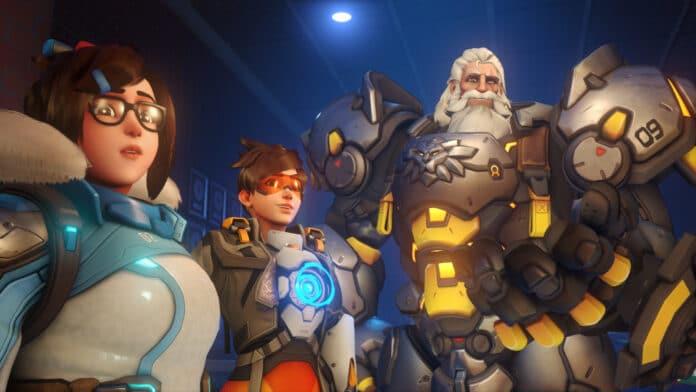
Developed by Blizzard Entertainment, Overwatch 2 represents the evolution of the acclaimed 2016 hero shooter. This sequel introduces persistent cooperative elements and aims to create unified player-versus-player environments while maintaining the fast-paced action that defined the original.
Native macOS support remains unavailable for Overwatch 2, with no official timeline for its implementation. However, determined Mac gamers have developed several effective methods to bypass this limitation and enjoy the game on their Apple hardware.
Solutions for Intel-based Mac Users
Intel-based Mac computers offer two primary pathways to Overwatch 2 access. The first approach utilizes Parallels Desktop, a virtualization application that enables Windows operation within macOS. This solution creates a seamless integration where both operating systems function simultaneously, though it requires purchasing the Parallels software license.
Boot Camp provides an alternative free solution for Intel Mac owners. This Apple-developed utility allows complete Windows installation on a separate partition, delivering near-native performance since the system dedicates all resources to a single operating system. The trade-off involves rebooting your Mac to switch between macOS and Windows environments.
Performance Comparison: Parallels offers convenience with seamless macOS/Windows switching but typically achieves 80-85% of native Windows performance. Boot Camp delivers 95%+ performance parity with dedicated Windows machines but requires system reboots for OS switching. Gaming enthusiasts often prefer Boot Camp for competitive play due to superior frame rates and responsiveness.
Common Setup Mistakes: Many users underestimate storage requirements—Overwatch 2 needs 50GB plus Windows installation space. Others forget to install proper graphics drivers in Windows, resulting in suboptimal performance. Always allocate at least 8GB RAM to Windows and ensure adequate cooling during extended gaming sessions.
Apple Silicon (M1/M2) Solutions
The architectural shift to Apple Silicon processors (M1, M2, and beyond) eliminates traditional virtualization options since these chips use ARM architecture incompatible with Windows x86 gaming. For these modern Macs, cloud gaming services become the exclusive viable solution.
Boosteroid stands as the most tested cloud gaming platform for Overwatch 2 on Apple Silicon. This subscription-based service streams the game from remote servers, rendering it playable on any Mac with sufficient internet bandwidth. After subscribing, users access Overwatch 2 through Boosteroid’s web interface or application.
Alternative Cloud Services: GeForce Now provides another excellent option with different subscription tiers. The free tier offers limited session lengths while Priority and Ultimate memberships provide extended playtime, RTX graphics, and priority server access. Shadow PC represents a premium alternative that streams an entire Windows desktop environment.
Latency Considerations: Cloud gaming performance heavily depends on your proximity to service servers and internet stability. Wired Ethernet connections consistently outperform Wi-Fi, and 5GHz wireless surpasses 2.4GHz networks. Test multiple services during free trials to determine which provides the lowest latency for your location.
Performance Optimization Strategies
Regardless of your chosen solution, specific optimization strategies can dramatically improve your Overwatch 2 experience on Mac hardware. Network performance proves particularly critical for cloud gaming solutions where stability outweighs raw speed.
Internet Requirements: Cloud gaming demands minimum 15Mbps for 720p gameplay, 25Mbps for 1080p, and 35Mbps+ for 1440p resolutions. More importantly, consistent low latency below 40ms ensures responsive controls. Use Ethernet connections whenever possible and position Wi-Fi routers for optimal signal strength.
Graphics Configuration: Virtualization users should set Overwatch 2 to Medium settings with Reduced Buffering enabled. Disable unnecessary background applications and allocate maximum RAM to your virtualization software. Cloud gaming users should match stream resolution to their display native resolution and enable hardware acceleration in browsers.
Troubleshooting Common Issues: Stuttering in Parallels often indicates insufficient RAM allocation. Audio sync problems in cloud gaming typically stem from network jitter. Black screens during Boot Camp usually relate to outdated graphics drivers. Create system restore points before major changes and monitor system temperatures during extended sessions.
For additional gaming insights and esports coverage, continue following TalkEsport through their Google News channel for regular updates.
No reproduction without permission:GameCDjnh » How to play Overwatch 2 on a Mac? Complete guide to playing Overwatch 2 on Mac with practical solutions and performance optimization tips