
TL;DR
- Fortnite returned to iOS in EU regions due to Digital Markets Act legislation
- Download requires visiting Epic’s website directly, not Apple App Store
- Installation involves device authorization and Epic Games Store app setup
- Currently limited to EU countries with iOS 17.6 or newer versions
- Performance optimization and troubleshooting steps ensure smooth gameplay
The gaming landscape shifted dramatically when European Union legislation forced Apple to open its ecosystem, allowing Fortnite and the Epic Games Store back onto iOS devices. This monumental change affects iPhone users running iOS 17.6 or later versions across most EU member states.
Apple’s contentious 30% revenue share from App Store transactions prompted Epic Games to implement direct payment options, circumventing Apple’s payment system. This strategic move triggered Apple’s removal of Fortnite from their platform, sparking a prolonged legal confrontation between the two technology powerhouses.
The European Union’s Digital Markets Act (DMA) legislation fundamentally altered the mobile app distribution paradigm, compelling Apple to permit alternative app marketplaces. This regulatory intervention enabled Epic Games to reintroduce their flagship battle royale title to iOS users throughout European Union territories, while Android users worldwide continue enjoying broader access options.

Initiating the Fortnite installation process requires navigating to Epic Games’ official download portal at www.fortnite.com/download using your iPhone’s Safari browser. This direct approach bypasses traditional App Store distribution channels entirely.
Upon accessing the download page, your device will prompt you to grant installation permissions to the Epic Games Store marketplace. Carefully follow the step-by-step configuration instructions displayed on-screen, which include verifying your device settings and approving the necessary security certificates for third-party app installation.
After successfully installing the Epic Games Store application, launch the platform and browse their game library to locate Fortnite. Select the download option and monitor the installation progress—the complete process typically requires 5-10 minutes depending on your internet connection speed and device storage performance.
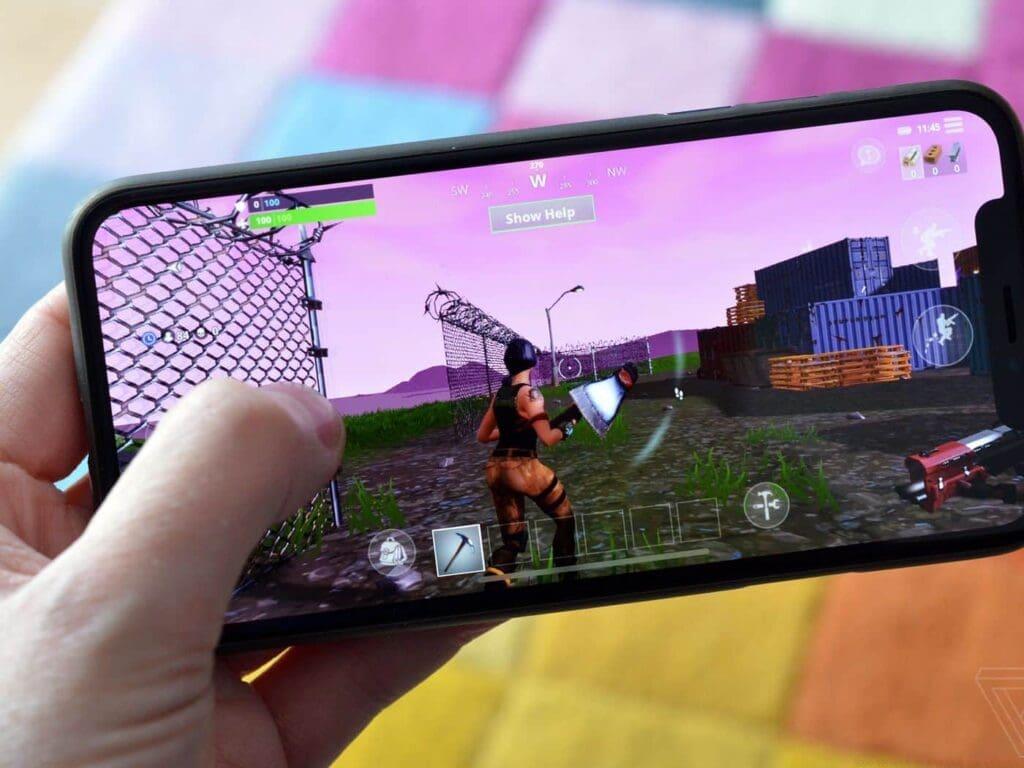
For optimal performance, ensure your iPhone has at least 8GB of available storage space and a stable Wi-Fi connection throughout the download process. Consider closing background applications to allocate maximum resources to the installation procedure.
Many users encounter authorization errors during the Epic Games Store installation phase. These typically stem from incomplete device configuration or outdated iOS versions. Verify that your iPhone runs iOS 17.6 or newer and that you’ve enabled ‘Allow Apps From Third-Party Developers’ in your security settings.
Performance optimization begins with adjusting Fortnite’s graphical settings to match your device capabilities. iPhone X and newer models can handle medium to high settings, while older devices should prioritize performance mode for smoother gameplay. Regularly clearing cache data through the Epic Games Store settings can resolve gradual performance degradation issues.
Regional verification problems may occur if your Apple ID region settings conflict with your physical location. Ensure your device’s region settings align with your current EU country of residence, and consider using a VPN service if you’re temporarily traveling outside eligible territories. For comprehensive gaming strategies beyond installation, explore our Complete Guide to master advanced gameplay mechanics.
Currently, Fortnite’s iOS availability remains exclusive to European Union countries, leaving users in North America, Asia, and other regions awaiting similar access. The ongoing legal negotiations between Epic Games and Apple will determine when—or if—global expansion occurs.
The Digital Markets Act represents a significant consumer protection victory against what many consider restrictive platform policies. This precedent may inspire similar legislation in other jurisdictions, potentially accelerating worldwide Fortnite availability on iOS devices. Meanwhile, Android users continue enjoying unrestricted access through various distribution channels.
While awaiting broader availability, non-EU players can explore alternative gaming experiences like the tactical warfare found in our Weapons Unlock guide or master different playstyles through our comprehensive Class Guide. The return of Fortnite to iOS marks a pivotal moment in mobile gaming accessibility, potentially heralding a new era of platform openness and consumer choice.
Action Checklist
- Verify iOS version is 17.6 or newer in Settings > General > About
- Visit fortnite.com/download using Safari browser on your iPhone
- Grant installation permissions to Epic Games Store when prompted
- Install Epic Games Store and locate Fortnite in game library
- Adjust graphics settings for optimal performance based on your device
No reproduction without permission:GameCDjnh » How to Get Fortnite on iPhone? Complete guide to downloading Fortnite on iPhone in EU regions with iOS 17.6+ and installation troubleshooting tips