
Complete guide to Rematch crossplay with setup tips, platform benefits, and optimization strategies
Introduction to Rematch Crossplay
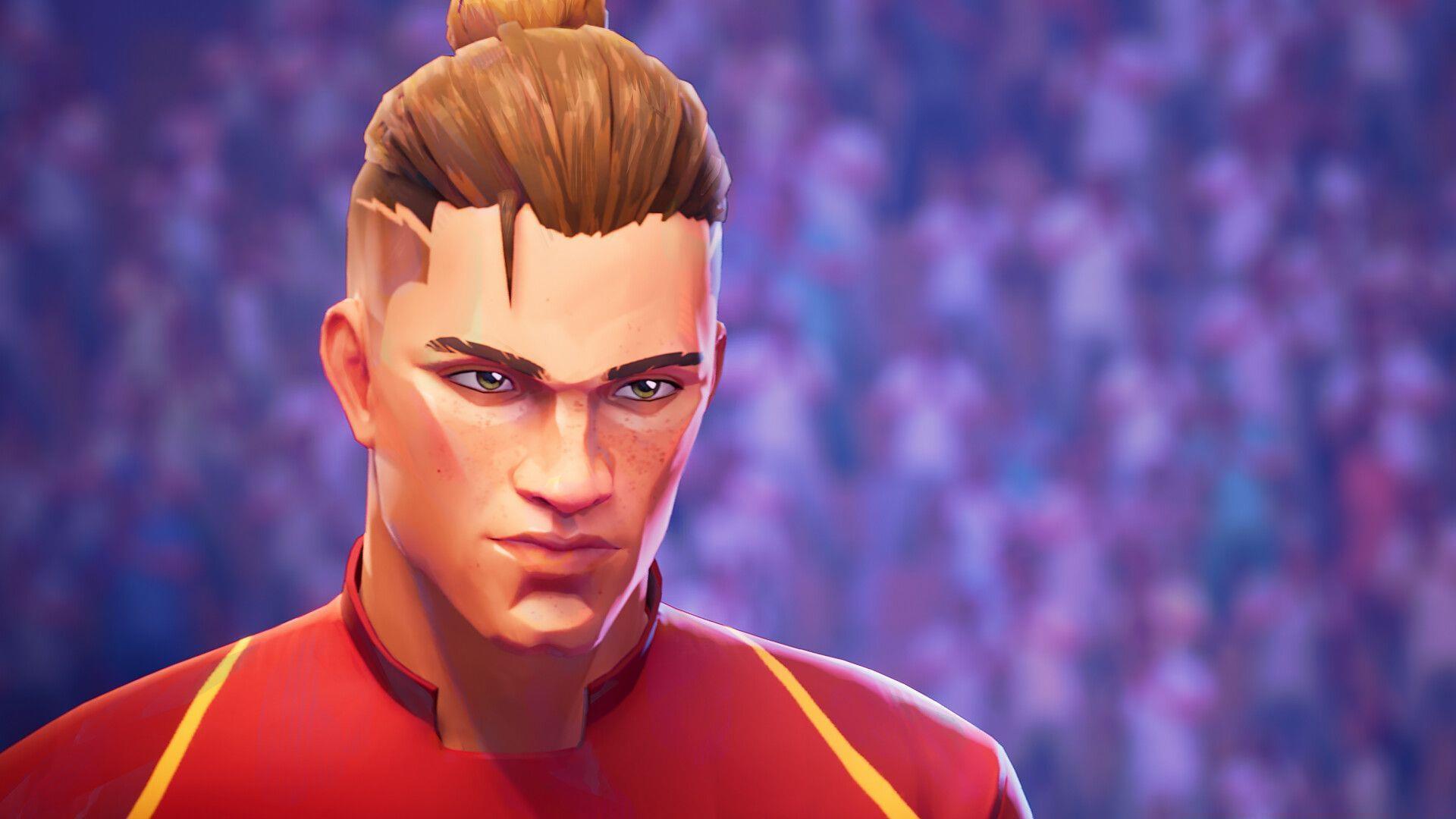
Rematch is generating significant excitement ahead of its official launch on June 19, 2025, and the enthusiasm is well-deserved. Developed by Sloclap, the creative force behind the critically acclaimed Sifu, this arcade football experience promises to revolutionize sports gaming. The game has already attracted an impressive 1.3 million participants during its beta phase, demonstrating substantial community interest. One of the most frequently asked questions concerns multiplayer functionality: does Rematch enable seamless play between different gaming platforms?
Cross-platform compatibility has become increasingly important in modern gaming, allowing friends to connect regardless of their preferred hardware. For Rematch, this feature aligns perfectly with its fast-paced, accessible gameplay design that emphasizes quick matches and social engagement.
How Crossplay Works in Rematch
The crossplay system in Rematch operates seamlessly across all supported platforms, creating a unified gaming ecosystem. Whether you’re playing on Steam, PlayStation Network, or Xbox Live, the matchmaking infrastructure automatically connects players from every available platform into a single player pool. This sophisticated backend technology handles platform authentication and communication protocols transparently, requiring no manual intervention from players.
This integrated approach delivers substantial benefits – with Rematch’s rapid match durations averaging just a few minutes and its chaotic, high-energy gameplay style, efficient matchmaking becomes essential. By consolidating players from all platforms into unified queues, the system maintains continuous gaming momentum. Players experience minimal downtime between matches, keeping them consistently engaged in the action rather than waiting for suitable opponents.
Read also: Rematch pre-order guide: Editions and bonuses
Setting Up Crossplay
Accessing Rematch’s crossplay functionality is remarkably straightforward across all hardware platforms. The game is currently available for pre-order through major digital storefronts including Steam, PlayStation Store, and Xbox Game Store. Upon the official release, players will immediately gain the ability to compete with friends and opponents regardless of their chosen gaming system.
For optimal crossplay experience, ensure you have an active internet connection and the latest game version installed. The system automatically detects available platforms and integrates them into matchmaking without requiring additional configuration. Players participating in the ongoing closed beta (initiated April 18, 2025) can immediately test the crossplay capabilities and provide valuable feedback to the developers.
Common Setup Mistakes to Avoid: Many players overlook platform-specific network settings that can impact crossplay performance. Ensure your console’s cross-platform play settings are enabled in system preferences, and verify that your gaming service subscription (Xbox Live Gold, PlayStation Plus) remains active for uninterrupted access.
Crossplay Benefits and Gameplay Impact
The implementation of crossplay in Rematch delivers several significant advantages that enhance the overall gaming experience. Most notably, matchmaking times are dramatically reduced as the player pool expands to include every available platform. This means you’ll spend more time playing and less time waiting in lobbies, which perfectly complements the game’s fast-paced arcade style.
From a community perspective, crossplay prevents platform fragmentation and ensures a healthy, active player base long after launch. You’ll encounter a diverse range of playstyles and strategies as you compete against gamers from different platform ecosystems. This diversity creates more dynamic and unpredictable matches, keeping the gameplay experience fresh and engaging over extended periods.
Strategic Advantage: Playing across platforms allows you to learn from different community meta-games and adapt your strategies accordingly. PC players often develop different tactical approaches compared to console gamers, providing valuable learning opportunities regardless of your preferred input method.
Advanced Crossplay Strategies
To maximize your crossplay experience in Rematch, consider these advanced optimization strategies. Communication becomes crucial when playing with teammates on different platforms – utilize the game’s built-in ping system and quick chat options to coordinate effectively across platform barriers. Familiarize yourself with platform-specific performance characteristics; PC versions may offer higher frame rates while console versions typically provide more consistent performance.
Platform-Specific Optimization Tips: PC players should ensure their graphics settings balance visual quality with consistent performance during crossplay matches. Console gamers benefit from optimizing their control sensitivity settings to compete effectively against mouse and keyboard users. All players should prioritize stable internet connections to minimize latency issues during cross-platform sessions.
Check out more articles on Sportskeeda:
- Ant-Man star Paul Rudd reappears for Nintendo Switch 2 commercial 34 years after original SNES advertisement
- How to obtain the Crimson’s Edge Long Katana in Assassin’s Creed Shadows
- Assassin’s Creed Shadows: How to beat The Swordsman (Genzaburo’s Soldiers)
- How to obtain the Loyal Traveler Long Katana in AC Shadows
- How to obtain the Whisper of Muramasa Long Katana in AC Shadows
- How to obtain the Lethal Lotus Petal Long Katana in AC Shadows
- How to obtain the Turquoise Zephyr Long Katana in AC Shadows
- How to obtain the Myth Slayer Long Katana in Assassin’s Creed Shadows
No reproduction without permission:GameCDjnh » Does Rematch have crossplay between PlayStation, Xbox, and PC? Complete guide to Rematch crossplay with setup tips, platform benefits, and optimization strategies