
TL;DR
- Use TSCMAA anti-aliasing to eliminate shadow flickering issues
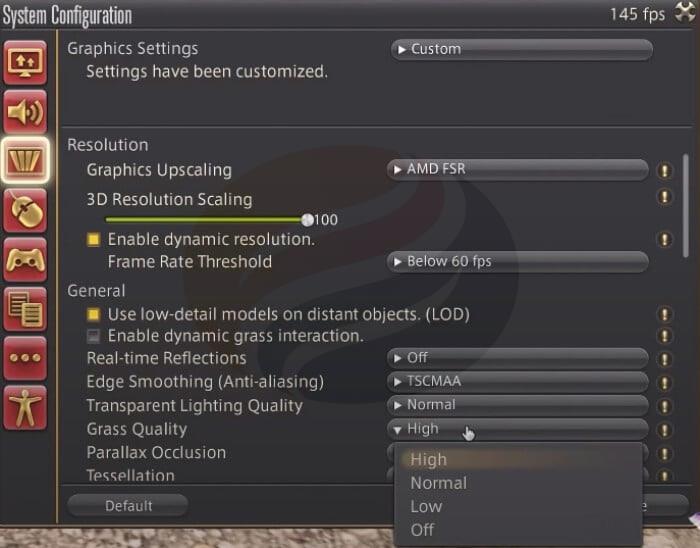
- Set grass quality to high for improved environmental density and realism
- Adjust 3D scaled resolution to 99% for sharper image quality
- Configure shadow resolution at 2048p with strongest softening for best results
- Select GTAO Standard ambient occlusion for superior visual depth
The official launch of FFXIV Dawntrail brings exciting new visual experiences that can be maximized through proper graphics configuration. Optimizing your settings not only enhances visual fidelity but also ensures smooth gameplay performance across different hardware configurations. This comprehensive guide, originally developed by gaming expert Desperius, provides actionable strategies to achieve the perfect balance between stunning aesthetics and responsive gameplay.
Proper graphics tuning can significantly impact your immersion in Eorzea’s expanded world, making exploration and combat more visually engaging while maintaining stable frame rates.
One of the most noticeable visual issues in Dawntrail involves shadow flickering artifacts that can distract from gameplay. To resolve this problem, navigate to the Graphics Settings menu and locate the Anti-aliasing section. Selecting the TSCMAA (Temporal Spatial Contrast Modulation Anti-Aliasing) option effectively reduces these flickering effects while maintaining image clarity.
Grass Quality: Setting this option to high significantly improves environmental density and realism. The enhanced grass rendering creates more natural-looking landscapes compared to the lower settings, which can appear sparse and artificial. This setting has minimal performance impact on modern GPUs while substantially enhancing outdoor area immersion.
3D Scaled Resolution: Surprisingly, reducing this value from 100% to 99% can actually produce sharper image quality by optimizing the rendering pipeline’s scaling algorithms.
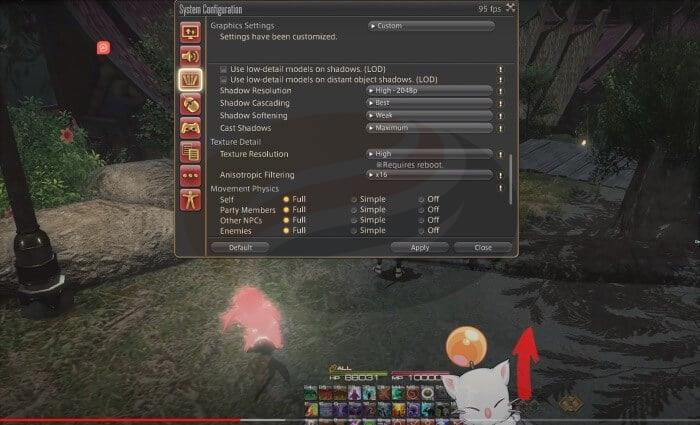
Within the Shadow Quality settings category, you’ll find two optimization options that deserve attention. Disabling both “Use low-detail models on shadows” and “Use low-detail models on distant object shadows” provides visual improvements with negligible performance cost. These settings primarily affect shadow rendering efficiency but offer minimal visual enhancement when disabled.
Shadow Resolution: Configuring this setting to High – 2048p creates more defined and realistic shadows throughout the game world. This higher resolution setting also contributes to reducing the persistent shadow flickering problem mentioned earlier.
Shadow Cascading: Contrary to expectations, disabling shadow cascading often produces superior visual results. This setting manages how shadows transition at different distances, and disabling it creates more consistent shadow quality across various viewing ranges.
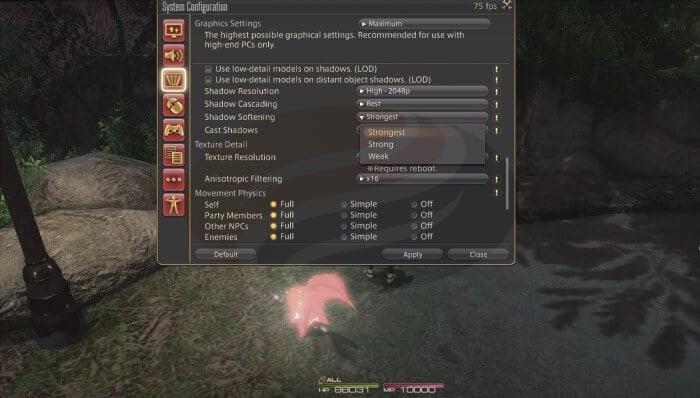
Shadow Softening: The three available options – strongest, strong, and weak – offer distinct visual characteristics. As demonstrated in the comparison images, selecting strong or weak settings results in noticeably pixelated tree shadows and environmental details. The strongest setting generates softer, more blurred shadows that enhance realism while simultaneously addressing the flickering shadow artifacts.
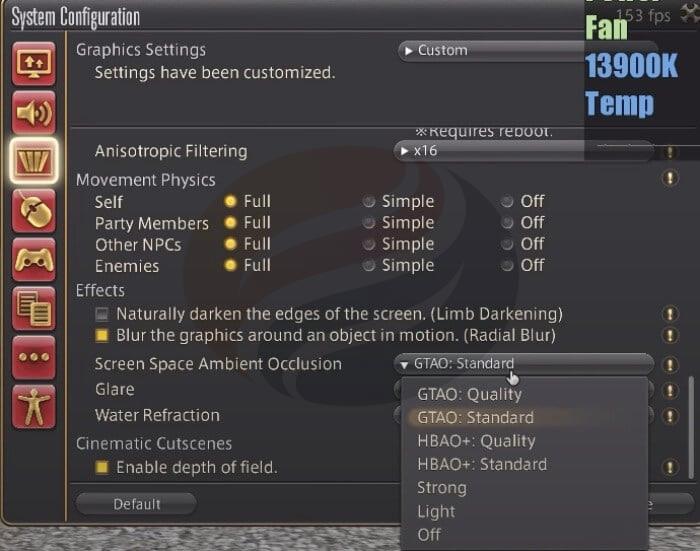
Screen Space Ambient Occlusion: Square Enix has introduced the GTAO (Ground Truth Ambient Occlusion) Standard option in Dawntrail, representing a significant upgrade over previous implementations. This advanced ambient occlusion technique outperforms both HBAO+: Quality and HBAO+: Standard options by providing more accurate shadowing in crevices and contact points between objects.
The GTAO algorithm calculates ambient light occlusion more precisely, resulting in enhanced depth perception and more realistic lighting interactions. This setting dramatically improves the three-dimensional appearance of game environments without substantial performance overhead.
For players seeking additional gaming optimization strategies, our Complete Guide to Battlefield 6 offers comprehensive settings recommendations for different playstyles and hardware configurations.
Action Checklist
- Set anti-aliasing to TSCMAA to eliminate shadow flickering
- Configure grass quality to high for improved environmental density
- Adjust 3D scaled resolution to 99% for optimal image sharpness
- Set shadow resolution to High – 2048p with strongest softening
- Select GTAO Standard for ambient occlusion
No reproduction without permission:GameCDjnh » Best Graphics Settings for FFXIV Dawntrail Optimize FFXIV Dawntrail graphics settings for maximum visual quality and performance enhancement