
Expert guide to choosing the right graphics card for optimal CS:GO performance and competitive advantage
Understanding CS:GO Performance Requirements
Counter-Strike: Global Offensive demands exceptionally high frame rates for competitive gameplay, where fluidity and responsiveness directly impact player performance. Achieving hundreds of frames per second isn’t just about visual appeal—it’s a tactical necessity that reduces input lag and provides smoother target tracking.
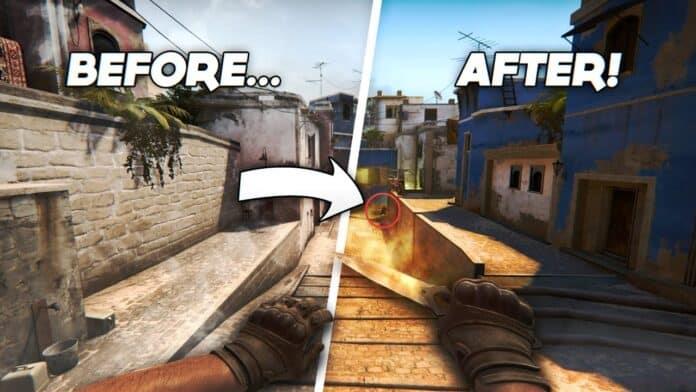
Before evaluating specific graphics cards, establish your performance baseline. Competitive players typically target 200-300 FPS on 144Hz monitors, ensuring each frame refresh captures the most current game state. This frame rate threshold separates casual from competitive gameplay, providing the responsiveness needed for quick reactions and precise aiming.
Resolution choice dramatically affects performance requirements. Most professional players use 1080p for maximum frames, while 1440p offers sharper visuals at the cost of higher GPU demands. Your display’s refresh rate determines how many of those frames you’ll actually see—a 144Hz monitor can display up to 144 FPS, while 240Hz models push this further.
Recommended Graphics Cards for Different Budgets
Modern entry-level gaming GPUs comfortably handle CS:GO’s performance demands. The NVIDIA GTX 1660 Super and AMD RX 6500 XT consistently deliver 300 FPS at 1080p with 4X or 8X MSAA enabled. These cards represent the sweet spot for competitive gaming without breaking the bank.
It’s important to contextualize this performance—while these GPUs excel in CS:GO, they’re designed for 1080p gaming at 60 FPS in demanding AAA titles like Red Dead Redemption 2 or Call of Duty Warzone. This performance disparity highlights CS:GO’s optimized engine and lower graphical demands compared to modern triple-A releases.
If you’re upgrading from older hardware, GeForce GTX 1060 or 1070 cards, along with Radeon RX 400 series GPUs, struggle to maintain competitive frame rates. Even at launch, these older models barely reached 200 FPS, while contemporary equivalents easily surpass 300-400 FPS thresholds.
For budget-conscious builders, AMD processors with integrated graphics like the Ryzen 5 5600G offer surprising performance, capable of pushing 150+ FPS with optimized settings. This approach sacrifices graphical fidelity and AAA gaming capability but provides a cost-effective entry point for CS:GO specifically.
Optimization Strategies for Maximum FPS
Beyond hardware selection, proper configuration dramatically impacts CS:GO performance. Start with multithreaded rendering enabled in video settings, which distributes workload across CPU cores. Disable GPU-bound features like anti-aliasing and texture filtering when chasing maximum frames, as these minimally impact visibility while consuming significant resources.
The law of diminishing returns applies strongly to high frame rates. While jumping from 30 to 60 FPS feels transformative and 60 to 120 remains noticeably smoother, the difference between 300 and 400 FPS becomes nearly imperceptible. Focus on consistently maintaining your monitor’s refresh rate rather than chasing theoretically higher numbers.
System-wide optimizations complement GPU performance. Ensure your RAM runs at rated speeds with XMP/DOCP enabled, as CS:GO benefits from fast memory. Close background applications, especially web browsers and streaming software, to free up CPU resources for the game engine.
Common Mistakes and How to Avoid Them
Many players overspend on high-end GPUs specifically for CS:GO, unaware that mid-range cards provide nearly identical competitive performance. The money saved on a reasonable GPU could be better invested in a high-refresh-rate monitor, quality mouse, or mechanical keyboard—peripherals that more directly impact gameplay.
Another common error involves neglecting CPU performance. CS:GO remains CPU-intensive in competitive scenarios with multiple players, so pairing a powerful GPU with an outdated processor creates bottlenecks. Balance your component selection to avoid single-point performance limitations.
Integrated graphics solutions demand significant compromises. While AMD’s Ryzen APUs can deliver playable frame rates, you’ll need to minimize graphical settings and accept that AAA gaming won’t be viable. This approach works for dedicated CS:GO machines but fails as an all-around gaming solution.
Finally, avoid chasing marginal FPS gains beyond your monitor’s capabilities. A stable 240 FPS on a 240Hz monitor provides better experience than fluctuating 300+ FPS on the same display. Consistency matters more than peak numbers for competitive play.
No reproduction without permission:GameCDjnh » Best GPU For CSGO Expert guide to choosing the right graphics card for optimal CS:GO performance and competitive advantage