
The Precinct: All graphics options and controls

Complete PC optimization guide for The Precinct with graphics settings, controls, performance tips, and system requirements

Game Overview and Visual Customization
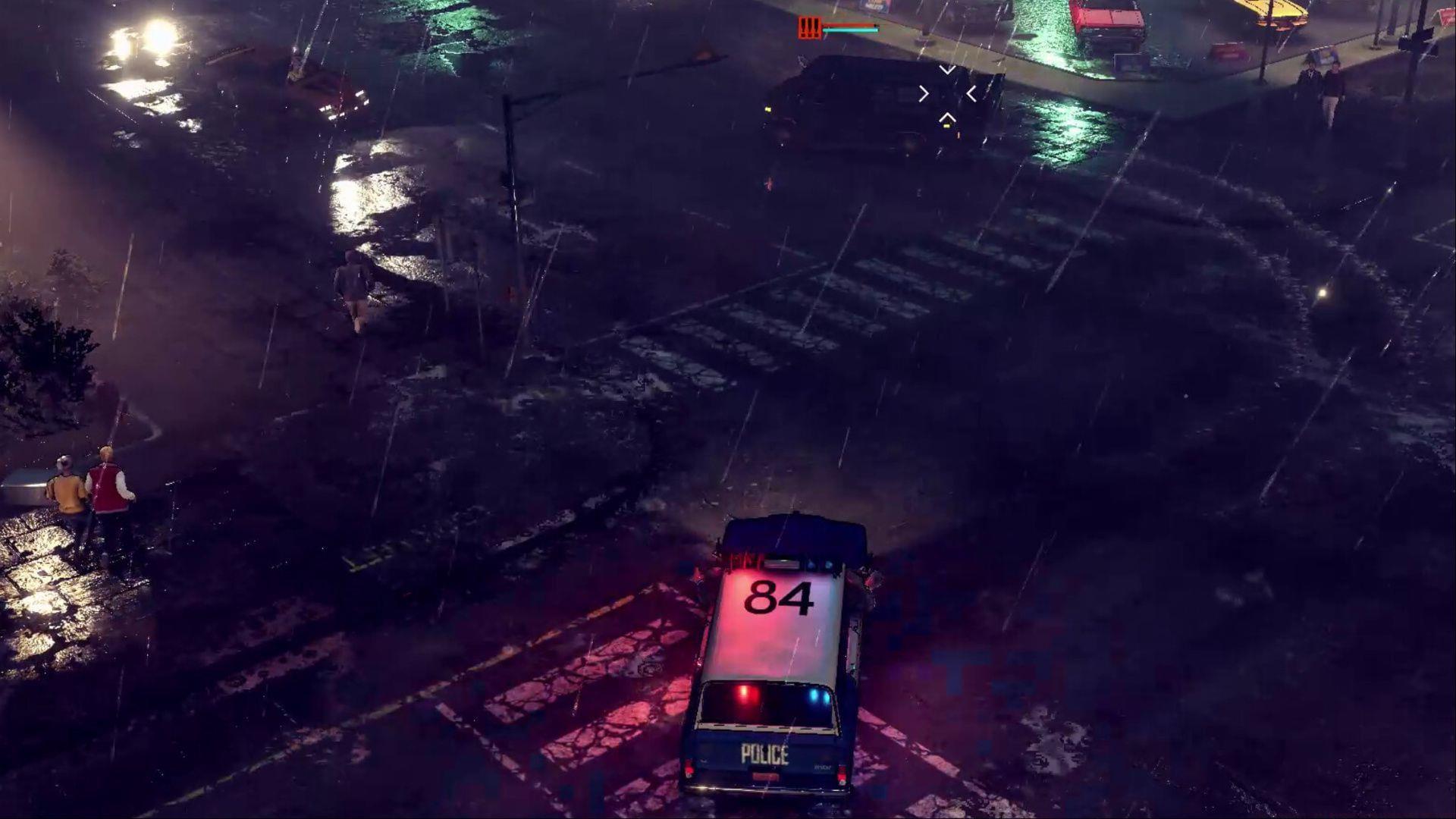
The Precinct graphics controls
PC gamers can fully optimize their law enforcement experience in The Precinct with extensive graphics customization (Image via Kwalee)

The Precinct immerses players in the challenging role of a police officer navigating a crime-ridden metropolitan environment. This sandbox adventure provides comprehensive PC customization capabilities that allow you to fine-tune both visual fidelity and gameplay performance according to your hardware specifications.

Graphics Preset Selection Strategy: Begin with the preset that matches your system capabilities, then fine-tune individual settings. The available presets include:

  • Quality: Choose from six predefined graphical configurations: Low, Medium, High, Very High, Handheld, and Custom. Each preset automatically adjusts multiple settings for balanced performance.
  • Anti-aliasing: Select your preferred anti-aliasing method from FXAA, TAA, AMD FSR 3, or completely disable it. FSR 3 provides the best performance on AMD cards while maintaining visual quality.
  • V-sync: Enable or disable vertical synchronization. Activating this feature eliminates screen tearing but may introduce minor input latency, which could impact reaction times during high-speed pursuits.
  • Customize: Access individual graphics parameters for precise control over every visual aspect when the preset options don’t meet your specific needs.
  • Reset to Defaults: Quickly restore all visual settings to their original configuration if your adjustments negatively impact gameplay performance.
  • Advanced Customization Options: For gamers seeking maximum control, these manual settings allow granular performance tuning:

  • Physics Quality: Determines the complexity of physical interactions and environmental reactions. High setting enhances realism but demands more CPU resources.
  • Lighting Quality: Controls the sophistication of dynamic lighting systems. This significantly impacts atmosphere but can be performance-intensive.
  • Shadow Resolution: Adjusts the clarity and definition of shadows cast by characters and environmental objects.
  • Shadow Quality: Manages the rendering quality of shadows with six distinct levels from completely disabled to maximum visual fidelity.
  • Animation Quality: Affects the smoothness and detail of character and vehicle animations throughout the game world.
  • Effects Quality: Controls the complexity and duration of special effects like explosions, muzzle flashes, and environmental particles.
  • World Quality: Determines the level of detail for buildings, roads, and other environmental elements at various distances.
  • Texture Quality: Adjusts the resolution of surface textures on characters, vehicles, and structures throughout the urban environment.
  • Civilian Density: Modifies the number of pedestrians and traffic throughout the city streets. Higher densities create more realistic environments but increase CPU load.
  • Control Scheme and Gameplay Mechanics

    Mastering The Precinct’s control scheme is essential for effective law enforcement operations. The default keyboard and mouse configuration provides intuitive access to critical police procedures and vehicle handling mechanics.

    Essential Movement and Interaction Controls: These fundamental commands form the foundation of your policing activities:

  • Toggle Walk: Caps Lock key switches between walking and running, allowing for subtle approach movements during stealth operations or evidence collection.
  • Show Weapons: Back Quote key displays your available arsenal for quick selection during confrontations with suspects.
  • Change Weapon Right: Number 3 cycles through your equipped firearms, ensuring you’re always prepared with the appropriate tool for any situation.
  • Vehicle Handbrake: Spacebar activates the emergency brake for sharp turns and quick stops during high-speed vehicular pursuits through city streets.
  • Check Number Plate: Tab key scans license plates to identify stolen vehicles or locate suspects wanted for questioning.
  • Advanced Control Techniques: Beyond the basics, developing proficiency with these controls will significantly enhance your policing effectiveness:

    For vehicle operations, practice using the handbrake for cornering while maintaining pursuit speed. When investigating suspicious activities, use the walk toggle to avoid alerting suspects while observing their behavior. Weapon switching should become instinctive during unexpected encounters to ensure you’re never caught unprepared.

    Common Control Mistakes to Avoid: New officers frequently struggle with inefficient weapon selection during emergencies. Practice cycling through your arsenal in non-threatening situations to build muscle memory. Additionally, many players overlook the strategic advantage of walking versus running—moving quietly can provide crucial seconds to assess dangerous scenarios before engaging.

    System Requirements and Performance Analysis

    The Precinct presents surprisingly demanding hardware requirements for an isometric perspective game, necessitating careful consideration of your system’s capabilities before diving into police work.

    Minimum System Specifications: These baseline requirements ensure the game runs, though performance may be limited:

  • OS: Windows 10 64-bit operating system
  • CPU: Intel Core i5-7600K or AMD Ryzen 3 1200 processor
  • GPU: Nvidia GeForce GTX 660Ti or AMD Radeon R7 370 graphics card
  • Storage: 8 GB available space with traditional hard drive support
  • Additional Notes: While functional on HDDs, solid-state drives dramatically improve loading performance
  • Recommended System Specifications: For optimal visual quality and smooth gameplay experience:

  • OS: Windows 10 64-bit operating system
  • CPU: Intel Core i5-10400F or AMD Ryzen 5 5600X processor
  • GPU: Nvidia GeForce RTX 2060 or AMD Radeon RX 6600 XT graphics card
  • Storage: 8 GB available space with SSD strongly recommended
  • Additional Notes: Solid-state drive installation significantly enhances overall responsiveness
  • Performance Optimization Strategies: Based on the hardware requirements, here are targeted approaches to maximize your gaming experience:

    For systems meeting minimum specifications, prioritize performance over visual fidelity. Set Shadow Quality to Low or Medium and reduce Civilian Density to decrease CPU workload. Disable anti-aliasing or use FXAA for minimal performance impact. Players with recommended hardware can enable higher shadow resolutions and increased civilian populations for more immersive urban environments.

    Future-Proofing Your Setup: Considering the game’s hardware demands, investing in an SSD provides the most significant improvement for loading times and asset streaming. The CPU requirements indicate strong multi-core performance benefits gameplay with numerous AI characters and complex physics calculations.

    Also Read: All weapons in The Precinct and how to unlock them

    No reproduction without permission:GameCDjnh » The Precinct: All graphics options and controls Complete PC optimization guide for The Precinct with graphics settings, controls, performance tips, and system requirements