
Master Wisteria codes for demon slaying success with strategic redemption tips and optimization guides
Understanding Wisteria: The Demon Slayer Experience
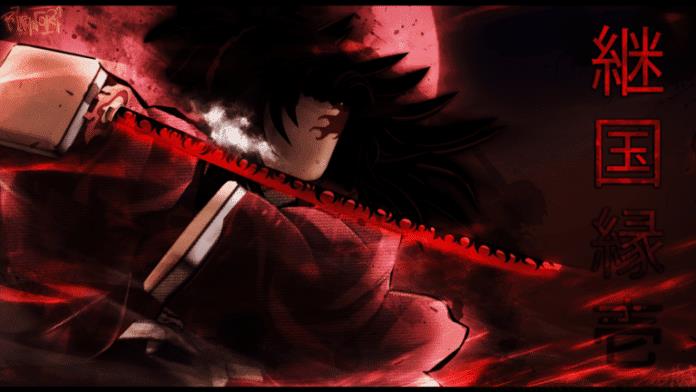
Wisteria delivers an immersive medieval Japan-themed action-adventure experience within the Roblox platform, drawing heavy inspiration from the popular Demon Slayer anime universe. Players engage in intense combat featuring precise katana techniques and powerful martial arts moves against formidable demon adversaries.
The game’s mechanics center around character progression through various customization options, including specialized breathing techniques, unique blood demon arts, and extensive appearance modifications. These elements combine to create a deeply engaging role-playing experience that faithfully captures the essence of its anime inspiration.
Active Wisteria Codes – December 2022
These currently active codes provide valuable rewards to enhance your demon slaying capabilities. Redeem them promptly as they may expire without warning.
Character Customization Codes
- !DemonAppearance—Redeem for a Demon Appearance reset
- !HaoriReset—Redeem for a Haori reroll
- !HairDrip—Redeem for the Hair and Eye Reroll
- !NichirinColor—Redeem for nichirin color reroll
- !80000LIKESDEMON—Redeem this code for a demon appearance reroll
- !30000LIKES—Redeem this code for a Face reroll
- !25000LIKES—Redeem this code for a Face, Eye, and Hair reroll
Ability Reset Codes
- !BreathReset—Redeem for a Breath reset
- !BDAReset—Redeem for a Blood Demon Art reset
- !TWEETBDA—Redeem this code for a Blood Demon Art reset
- !TWEETBREATH—Redeem this code for a Breath reset
- !100KBDA—Redeem this code for a Blood Demon Art reset
- !100KBreath—Redeem this code for a Breath reset
- !SUBTOINFERNASU—Redeem code for a Blood Demon art reset
- !SUBTOIBEMAINE—Redeem this code for a Breath reset
Exclusive Reward Codes
- !100KDEMONAPP—Redeem this code for a Demon Appearance reset
- !NICHIRIN80K—Redeem this code for a reward
- !80000LIKESHAORI—Redeem this code for a Slayer Haori Reset
- !Christmas—Redeem this code for a Nichirin color/appearance reroll
- !10000WISHES—Redeem this code for a Haori reroll
- !20000LIKES—Redeem code for a Haori reroll
- !SUBTOSAGEE—Redeem code for a Face reroll
- !SUBTOVALEKIS—Redeem code for a Face reroll
Expired Codes Reference
The following codes are no longer active but provide historical context for understanding code rotation patterns. Developers typically retire codes after reaching specific milestone targets or during major game updates.
- !Demon80K—Previously provided demon appearance reroll
- !2021DemonArt—Former Blood Demon art reset code
- !2021Breath—Previous Breath reset functionality
- !BDAReroll—Earlier Blood Demon art reroll option
- !1000FOLLOWS—Former Nichirin color reset
Monitoring developer social media channels and community forums helps identify when new codes replace expired ones, ensuring you never miss valuable reward opportunities.
Advanced Code Redemption Strategy
Mastering the redemption process ensures you efficiently claim all available rewards without encountering common pitfalls that frustrate many players.
Step-by-Step Redemption Process
- Launch Wisteria through the Roblox platform and wait for complete game loading
- Locate the chat interface positioned in the top-left corner of your screen
- Carefully type the exact code including exclamation marks and proper capitalization
- Press Enter to submit and await confirmation of successful redemption
Pro Tips for Success
- Always copy codes exactly as shown—capitalization and punctuation matter significantly
- Redeem character customization codes before ability resets for optimal build planning
- Keep a redemption log to avoid wasting codes you’ve already claimed
- Test codes during low-server population hours for faster confirmation
Common Mistakes to Avoid
- Adding extra spaces before or after code text
- Using outdated codes that no longer function
- Attempting to redeem codes in quick succession without waiting for confirmation
- Missing special characters or using incorrect letter case
Optimization Guide for Advanced Players
Beyond basic code redemption, strategic players maximize their progression through careful planning and resource management.
Strategic Code Usage
Prioritize codes that align with your current build objectives. If focusing on demon abilities, use Blood Demon Art resets first. For slayer specialization, begin with Breath technique codes. Save appearance modifications until after establishing your core combat capabilities.
Build Optimization
Combine complementary codes for powerful synergies. Use appearance resets after obtaining your ideal abilities to create a cohesive character aesthetic. Plan your redemption sequence to minimize the need for additional resets later.
Resource Management
Track which codes provide overlapping benefits to avoid redundancy. Some rewards offer similar functions, so strategic redemption prevents wasting opportunities. Focus on codes that provide unique advantages not easily obtained through gameplay.
For more amazing guides, follow our Guides section.
For more exclusive esports and gaming content, please follow us on Google News.
No reproduction without permission:GameCDjnh » Roblox Wisteria Codes for December 2022 Master Wisteria codes for demon slaying success with strategic redemption tips and optimization guides