
Complete PS4 multiplayer guide with advanced tips for seamless Minecraft Dungeons friend invites
Getting Started with Minecraft Dungeons on PS4
Embark on an epic cooperative adventure with Minecraft Dungeons, where teaming up with friends transforms your gaming experience. This action-packed dungeon crawler from Mojang Studios and Double Eleven delivers thrilling multiplayer possibilities specifically optimized for PlayStation 4 players seeking shared adventures.
Minecraft Dungeons reimagines the beloved Minecraft universe through a dynamic action-RPG lens, challenging players to navigate through procedurally generated levels teeming with dangerous enemies, clever environmental traps, and valuable treasure caches. The game’s design philosophy encourages cooperative play, making friend invitations an essential component of the optimal gaming experience.
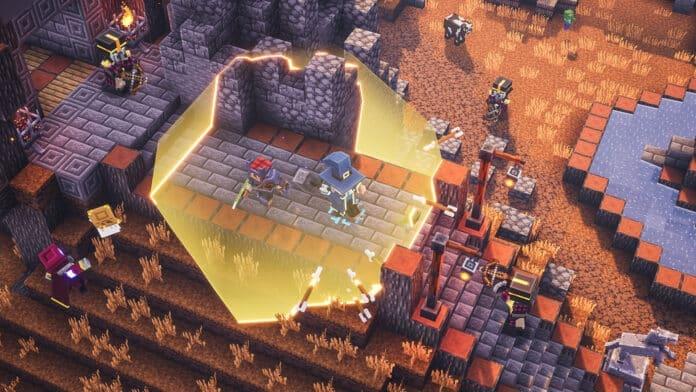
Available across multiple platforms including PlayStation 4, Xbox One, Nintendo Switch, and PC, Minecraft Dungeons supports both local couch co-op and online multiplayer sessions. Each platform offers unique advantages, but the PS4 version provides particularly smooth integration with PlayStation Network’s friend management system.
Step-by-Step Invitation Process
Execute these precise steps to successfully invite companions to your Minecraft Dungeons adventure on PlayStation 4:
- Initiate Minecraft Dungeons and from the primary interface, select the Online Game option to access multiplayer functionality
- Proceed to the “Start the Online Game” segment where you’ll configure your session parameters
- Activate the Add Friend feature to display your current PlayStation Network friends list
- Choose your desired gaming partner from the list and execute the Invite command to send your request
Pro Tip: Before initiating invitations, verify that both you and your friend possess active PlayStation Plus subscriptions, as this is mandatory for online multiplayer functionality on PS4. Additionally, ensure your game is updated to the latest version to prevent compatibility issues during connection attempts.
For optimal connection stability, consider performing a network test through your PS4’s settings menu. A NAT Type 2 connection provides the best results for Minecraft Dungeons multiplayer sessions, reducing latency and disconnection problems during intense dungeon crawls.
Advanced Multiplayer Strategies
Beyond basic invitations, mastering Minecraft Dungeons multiplayer requires strategic planning and coordination. The game supports up to four participants in both online and local cooperative modes, allowing for diverse team compositions and tactical approaches to dungeon challenges.
Strategic team building becomes crucial when assembling your adventuring party. Minecraft Dungeons features four distinct character specializations: the close-quarters Warrior, long-range Hunter, supportive Enchanter, and magical Mage. Coordinating these classes with your friends creates synergistic combinations that can overcome even the most challenging dungeon scenarios.
Leverage the game’s cross-platform compatibility to include friends playing on Xbox, Nintendo Switch, or PC. This expanded connectivity dramatically increases your potential teammate pool and ensures nobody gets left out of the adventure. When playing cross-platform, pay extra attention to voice chat setup, as native platform communication systems may not function across different ecosystems.
For veteran players, consider implementing specialized loot distribution systems and role assignment strategies. Designate specific players to focus on tanking, healing, or damage dealing based on their selected artifacts and equipment loadouts. This advanced coordination transforms random groups into efficient dungeon-clearing machines.
Common Issues and Solutions
Even with proper setup, players may encounter occasional technical challenges when inviting friends. Understanding these common problems and their solutions ensures minimal disruption to your gaming sessions.
Connection Failures: If invitations consistently fail to deliver, first verify both players have stable internet connections. Restart your router and PS4 console to refresh network configurations. Check Minecraft Dungeons server status through official channels, as maintenance periods can temporarily disrupt multiplayer functionality.
Invitation Not Received: When your friend doesn’t receive your invitation, ensure they haven’t reached their maximum simultaneous friend request limit. Also confirm their privacy settings allow invitations from non-friends if you’re connecting across platforms for the first time.
Performance Optimization: For smoother multiplayer experiences, close background applications on your PS4 to allocate maximum resources to Minecraft Dungeons. Wired Ethernet connections typically provide more stable performance than Wi-Fi, especially during four-player sessions with extensive particle effects and enemy spawns.
Cross-Platform Complications: When connecting across different systems, ensure all players have linked their Microsoft accounts properly and enabled cross-play in the game’s settings menu. Sometimes, restarting the game on all platforms resolves synchronization issues.
Frequently Asked Questions
Minecraft Dungeons represents a dungeon-crawling adventure game set within the expansive Minecraft universe. Participants navigate through diverse environments populated with hostile creatures, environmental hazards, and valuable loot, while collaborating with allies to accomplish various missions and story objectives.
The game enjoys availability across multiple gaming platforms including Xbox One, PlayStation 4, Nintendo Switch, and personal computer systems through various digital storefronts.
Minecraft Dungeons accommodates up to four participants simultaneously in either online multiplayer or local cooperative gameplay modes, with difficulty scaling automatically based on party size.
Four distinct character archetypes are available: the melee-specialized Warrior, distance-oriented Hunter, support-focused Enchanter, and magic-wielding Mage, each offering unique tactical advantages and playstyle possibilities.
Solo play remains completely viable, with the game’s challenge parameters and enemy density adjusting dynamically based on participant count. This ensures engaging experiences regardless of whether you adventure alone or with companions.
Cross-platform functionality is fully supported, enabling connectivity between Xbox, PlayStation, Nintendo Switch, and computer platforms, though certain platform-specific features may vary.
For additional exclusive gaming content and esports coverage, continue following TalkEsport through their Google News channel for regular updates and industry insights.
No reproduction without permission:GameCDjnh » Minecraft Dungeons: How to Invite Your Friends on PS4? Complete PS4 multiplayer guide with advanced tips for seamless Minecraft Dungeons friend invites