
TL;DR
- UPI eliminates need for international cards and reduces transaction failures for Indian Steam users
- Desktop and mobile payment processes differ significantly – understand both platform-specific workflows
- Refunds process differently with UPI compared to traditional payment methods – know the timelines
- Always verify INR currency setting before transactions to avoid conversion issues
- Keep UPI app updated and check transaction limits for smoother gaming purchases
The introduction of Unified Payments Interface (UPI) support on Steam represents a monumental shift for India’s gaming community, addressing long-standing payment barriers that previously hindered seamless game purchases. This revolutionary payment integration through Komoju enables direct transactions from any UPI-enabled application including Google Pay, PhonePe, Paytm, BHIM, or bank-specific UPI apps, completely eliminating dependency on international credit or debit cards.
UPI stands as India’s dominant instant payment system, processing an astonishing 18.67 billion transactions worth ₹25.14 trillion in May 2025 alone. Before July 2025, Indian gamers faced persistent challenges with unreliable payment gateways and cumbersome gift-card workarounds that often resulted in failed transactions and hidden charges. These payment obstacles frequently disrupted gaming sessions and created unnecessary friction in the purchase process.
By leveraging UPI’s zero-MDR (merchant discount rate) framework and India’s massive user base exceeding 500 million active participants, Steam not only streamlines payment procedures but dramatically expands accessibility to millions previously excluded from conventional card-based payment systems. This strategic move catalyzes increased purchase frequency and accelerates market growth within one of the world’s most rapidly expanding gaming demographics. The elimination of intermediary fees and simplified transaction flow directly benefits consumers while strengthening Steam’s market position.
Navigating UPI payments through Steam’s desktop application requires careful attention to platform-specific details. Follow this comprehensive guide to ensure successful transactions every time:
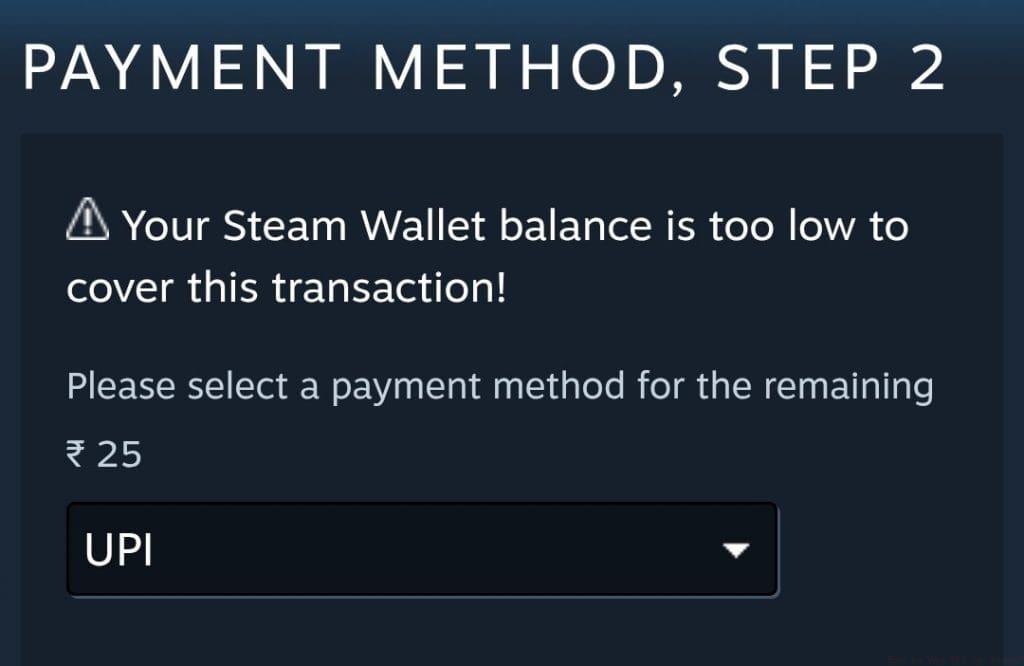
- Initiate Steam client on your preferred operating system (Windows, macOS, or Linux)
- Authenticate your account and critically verify that “₹ INR” displays as your primary store currency
- Populate your shopping cart with desired games or content, then select the prominent green “Purchase for myself” option
- When reaching the “Choose how you wish to pay” interface, explicitly select “UPI” from available payment methods
Pro Tip: Always complete desktop transactions during peak Indian hours (7 PM – 11 PM) when payment gateway servers experience optimal performance. Avoid transaction attempts during maintenance windows typically occurring between 2 AM – 4 AM IST.
Common desktop-specific issues include browser payment pop-ups being blocked by ad blockers or security software. Temporarily disable these extensions during payment processing. Additionally, ensure your Steam client remains updated to the latest version to access the most current UPI integration features.
The Steam mobile application delivers a distinctly optimized UPI payment experience tailored for on-the-go transactions. The mobile workflow diverges significantly from desktop procedures, emphasizing streamlined navigation and touch-friendly interfaces.
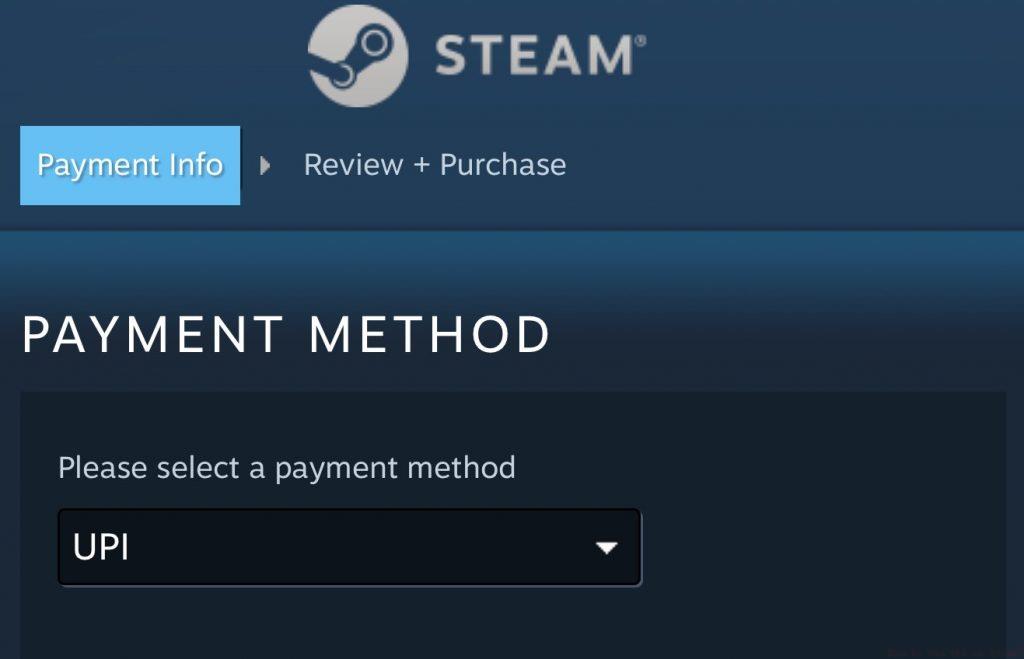
Mobile payment execution begins with launching the Steam application on your iOS or Android device. After logging into your account, navigate to the store section and add items to your cart. The payment interface automatically detects Indian regional settings and presents UPI as a primary payment option. The mobile experience typically features faster redirects to UPI applications and smoother authentication processes compared to desktop workflows.
Critical Consideration: Mobile UPI transactions frequently encounter issues when users have multiple UPI applications installed. Designate a primary UPI app as your default payment handler to prevent application selection conflicts. Additionally, mobile data connections sometimes provide more reliable transaction completion than WiFi networks, particularly on public hotspots with restrictive firewalls.
For optimal mobile performance, ensure both your Steam application and preferred UPI app remain updated to their latest versions. Mobile-specific enhancements include biometric authentication support and one-tap payment confirmations that significantly accelerate checkout processes.
Understanding refund procedures for UPI-based Steam purchases requires awareness of platform-specific policies and processing timelines. Steam’s standard refund policy applies to UPI transactions, but fund return processes differ from traditional payment methods.

Refund eligibility maintains consistent criteria regardless of payment method: games purchased within 14 days and played less than 2 hours typically qualify for automatic approval. However, UPI refunds experience different processing timelines compared to credit card reversals. While card refunds often appear within 5-7 business days, UPI refunds may require 7-10 business days to reflect in your bank account due to additional banking layer processing.
Important Note: UPI refunds always return to the original payment source rather than Steam wallet credits. This contrasts with some regional payment methods that offer wallet credit options. Track your refund status through Steam’s purchase history while monitoring your bank account for the transaction reversal.
Common refund complications include bank holiday delays, UPI ID changes since original purchase, or technical issues between banking partners. If your refund exceeds 10 business days without appearing, contact Steam support with your transaction reference number and UPI payment details for escalation. Maintaining consistent UPI application usage simplifies refund tracking and resolution.
Action Checklist
- Verify INR currency setting in Steam store before browsing
- Update Steam client and UPI app to latest versions
- Designate primary UPI app and set as default payment handler
- Schedule purchases during peak hours (7-11 PM IST) for optimal gateway performance
- Document transaction IDs and save payment confirmation screenshots
No reproduction without permission:GameCDjnh » How to Use UPI on Steam? Master Steam UPI payments with step-by-step guides, troubleshooting tips, and refund strategies for Indian gamers