
Complete guide to earning the VCT 2021 Spark Buddy through Twitch drops with pro tips and troubleshooting
Understanding VCT Champions 2021 Drops
The Valorant Champions Tour 2021 represents the pinnacle of competitive VALORANT esports, culminating in this prestigious global championship event. During these finals, Riot Games has activated special viewership rewards including the highly sought-after VCT 2021 Spark Buddy cosmetic item. This exclusive gun charm features vibrant championship-themed colors and animated effects that showcase your support for the competitive scene.
Twitch drops function as timed rewards distributed to viewers who watch designated streams for specified durations. The system automatically tracks your view time once you’re logged into a connected account. Unlike some reward systems, drops require manual claiming from your Twitch inventory after meeting the watch time threshold, adding an important step many players overlook.
Step-by-Step Acquisition Process
Begin by accessing the official VALORANT Champions Tour broadcast on Twitch through their primary channel or any participating co-streamer with drops enabled. Multiple viewing options exist, but verify stream titles indicate “Drops Enabled” to ensure your view time counts toward the requirement. You can simultaneously watch on multiple devices to accelerate progress, though only one account can earn rewards.
Before starting your viewing session, critically verify that your Riot Games account properly connects to your Twitch profile through the official connections page. This vital preparatory step prevents the common frustration of watching for hours without receiving eligibility. Many players discover too late that their accounts weren’t properly linked, wasting valuable viewing time during limited championship windows.
Accumulate exactly sixty minutes of watch time across any drop-enabled VCT Champions streams. The tracking system updates progress incrementally, allowing you to monitor advancement through the Twitch drops inventory interface. Once the progress bar reaches 100%, you must manually claim your VCT 2021 Spark Buddy from the drops section—this crucial action often gets missed by viewers assuming automatic distribution.
Following successful claim confirmation, launch VALORANT and navigate to your collection’s gun buddy section. The VCT 2021 Spark Buddy should appear available for equipping to any weapon. If not immediately visible, allow up to 24 hours for system propagation or restart your game client to refresh your inventory.
Pro Tips and Common Issues
Maximize your drop acquisition efficiency by streaming on secondary devices at lower quality settings while actively watching on your primary device. This technique effectively doubles your view time accumulation without requiring additional attention. Ensure all streams come from different broadcasters rather than multiple tabs of the same stream, as duplicate views don’t accelerate progress.
Common troubleshooting issues include unlinked accounts, region restrictions, and failure to manually claim rewards. If your drop doesn’t appear after meeting requirements, first re-verify your Riot account connection, then check for any regional limitations that might affect eligibility. European and Asian players sometimes encounter different requirement variations based on local regulations.
Advanced users can employ background streaming techniques by muting browser tabs rather than closing them when stepping away. The drop system continues tracking muted streams as long as audio plays at minimal levels. However, completely muted streams or inactive tabs may not register view time, so maintain at least minimal audio output.
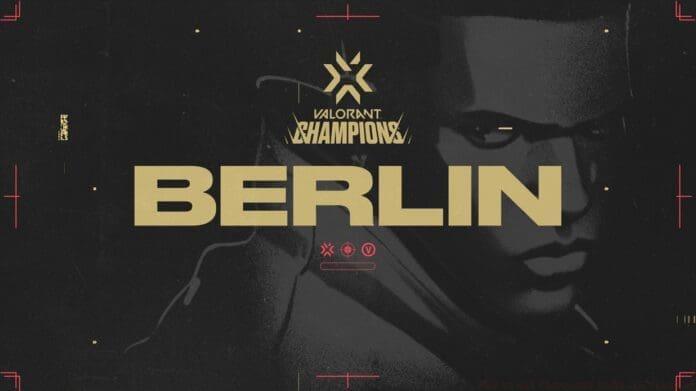
DROPS ARE NOW ON | #ValorantChampions
Watch Valorant Champions for 1 Hour to earn the VCT 2021 Spark Buddy. pic.twitter.com/6uW2tN5JFX
No reproduction without permission:GameCDjnh » How to Get Champions Buddy in Valorant Complete guide to earning the VCT 2021 Spark Buddy through Twitch drops with pro tips and troubleshooting