
Master the MrBeast right-hand glitch in Fortnite with step-by-step instructions, troubleshooting tips, and strategic insights
Understanding the MrBeast Right-Hand Advantage
A recently uncovered visual anomaly in Fortnite creates an unusual right-hand disappearance effect that some players find beneficial for gameplay visibility. While technically classified as a bug rather than an intentional feature, this glitch offers unique visual advantages by eliminating the character model’s right arm from view. The effect provides additional peripheral vision and reduces visual clutter, particularly when aiming down sights or performing precise building edits.
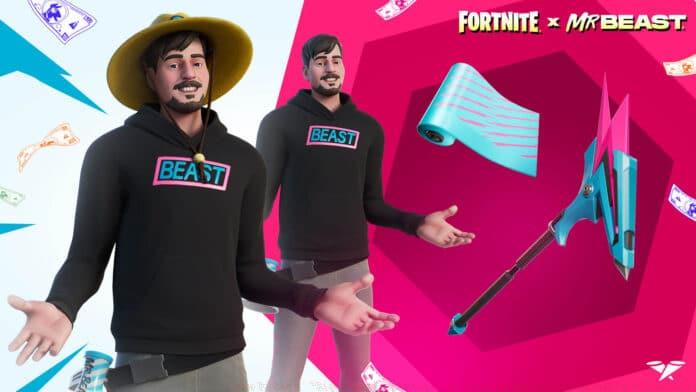
First documented by content creator GKI, this visual manipulation specifically affects the Glitch King variant of the MrBeast outfit. The glitch creates an unusual scenario where weapons and tools appear to float in mid-air without visible hand support, which can significantly improve sightlines during intense combat situations. However, it’s important to note this doesn’t provide any mechanical advantages—only visual ones.
Prerequisites and Setup Requirements
Successfully activating this visual anomaly requires specific cosmetic items and environmental conditions. You must own both the MrBeast character skin (specifically the Glitch King style) and the matching Beast Claws harvesting tool from the Fortnite Item Shop. These cosmetics form the foundation for triggering the right-hand disappearance effect.
The glitch activation is restricted to Creative mode environments that contain changing booth devices. While the MrBeast Extreme Survival Challenge map is the most documented location for this exploit, other Creative islands with locker functionality may also support the effect. Ensure you’ve properly equipped both required cosmetics in your main locker before joining the Creative session.
Preparation extends beyond mere ownership—verify that both items are actively equipped in your loadout before attempting the glitch. Many players fail to activate the effect because they own the items but haven’t properly configured them in their preset loadouts. Double-check your cosmetic configuration in the main menu before proceeding to Creative mode.
Step-by-Step Execution Guide
Begin by joining a Creative map that features changing booths, with the MrBeast Extreme Survival Challenge being the most reliable option. Once loaded into the pre-game lobby, locate the changing booth facility—these are typically marked with clear visual indicators or placed in obvious spawn areas.
Approach and interact with the changing booth to open the cosmetic modification interface. Navigate directly to the Pickaxe category within the locker menu that appears. Here, you’ll need to swap your currently equipped Beast Claws for any alternative harvesting tool from your collection. The key is replacing the specific pickaxe that matches the MrBeast skin.
After selecting an alternative pickaxe, confirm your changes by pressing the Apply button, then exit the booth interface using the Escape key or back button. Upon returning to the game world, immediately check your character model. If successful, you’ll observe that the lower right arm section has completely vanished, with any equipped items appearing to float without visible support.
Verification is crucial—test the effect by switching between weapons and tools to ensure the glitch persists across different item types. Some players report the effect may temporarily disappear when swapping certain weapons, so comprehensive testing ensures the glitch remains active throughout your session.
Troubleshooting and Common Issues
Many players encounter activation failures due to simple oversights in the process. The most common mistake involves not having both required cosmetics properly equipped before entering Creative mode. Verify your loadout in the main menu, not just ownership in your locker collection. Additionally, ensure you’re using the correct MrBeast style—only the Glitch King variant produces consistent results.
Map compatibility represents another frequent point of failure. While the MrBeast Extreme Survival Challenge map reliably supports the glitch, many other Creative islands may not maintain the effect properly. If the glitch fails on one map, try several alternative Creative maps with changing booth functionality before concluding it doesn’t work for your account.
Timing and sequence errors can also prevent successful activation. Some players report better results when performing the pickaxe swap quickly without lingering in the menu. Others find success by entering and exiting the booth multiple times. Experiment with different timing patterns if your initial attempts fail.
Platform differences may affect consistency—console players occasionally report higher success rates than PC users, though this varies by update cycle. If the glitch proves persistently unsuccessful, wait for a game update and retry, as minor patches sometimes affect glitch reliability.
Strategic Applications and Gameplay Impact
The primary advantage of this visual modification lies in reduced screen clutter during precise aiming scenarios. When using precision weapons like sniper rifles or engaging in detailed building edits, the missing right arm creates cleaner sightlines without obstructing your target acquisition. This can provide minor competitive benefits in situations requiring pixel-perfect accuracy.
However, players should understand the limitations of this advantage. The glitch doesn’t actually increase your field of view or provide mechanical benefits—it simply removes visual obstruction from your character model. In fast-paced close-quarters combat, the advantage becomes negligible as peripheral vision matters less than tracking and reflexes.
Advanced players can leverage this glitch most effectively during box fighting scenarios and edit-heavy gameplay where every pixel of visibility matters. The clean right-side sightline makes right-hand peeks slightly more effective and reduces visual noise during complex build battles. Still, remember that professional tournaments typically prohibit exploit usage, limiting this to casual and ranked play.
Ultimately, this remains a novelty glitch with situational benefits rather than game-changing mechanics. While fun to experiment with and potentially useful in specific scenarios, it shouldn’t form the foundation of your gameplay strategy. The visual novelty and minor competitive edge make it worth learning, but don’t expect dramatic performance improvements.
No reproduction without permission:GameCDjnh » How To Get a “Right-hand Advantage” at Winning the Mrbeast Fortnite Tournament? Master the MrBeast right-hand glitch in Fortnite with step-by-step instructions, troubleshooting tips, and strategic insights