
Complete guide to fixing Valorant version mismatch errors with troubleshooting steps and prevention strategies
Understanding the Version Mismatch Error
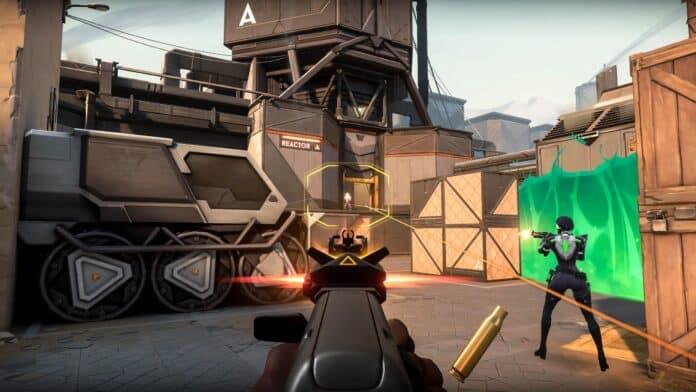
The Valorant version mismatch error represents a synchronization problem between your local game client and Riot’s server infrastructure. This technical discrepancy emerges when update deployment timing creates version incompatibility between what’s running on your system versus what the game servers expect.
Historical data indicates this technical challenge has persisted since Valorant’s early development phases, with documented instances during closed beta testing and periodic reappearances following the June 2020 official launch. The persistence pattern suggests underlying infrastructure challenges with global update distribution systems.
Client-server synchronization failures typically resolve autonomously as update propagation completes across Riot’s global network. However, extended resolution periods exceeding several hours may indicate regional deployment complications or individual system configuration issues requiring manual intervention.
Immediate Fix Solutions
When encountering version synchronization problems, begin with the least disruptive solution before progressing to more comprehensive approaches. The sequential troubleshooting methodology minimizes unnecessary system changes while maximizing resolution efficiency.
Primary Resolution Method: Terminate the Valorant application completely through your system’s task manager, ensuring all background processes including Riot Client and Vanguard anti-cheat close properly. Subsequent relaunch typically triggers the automatic update detection mechanism, downloading any pending patches required for server compatibility.
Comprehensive Reinstallation Protocol: When basic restart procedures prove ineffective, execute a complete game removal through Windows ‘Apps & Features’ interface. Navigate systematically to eliminate all Valorant components, then obtain a fresh installation package from Riot’s official distribution channels. This nuclear approach resolves corrupted local files and registry inconsistencies that may impede proper version synchronization.
Alternative resolution paths include verifying internet connection stability, temporarily disabling security software that might interfere with update downloads, and clearing local DNS cache to ensure proper communication with Riot’s content delivery networks.
Advanced Troubleshooting Techniques
For persistent version synchronization challenges, implement network-level diagnostics to identify potential connectivity barriers. Begin by flushing your DNS resolver cache using command prompt with ‘ipconfig /flushdns’ command, then verify router configuration isn’t blocking Riot’s update servers through appropriate port forwarding.
Client integrity verification represents another crucial troubleshooting layer. Navigate to Valorant’s installation directory and eliminate temporary files, cached updates, and corrupted configuration data. The Riot Client repair function provides automated scanning for missing or damaged game components that might impede proper version recognition.
Server status monitoring offers critical context during widespread update deployments. Consult Riot’s official status page and community forums to determine if version mismatches affect multiple regions simultaneously. Collective reporting patterns help distinguish individual system issues from global deployment complications requiring developer intervention.
Prevention and Best Practices
Proactive update management significantly reduces version mismatch occurrence probability. Configure your system to allow automatic background updates during periods of non-intensive usage, ensuring your client remains synchronized with server versions between gaming sessions. Regular system maintenance including driver updates and storage optimization further enhances update reliability.
Strategic gaming session timing represents another effective prevention strategy. Major Valorant updates typically deploy during predetermined maintenance windows, often coinciding with Tuesday morning hours in North American timezones. Scheduling gameplay outside these high-risk periods minimizes exposure to transitional version inconsistencies.
Community engagement through official Valorant social channels and patch note announcements provides advance notice of impending updates. This intelligence allows preemptive client updates before scheduled maintenance completion, virtually eliminating version mismatch encounters through strategic preparation and timing awareness.
No reproduction without permission:GameCDjnh » How To Fix Valorant Version Mismatch Error Complete guide to fixing Valorant version mismatch errors with troubleshooting steps and prevention strategies