
Comprehensive troubleshooting guide for Apex Legends No Servers Found error with advanced solutions
Understanding the No Servers Found Error
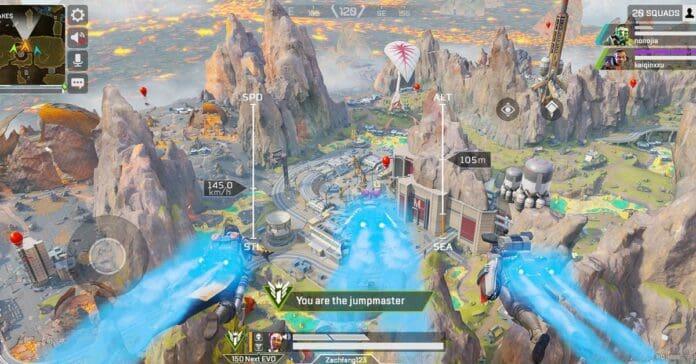
Apex Legends maintains its position as a leading free-to-play battle royale experience, consistently attracting substantial player engagement with peak concurrent users exceeding 350,000 on Steam platforms. This massive player base creates complex server infrastructure requirements, necessitating continuous uptime maintenance by development teams. When connectivity disruptions occur, players frequently encounter the frustrating “No Servers Found” notification during login attempts.
Server connectivity problems typically originate from two primary sources: scheduled maintenance or unexpected technical issues on the developer side, or local configuration and network complications affecting individual users. Official communications through Respawn Entertainment’s social channels typically announce planned maintenance windows, though emergency outages may occur without immediate notification. Understanding this distinction helps players implement appropriate troubleshooting strategies based on the likely cause.
Community-developed diagnostic approaches have emerged to supplement official status reporting, providing real-time insights into server performance across different regions and platforms. These player-driven solutions fill critical information gaps when official channels experience communication delays during widespread service interruptions.
Comprehensive Troubleshooting Methodology
Network Connectivity Verification Protocol
Begin your diagnostic process with comprehensive network assessment before investigating game-specific issues. Verify internet stability by accessing multiple diverse websites and confirming Electronic Arts’ official platform remains accessible. Perform bandwidth tests to ensure adequate connection speeds for online gaming, as Apex Legends requires consistent low-latency connections. Reset your network hardware including routers and modems to clear potential configuration conflicts that might disrupt game server communication.
Strategic Server Selection and Data Center Management
Data Center optimization represents a crucial troubleshooting step many players overlook. Access the server selection interface by pressing TAB at the game’s main menu, where you’ll find available connections organized by latency metrics. Experiment with alternative regional servers, particularly those showing similar ping values to your default selection. The connection process involves double-clicking your preferred server, triggering a client restart that attempts establishment with the new endpoint. Persist through 3-4 different server attempts before progressing to alternative solutions, as temporary regional instabilities may affect specific data centers.
Proactive Server Status Monitoring
Leverage community intelligence resources before assuming local configuration issues. Social media platforms like Twitter and specialized subreddits provide immediate crowd-sourced outage information through real-time player reports. The ApexLegendsStatus website offers particularly valuable insights, aggregating user-submitted connectivity data to identify regional or platform-specific service degradation. This resource helps distinguish widespread server problems from individual connection issues, directing your troubleshooting efforts appropriately.
Update Management and System Maintenance
Game client currency represents a fundamental requirement for server access. Outdated game versions automatically reject connection attempts to maintain version integrity across the player base. Verify update status through your preferred distribution platform (Steam or Origin), restarting the client to trigger automatic patch detection when necessary. Post-update server unavailability occasionally occurs as infrastructure synchronizes with new client versions—exercise patience before escalating troubleshooting efforts.
Modern Windows operating systems frequently deploy background updates that can disrupt game connectivity. Check for pending system updates through Windows Update settings, allowing critical patches to complete installation before gaming sessions. System restarts often resolve lingering compatibility issues resulting from recent updates, making this simple step surprisingly effective for connection restoration.
Advanced Resolution Techniques
Platform Migration and Launcher Solutions
When conventional troubleshooting fails, platform migration offers an effective last-resort solution. Apex Legends supports multiple distribution platforms on PC, allowing seamless transitions between Steam and Origin clients. Install the alternative launcher and attempt connection through the different platform infrastructure, as launcher-specific issues occasionally affect server discovery. This approach bypasses platform-specific authentication or connection routing problems that might prevent server access.
Advanced Network Configuration
Experienced players can implement sophisticated network adjustments when standard solutions prove insufficient. Configure router Quality of Service (QoS) settings to prioritize gaming traffic, potentially resolving bandwidth contention issues. Temporarily disable firewall and antivirus software to identify security application conflicts, though exercise caution and re-enable protection immediately after testing. For persistent connectivity problems, consider DNS server changes to alternative providers like Google DNS or Cloudflare, which can improve domain resolution reliability.
Professional Support Escalation
When independent troubleshooting exhausts all possibilities, formal support channels provide the final resolution avenue. Contact Electronic Arts support with detailed troubleshooting documentation including error screenshots, network configuration details, and steps already attempted. Support teams can identify account-specific issues or regional service problems not visible through public monitoring tools. While resolution timing varies based on issue complexity, professional support represents the definitive solution for persistent connection failures.
No reproduction without permission:GameCDjnh » How To Fix Apex Legends No Servers Found Error [2022] Comprehensive troubleshooting guide for Apex Legends No Servers Found error with advanced solutions