
TL;DR
- XDefiant is a free-to-play arena shooter available on PC, PS5, and Xbox Series X
- Universal installation requires visiting Ubisoft’s official website and account setup
- Platform-specific steps vary between Ubisoft Connect, PlayStation Store, and Xbox Marketplace
- Common installation issues include download failures and account linking problems
- Performance optimization requires adjusting graphics settings and network configuration
Ubisoft’s latest competitive offering, XDefiant, represents a fresh take on the first-person arena shooter genre. This free-to-play title delivers intense, fast-paced combat across multiple platforms with full crossplay support. The current build includes five distinct game modes, fourteen carefully designed maps, and five unique factions each with specialized abilities. Unlike traditional military shooters like Battlefield 6, XDefiant emphasizes arcade-style gameplay with hero shooter elements.
The game is accessible across three major platforms: PC, PlayStation 5, and Xbox Series X|S. This multi-platform approach ensures players can team up with friends regardless of their preferred gaming system. The installation process varies slightly between platforms, but follows a consistent pattern through Ubisoft’s ecosystem.
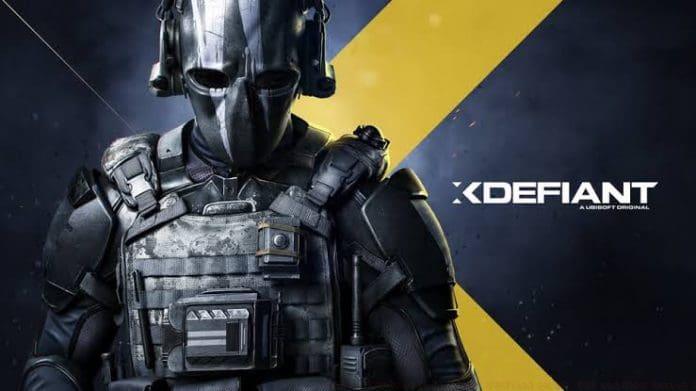
Before diving into platform-specific instructions, there are universal steps that apply to all versions of XDefiant. These initial procedures ensure you have the necessary accounts and access to begin the installation process.
- Navigate to Ubisoft’s official XDefiant portal through your preferred web browser. This centralized approach works identically whether you’re planning to play on console or computer systems.
- Select the prominent “PLAY FREE NOW” button displayed on the homepage. This action redirects you to the dedicated download section.
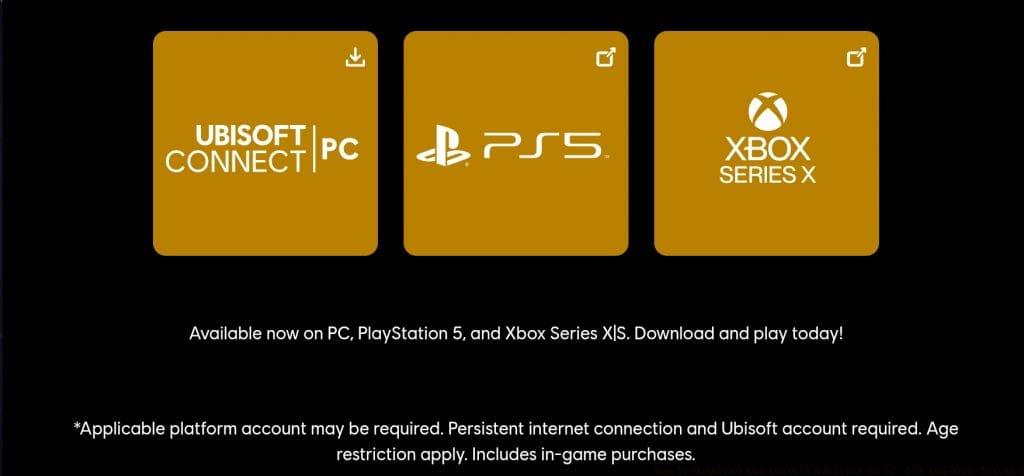
- You’ll arrive at XDefiant’s download hub featuring three distinct platform options. Each button corresponds to a specific system version with tailored installation procedures.
Account preparation is crucial at this stage. Ensure you have your Ubisoft Connect credentials ready, or be prepared to create a new account. This unified account system manages your progress, friends list, and cross-platform compatibility. Unlike games that require separate platform accounts, Ubisoft Connect streamlines the experience across all supported systems.
Once you’ve completed the universal steps, the installation process diverges based on your chosen platform. Each system has unique requirements and procedures that optimize performance and integration.
PC Installation Process
- Click the “Ubisoft Connect | PC” option to download the UbisoftConnectInstaller.exe file. This lightweight installer manages the full game download.
- Execute the downloaded installer to deploy Ubisoft Connect on your system. The platform automatically launches upon completion, though manual initiation may be required in some cases.
- Authenticate using your existing Ubisoft account or establish a new profile. This account synchronization is essential for tracking progression and accessing multiplayer features.
- Within Ubisoft Connect, locate XDefiant in the games library and initiate the full download. The client manages all subsequent updates and patches automatically.
Console Installation Methods
For PlayStation 5 and Xbox Series X|S users, the process integrates directly with each platform’s digital storefront. After clicking the respective console button on the download page, you’ll be redirected to either the PlayStation Store or Xbox Marketplace. From there, standard console download procedures apply, with the game appearing in your library upon completion.
Even with straightforward installation procedures, players occasionally encounter technical challenges. Understanding common problems and their solutions can save significant time and frustration.
Download Interruptions: Network instability often causes incomplete downloads. For PC users, verify your internet connection stability before beginning the installation. Console players should ensure their system storage has adequate free space—XDefiant requires approximately 40GB depending on platform and future updates.
Account Linking Problems: Cross-platform functionality requires proper account synchronization. If you experience issues connecting your Ubisoft account to your console profile, visit account.ubisoft.com to verify linkage status. This is particularly important for players who want to maintain progression across multiple systems.
Performance Optimization: After successful installation, consider adjusting in-game settings for optimal performance. PC players should update graphics drivers, while console users may benefit from performance mode settings. These adjustments can significantly impact frame rates and overall gameplay smoothness, similar to optimization techniques used in other competitive shooters like those covered in our BF6 Weapons Unlock guide.
Maximizing your XDefiant experience extends beyond simple installation. Proper configuration and understanding of game mechanics will enhance both performance and enjoyment.
Graphics Settings: PC players should balance visual quality and performance based on their hardware capabilities. Medium settings often provide the best compromise between visual fidelity and competitive performance. Disabling motion blur and reducing shadow quality can significantly improve target acquisition in fast-paced firefights.
Network Configuration: For the most responsive gameplay, prioritize wired internet connections over wireless. Adjusting bandwidth settings in the game options can reduce latency, crucial for a competitive edge in arena shooters. These network optimizations share similarities with techniques used in other tactical shooters, much like the strategies discussed in our BF6 Class Selection Guide.
Control Customization: Both console and PC players benefit from tailoring control schemes to their preferences. Experiment with sensitivity settings, button layouts, and aim assistance options to find your optimal configuration. These personal adjustments can dramatically improve your combat effectiveness across all game modes.
Action Checklist
- Visit Ubisoft’s XDefiant website and click PLAY FREE NOW
- Download Ubisoft Connect for PC or access console storefront
- Install Ubisoft Connect and log into your account
- Download XDefiant through your platform’s distribution system
- Optimize graphics and control settings for competitive play
No reproduction without permission:GameCDjnh » How to download and install Xdefiant on PC, PS5 and Xbox Series X Complete XDefiant installation guide with platform-specific steps, troubleshooting tips, and optimization strategies