
Master CS:GO’s Chat Wheel with advanced customization tips, strategic communication methods, and pro-level optimization techniques
Understanding CS:GO Chat Wheel Essentials
The Operation Broken Fang update introduced numerous enhancements to Counter-Strike: Global Offensive, with the Chat Wheel emerging as a standout feature praised by the competitive community. This innovative communication tool revolutionizes how players interact during intense matches, providing instant tactical coordination without disrupting gameplay flow.
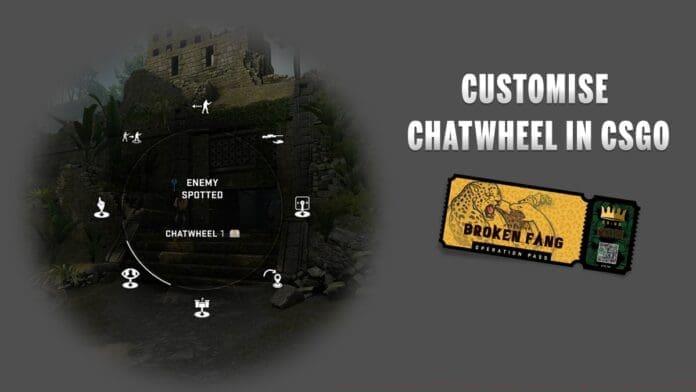
CS:GO’s Chat Wheel functionality enables seamless team communication through single-key commands that broadcast pre-configured messages. This system proves particularly valuable for coordinating bomb site attacks, sharing enemy positioning intelligence, and executing complex strategies without voice chat. The integrated ping feature enhances spatial awareness, allowing players to mark specific map locations with precision.
For players lacking microphone access or facing language barriers with international teammates, the Chat Wheel serves as an essential bridge for effective coordination. Valve designed this feature specifically to overcome communication obstacles while maintaining the fast-paced nature of competitive matches.
Step-by-Step Customization Process
Valve has streamlined the Chat Wheel customization process through an intuitive settings interface. Begin by navigating to the main settings menu from your CS:GO dashboard. The configuration options are strategically placed within the control settings to ensure easy access during gameplay preparation.
Proceed to the Keyboard/Mouse settings category, where you’ll find the dedicated Chat Wheel Keys subsection. This area manages all communication-related keybindings and customization options. CS:GO supports up to three distinct chat wheel configurations, allowing players to create specialized wheels for different map types, team roles, or competitive scenarios.
- Access the settings menu from the main navigation interface
- Select Keyboard/Mouse settings followed by Chat Wheel Keys
- Choose which chat wheel configuration to modify (maximum of 3 available)
- Identify the message slot you want to update and select your preferred replacement
The replacement process involves selecting from an extensive library of pre-recorded messages, tactical calls, and strategic announcements. Consider your team’s common strategies and communication needs when selecting messages to ensure optimal coordination during matches.
Advanced Customization Strategies
Advanced players should develop specialized chat wheels tailored to specific competitive situations. Create separate configurations for bomb site attacks, defensive holds, and economic rounds to maximize communication efficiency. Strategic message selection should prioritize clarity and immediate actionability for teammates.
Consider organizing your chat wheels by map specificity—certain calls work better on particular bomb sites or map locations. For example, create custom messages for common execute positions on Mirage or defensive setups on Inferno. This level of customization separates casual players from competitive enthusiasts.
Optimize your chat wheel layout based on communication frequency—place the most commonly used messages in easily accessible positions. Many professional players organize their wheels by message type: positioning calls, equipment requests, and strategic commands in separate sections for muscle memory development.
Common Mistakes and Pro Tips
Avoid overloading your chat wheels with redundant messages that serve similar purposes. This creates confusion during high-pressure situations when teammates need clear, distinct information. Instead, focus on creating message diversity that covers various tactical scenarios without overlap.
Many players underestimate the importance of practicing chat wheel commands until they’re second nature. Spend time in offline servers or casual matches familiarizing yourself with your custom configuration’s layout and message positions. This practice prevents fumbling during crucial competitive moments.
Advanced tip: Coordinate chat wheel setups with your regular teammates to establish standardized communication protocols. When multiple team members use consistent messaging terminology, the entire squad benefits from faster comprehension and more efficient strategic execution.
Remember that the Chat Wheel complements but doesn’t replace voice communication for complex strategies. Use it for quick calls and confirmations while reserving detailed tactical discussions for voice chat during buy periods or after rounds.
No reproduction without permission:GameCDjnh » How to customize CSGO chat wheel easily Step By Step Guide 2020 Master CS:GO's Chat Wheel with advanced customization tips, strategic communication methods, and pro-level optimization techniques