
Complete guide to claiming VCT Champions Twitch drops with account linking and optimization strategies
VCT Champions Twitch Drops Overview
Beyond the exclusive Valorant Champions player card, Riot Games is distributing complimentary cosmetic items including animated sprays and distinctive gun buddies to spectators who tune into the VALORANT Champions Tournament broadcasts. These exclusive rewards are accessible through multiple streaming services including Twitch, YouTube Gaming, AfreecaTV, and Trovo platforms during the championship events.
Riot’s official social media announcement confirmed: “#VALORANTChampions items and drops are coming!! Full details on the in-game collection here: https://t.co/7YTzFokvOw pic.twitter.com/tM1QFtWUsC”
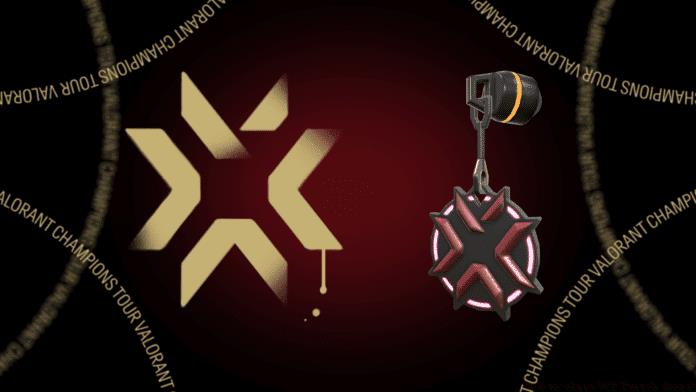
To maximize your reward acquisition, ensure you’re watching official broadcast partners with “Drops Enabled” tags visible. The viewing requirement typically involves watching for cumulative hours rather than continuous sessions, allowing flexibility for spectators with busy schedules.
Complete Drop Schedule and Timing
The VCT Champions cosmetic distribution follows a carefully structured timeline with specific availability windows for each reward category. Proper timing awareness ensures you don’t miss these limited-time opportunities.
- VCT Spray Availability: December 1 through December 11 – This animated spray commemorates the championship event and requires watching during the group stages and early playoffs
- VCT Gun Buddy Schedule: 9 AM PST on December 12 – This weapon charm becomes available during the final championship matches and requires separate viewing qualification
Timezone considerations are crucial for international viewers. Pacific Standard Time (PST) conversions: EST adds 3 hours, CET adds 9 hours, and JST adds 17 hours. Set calendar reminders for these specific times to avoid missing the narrow claim windows that typically last only 24 hours after qualification.
Pro tip: Begin watching at least 30 minutes before scheduled drop times to ensure your viewing session is properly registered by the drop system. Technical delays sometimes occur during high-traffic tournament moments.
Account Linking Step-by-Step Guide
Securing your VCT Champions rewards requires establishing a verified connection between your streaming platform account and Riot Games credentials. This process, while straightforward, must be completed before the viewing period begins.
- Account Access: Navigate to your user profile located in the top-right corner of your preferred streaming platform interface
- Settings Menu: Select the Settings option from the dropdown menu to access account configuration panels
- Connection Tab: Choose the Connection tab within settings to view available platform integrations
- Riot Games Integration: Scroll downward through connection options until locating Riot Games, typically positioned as the second-to-last available service
- Authentication: Complete the login process using your official Riot account credentials to establish the secure linkage
Verification is essential after linking – check your Riot account connected services page to confirm the streaming platform appears as an authorized connection. Common linking issues include outdated browser cookies, regional account mismatches, or two-factor authentication conflicts that require temporary disabling during the connection process.
Advanced Claiming Strategies
Beyond basic requirements, experienced players employ sophisticated approaches to maximize reward acquisition while minimizing time investment during VCT Champions events.
Multiple Platform Optimization: While you cannot stack viewing hours across different platforms, maintaining logged-in sessions on Twitch, YouTube, and Trovo simultaneously provides insurance against platform-specific technical issues. Prioritize the platform with the most stable stream quality while keeping backups running muted in separate tabs.
Common Claiming Issues: If rewards don’t appear in-game within 24 hours, first verify your account linkage remains active. Connection sometimes disengages after platform updates. Additionally, ensure you’ve claimed drops through the streaming platform’s inventory system before expecting in-game delivery.
Reward Tracking Methodology: Bookmark the official Valorant Esports drops page for real-time progress monitoring. Most platforms display progress bars indicating time requirements. For optimal efficiency, schedule viewing during lower-stakes matches when server loads are reduced, improving drop registration reliability.
Recommended | How to claim Valorant Champions Card?
No reproduction without permission:GameCDjnh » How to claim VCT Twitch drops? Complete guide to claiming VCT Champions Twitch drops with account linking and optimization strategies