
Complete guide to adding Cody Rhodes to WWE 2K22 with advanced customization tips and optimization strategies
Cody Rhodes’ WWE Return and Game Significance
The wrestling world witnessed a monumental homecoming as Cody Rhodes concluded his six-year absence from World Wrestling Entertainment, marking one of the most anticipated returns in recent sports entertainment history. His comeback wasn’t just a symbolic moment—it represented a significant shift in the industry landscape that would inevitably translate to the virtual squared circle.
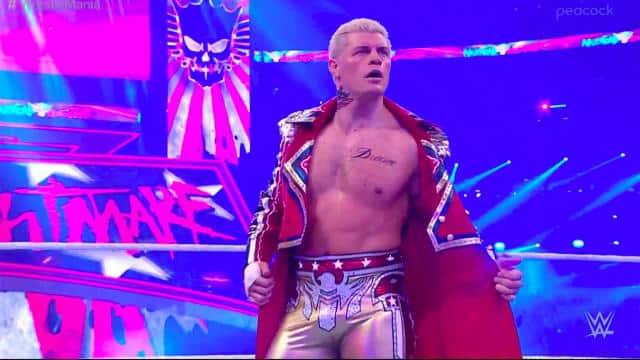
Rhodes made his dramatic re-entry at WrestleMania 38’s Saturday event, where he triumphed over Seth Rollins after being unveiled as the mystery opponent. This strategic booking decision by WWE Chairman Vince McMahon filled a crucial slot on the event card, demonstrating the company’s immediate investment in the second-generation superstar. The former AEW executive vice president’s return signaled a new chapter in his decorated career.
Now branded as the “American Nightmare,” Rhodes’ resurgence extends beyond live events into the gaming sphere with WWE 2K22 featuring him as a playable character through the Community Creations system. This marks his first appearance in the franchise since WWE 2K17, when he departed from the company citing creative differences and business philosophy misalignments that have since been resolved.
Community Creations: The Gateway to Custom Content
The Online Community Creation Suite represents WWE 2K22’s most powerful customization tool, serving as a dynamic content hub where players can expand their gaming experience beyond the default roster. This sophisticated system enables access to Cody Rhodes and countless other superstars not included in the base game, effectively transforming your wrestling universe.
Through this innovative platform, participants can download, create, and share an extensive array of wrestling content including fully customized WWE Superstars, meticulously designed arenas, championship titles, and additional game elements. The creation center operates as a living ecosystem where community contributions continuously refresh available content, ensuring your game remains current with real-world wrestling developments.
Integration with exhibition matches and various game modes means downloaded characters like Cody Rhodes function identically to official roster members. The system’s seamless implementation allows for immediate use in Universe Mode, exhibition bouts, and championship pursuits without technical limitations or compatibility issues that plagued previous franchise iterations.
Step-by-Step Download Process
Navigating to the Community Creations requires accessing the Online Menu from the game’s main interface. Before initiating your search, critically verify that Online Options are activated—while typically enabled by default, network settings or previous configurations might have disabled this essential feature. Highlight the Online Options section to confirm proper connectivity status.
Successful access mandates a linked 2K account, which serves as your gateway to the community sharing platform. Account creation is straightforward through the 2K website or in-game prompts, requiring basic information and email verification. This account not only enables downloads but also tracks your creation activity and preferences.
Once inside Community Creations, utilize the search functionality with specific parameters for optimal results. The most effective tags for locating high-quality Cody Rhodes renditions include “CODYRHODES,” “BHANGRA22MAN,” and “EncyCAWpedia”—these correspond to top creators known for accuracy and detail. Sorting by most downloaded or highest rated ensures you access the community-vetted best versions.
Downloading initiates immediately upon selection, with the character automatically integrating into your superstar roster. The process typically completes within seconds, depending on your internet connection speed and server load during peak gaming hours.
Advanced Customization and Attire Options
The available Cody Rhodes creations extend beyond a single character model, featuring multiple attire variants that capture different phases of his career. Twitter user BHANGRA22MAN has confirmed through social media posts that both his current WWE presentation and the nostalgic Stardust persona are available, providing comprehensive character coverage for different gameplay scenarios.
These high-fidelity creations benefit from collaborative efforts between top community modders, with face texture assistance from @JoeMashups and initial attire designs by @GameVolt1. The attention to detail extends to entrance music, move sets, and signature maneuvers that authentically replicate Rhodes’ in-ring style, creating a seamless transition from television broadcast to gaming experience.
Additional content creators like @ElementGamesTV, @Smacktalks, and @BigChrisSpirito have contributed to refining these models through feedback and testing cycles. This community collaboration ensures that the available Cody Rhodes representations maintain current accuracy while honoring his historical character evolution throughout various wrestling promotions.
.@CodyRhodes caw wwe2k22 uploaded – TAGS: BHANGRA22MAN, EncyCAWpedia, CODYRHODES, face texture assist by .@JoeMashups attire 1 by .@GameVolt1 thz .@EncyCAWpedia for assistance/feedback .@ElementGamesTV .@Smacktalks .@BigChrisSpirito .@BrandonSaxony .@BigRighteous .@theryeedee pic.twitter.com/NoneD6dJkx
Pro Tips and Common Pitfalls
Optimization Strategies: For the smoothest experience, download custom content during off-peak hours when server traffic decreases significantly. Maintain a stable internet connection throughout the process to prevent corrupted files or incomplete downloads that could necessitate reinstallation. Regularly clear your community creations cache to ensure optimal performance and storage management.
Common Installation Errors: Many users encounter issues when attempting to download without verified 2K accounts or active online subscriptions for their gaming platforms. Ensure all system requirements are met before proceeding. Another frequent mistake involves overlooking the “Community Creations” toggle in online settings—this specific option must be enabled separately from general online connectivity.
Advanced Usage: Once downloaded, incorporate Cody Rhodes into your Universe Mode storylines by creating rivalries with Seth Rollins or other historical opponents. Experiment with different attire variants for specific match types—using the Stardust persona for comic relief segments or his current serious iteration for championship matches. Combine with other downloaded community creations to build dream matches impossible in standard roster configurations.
Troubleshooting Guide: If downloads fail repeatedly, first reset your network connection and restart the game. Verify your 2K account status through the official website if authentication errors persist. For character appearance issues, delete and redownload the creation rather than attempting manual corrections that might create further complications.
No reproduction without permission:GameCDjnh » How to Add Cody Rhodes in WWE 2K22 Complete guide to adding Cody Rhodes to WWE 2K22 with advanced customization tips and optimization strategies