
TL;DR
- Restart both internet connection and game app to resolve most temporary connectivity glitches
- Always verify game version compatibility and install latest updates from official stores
- Monitor server status through developer channels during widespread outage periods
- Implement regular device maintenance to prevent recurring technical issues
- Utilize community forums for additional troubleshooting insights and workarounds
Pokémon TCG Pocket enthusiasts frequently encounter frustrating connectivity barriers when attempting to initiate Private Matches with friends. These technical disruptions can prevent match initiation entirely, undermining the social gaming experience that relies heavily on Friend Codes for personalized battles. Understanding the underlying causes helps players implement more effective solutions and restore seamless competitive play.
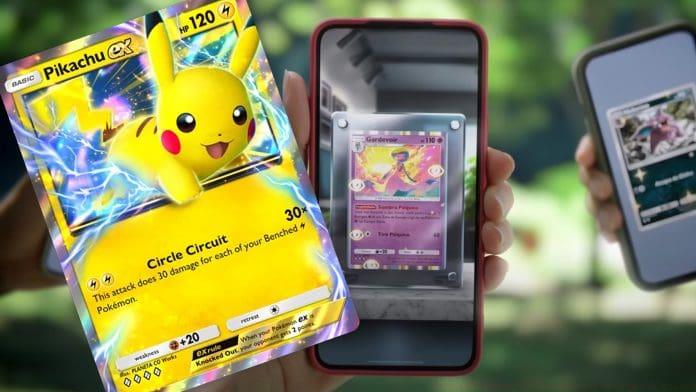
Connectivity problems typically stem from three primary sources: unstable network conditions, application software glitches, or server-side maintenance issues. Network instability remains the most common culprit, particularly for mobile players transitioning between Wi-Fi and cellular data networks. Application-level bugs often emerge after game updates or device operating system changes, while server problems typically affect multiple players simultaneously during peak usage periods.
Connectivity disruptions in Pokémon TCG Pocket frequently originate from unstable network access points. Completely power cycle your Wi-Fi router by unplugging it for 30 seconds before reconnecting, or toggle airplane mode on your mobile device to reset cellular data connections. Players in regions with inconsistent network coverage should physically relocate to areas with stronger signal reception, as marginal connection quality often causes match initiation failures that stronger signals would resolve immediately.
A fundamental troubleshooting step involves fully closing and relaunching the Pokémon TCG Pocket application. On iOS devices, swipe up from the bottom and swipe away the app; on Android, access recent apps and swipe it closed. This process clears temporary cache data and resets network handshakes that may have corrupted during previous session attempts, frequently resolving transient glitches preventing Private Match functionality.
Ensure your game installation reflects the most current version available through official distribution platforms. Pokémon TCG Pocket developers regularly deploy updates containing critical bug fixes and performance enhancements. Operating outdated software versions frequently creates compatibility conflicts with server infrastructure, causing matchmaking systems to reject connection attempts from unsupported client versions.
When connectivity issues originate from server infrastructure problems, individual troubleshooting proves ineffective. Regularly check official Pokémon TCG Pocket social media channels, community forums, and in-game notification systems for developer communications regarding scheduled maintenance or unexpected outages. Development teams typically address widespread connectivity problems through server-side hotfixes or scheduled downtime, making awareness of these periods crucial for managing gameplay expectations.
For persistent connectivity challenges, consider device-specific optimization strategies. Clear the game’s cache through your device settings (not just closing the app), ensure background data restrictions aren’t limiting connectivity, and verify that system-level gaming modes aren’t interfering with network prioritization. Android users should check Data Saver settings, while iOS players need to ensure Background App Refresh remains enabled for Pokémon TCG Pocket.
Long-term prevention involves establishing connectivity testing protocols before attempting Private Matches. Test your connection stability by accessing other online features within the game, verify friend code entries for accuracy, and ensure both players have completed any mandatory tutorial requirements that might restrict matchmaking capabilities. These preemptive checks significantly reduce frustration from preventable connection failures.
To consistently minimize connectivity disruptions, implement a regular maintenance schedule for both application and device management. Beyond simply updating the game, regularly check for operating system updates that might affect network compatibility, clear device cache partitions monthly, and monitor storage space to ensure adequate memory for temporary connection files. These proactive measures prevent many common issues before they impact your gameplay experience.
Engage with community resources for additional insights when standard solutions prove insufficient. The Pokémon TCG Pocket subreddit and dedicated Discord servers often contain user-shared workarounds for niche connectivity problems that official support channels haven’t yet addressed. When exploring our Complete Guide to other gaming connectivity issues, you’ll find many troubleshooting principles apply across different titles.
Maintain open communication with your intended battle partners about connectivity status. Coordinate update schedules, verify mutual availability during non-peak server hours, and establish backup communication channels if in-game messaging fails. Like mastering Weapons Unlock systems in other games, developing comprehensive troubleshooting skills for Pokémon TCG Pocket enhances overall gaming proficiency and ensures more successful Private Match experiences.
Action Checklist
- Power cycle router or toggle airplane mode to reset network connection
- Fully close and restart the Pokémon TCG Pocket application
- Verify game version and update through official app store if needed
- Check developer channels for server status announcements
- Clear game cache through device settings for persistent issues
- Coordinate with battle partner to verify mutual connectivity status
No reproduction without permission:GameCDjnh » Fixing Pokémon TCG Pocket Private Match Errors Essential troubleshooting guide to fix Pokémon TCG Pocket private match connectivity issues and restore seamless gameplay