
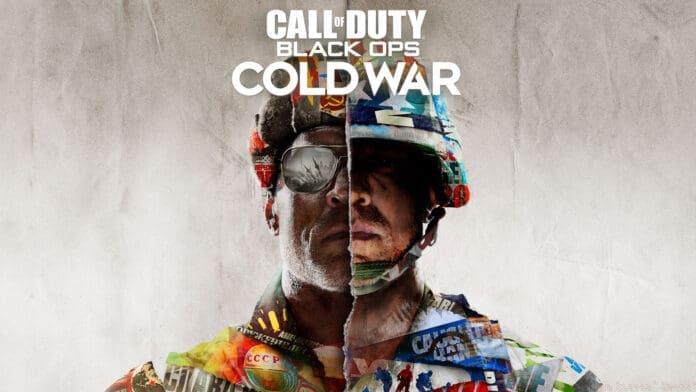
Complete PC specifications guide for Call of Duty: Black Ops Cold War with optimization strategies and performance tips
Understanding Black Ops Cold War PC Specifications
Call of Duty: Black Ops Cold War delivers an immersive gaming experience that demands careful hardware consideration. This comprehensive guide breaks down the five distinct performance tiers to help you build or upgrade your ideal gaming setup. Understanding these specifications ensures you can enjoy smooth gameplay whether you’re engaging in casual matches or competitive tournaments.
Performance tiers range from entry-level configurations that provide basic playability to cutting-edge systems capable of 4K gaming with ray-tracing enabled. Each tier represents a balance between visual fidelity and performance, allowing gamers to select hardware that matches their budget and gaming aspirations.
Storage considerations are particularly important, with multiplayer-only installations requiring 35GB while the complete game experience demands 82GB of space. Planning your storage strategy in advance prevents installation issues and ensures optimal loading times during intense gaming sessions.
Minimum PC Specifications – Entry-Level Gaming
The minimum specifications provide basic playability for gamers with older or budget-oriented systems. This configuration targets 1080p resolution at lower settings, delivering approximately 30-45 FPS in most scenarios. While not ideal for competitive play, it ensures accessibility for players with limited hardware resources.
- Operating System: Windows 7 64-bit or Windows 10 64-bit or higher – Windows 10 is strongly recommended for optimal performance and security updates
- Processor: Intel Core I3-4340 or AMD FX-6300 – These quad-core processors represent the absolute minimum for acceptable performance
- Storage: 35GB for multiplayer only, 82GB for all game modes – Consider SSD storage for significantly faster loading times
- Graphics: Nvidia Geforce GTX 670/Geforce GTX 1650/Radeon HD 7950 – The GTX 1650 offers the best experience among these options with modern architecture
Common mistakes with minimum specifications include underestimating the impact of background applications and using outdated drivers. Close unnecessary programs before gaming and regularly update your graphics drivers for optimal performance.
Recommended PC Specifications – Optimal Experience
Recommended specifications deliver the ideal balance between visual quality and performance, targeting 1080p resolution at high settings with stable 60 FPS gameplay. This tier provides the smooth, responsive experience that most gamers seek for enjoyable sessions without breaking the bank.
- Operating System: Windows 10 64-bit – Essential for accessing all game features and latest DirectX optimizations
- Processor: Intel Core I5-2500K or AMD Ryzen R5 1600X – Both processors offer excellent multi-threading capabilities for modern gaming
- Graphics: Nvidia Geforce GTX 970/GTX 1660 Super or Radeon R9 390/AMD RX 580 – The GTX 1660 Super provides exceptional value with performance接近 GTX 1070 levels
Practical optimization tip: Enable NVIDIA Reflex or AMD Anti-Lag in the game settings to reduce input latency, providing a more responsive feel during fast-paced combat scenarios. Monitor your system temperatures during extended sessions to prevent thermal throttling that can impact performance.
Ray-Tracing Enabled Specifications – Visual Excellence
Ray-tracing specifications unlock the game’s most advanced visual features, including realistic lighting, shadows, and reflections that significantly enhance immersion. This tier requires modern RTX-capable hardware but delivers stunning visual fidelity that transforms the gaming experience.
- Operating System: Windows 10 64-bit – Mandatory for DirectX Raytracing (DXR) support
- Processor: Intel I7-8700K or AMD Ryzen 1800X – High-core-count processors handle ray-tracing calculations efficiently
- Graphics: Nvidia Geforce RTX 3070 – Provides excellent ray-tracing performance at 1440p resolution with DLSS support
Ray-tracing performance can vary significantly based on scene complexity. Enable DLSS (Deep Learning Super Sampling) to maintain high frame rates while enjoying ray-traced effects. The performance impact typically ranges from 15-30% depending on the number of ray-tracing effects enabled, so adjust settings accordingly based on your performance preferences.
Competitive Gaming Specifications – Maximum Performance
Competitive specifications prioritize frame rate and responsiveness over visual fidelity, targeting 144+ FPS for high-refresh-rate monitors. This configuration minimizes input lag and provides the smoothest possible experience for ranked play and tournaments where every millisecond counts.
- Operating System: Windows 10 64-bit – Optimized for low-latency gaming and stability
- Processor: Intel I7-8700K or AMD Ryzen 1800X – High-frequency processors ensure consistent frame times
- Graphics: Nvidia Geforce GTX 1080/RTX 3070 or Radeon RX Vega64 graphics – The RTX 3070 offers superior performance with modern features
Advanced optimization strategy: Lower shadow quality and disable unnecessary post-processing effects to gain significant performance boosts without impacting competitive visibility. Pair these specifications with a 144Hz or 240Hz monitor and enable G-Sync or FreeSync for tear-free gaming during fast movements and quick scope actions.
Ultra RTX Specifications – Cutting-Edge Experience
Ultra RTX specifications represent the pinnacle of gaming performance, delivering exceptional 4K resolution with maximum ray-tracing effects enabled. This tier targets enthusiasts seeking the absolute best visual experience with high frame rates at demanding resolutions.
- Operating System: Windows 10 64-bit – Required for accessing all advanced graphical features
- Processor: Intel I9-9900K or AMD Ryzen 3700X – High-core-count processors prevent CPU bottlenecks at high resolutions
- Graphics: Nvidia Geforce RTX 3080 – Provides outstanding 4K performance with ray-tracing enabled and DLSS support
Future-proofing consideration: While these specifications exceed current requirements, they ensure smooth performance for future game updates and mods. The RTX 3080’s substantial VRAM capacity handles high-resolution textures effortlessly, making it an excellent investment for gamers who plan to play upcoming titles at maximum settings.
Performance Optimization Strategies
Beyond hardware specifications, proper optimization significantly enhances your Black Ops Cold War experience. These strategies help maximize performance regardless of your system’s capabilities, ensuring smooth gameplay and reduced technical issues.
Driver management is crucial – regularly update your graphics drivers but avoid immediately installing brand-new releases that may contain bugs. Wait a few days and check community feedback before updating to the latest driver version. For NVIDIA users, perform a clean installation using DDU (Display Driver Uninstaller) when experiencing stability issues.
In-game settings optimization involves balancing visual quality and performance. Critical settings to adjust include: shadow quality (high performance impact), anti-aliasing (use SMAA rather than Filmic SMAA for better performance), and texture resolution (match to your VRAM capacity). Disable motion blur and depth of field for competitive advantage and clearer target acquisition.
Also Read: COD Mobile Season 12 Release Date & Time
No reproduction without permission:GameCDjnh » COD Black Ops Cold War PC requirements – Can Your PC Run It? Complete PC specifications guide for Call of Duty: Black Ops Cold War with optimization strategies and performance tips