
Learn to identify CSGO cheaters using browser tools and improve your competitive gameplay strategy
Understanding the CSGO Cheating Problem
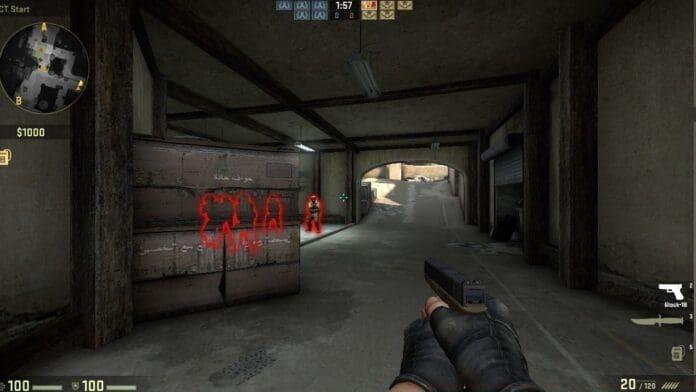
The prevalence of cheating in Counter-Strike: Global Offensive represents an ongoing challenge that continues to affect competitive matchmaking environments. Regular community discussions highlight growing concerns about unfair advantages and their impact on ranking progression, with numerous players attributing their rank stagnation to encountering suspicious opponents.
This raises an important self-reflection question: Are external factors like cheating genuinely impeding your advancement, or might there be skill development areas requiring attention? Honest self-assessment combined with factual data provides the clearest path forward for improvement.
Fortunately, technological solutions now enable empirical verification of cheating encounters through accessible browser-based tools. These resources help transform speculation into actionable intelligence about your competitive experience.
Ban Checker for Steam: Your Detection Tool
The Ban Checker for Steam represents a specialized Google Chrome extension designed to identify players with Valve Anti-Cheat (VAC) bans recorded on their profiles. This utility enables comprehensive analysis of your historical matches to detect previously encountered hackers, providing valuable retrospective insights about your gameplay sessions.
As a browser-integrated solution, this tool offers significant accessibility advantages by functioning independently of the Steam client. The extension interfaces directly with Steam’s web services, retrieving ban status information through authorized API connections without requiring game launches or additional software installations.
Critical understanding: The ban detection system encompasses Valve’s entire game ecosystem rather than focusing exclusively on CSGO. This means players who received VAC bans in other titles like Team Fortress 2 or Left 4 Dead will still appear in your results if you encountered them in CSGO matches, providing broader context about the accounts you’ve faced.
Step-by-Step Installation Guide
How to Check the Number of Hackers in Your CSGO Games
Implementing the Ban Checker extension involves a straightforward installation and configuration process designed for user accessibility. Begin by acquiring the official extension through the Chrome Web Store to ensure version authenticity and security compliance.
To use the above-mentioned browser extension, simply follow these steps:
- Download the Ban Checker for Steam Google Chrome extension and install it through the official Chrome Web Store
- Log in to your Steam account using secure authentication methods
- Navigate to your profile interface and select the ‘Games’ section located in the right-side navigation panel
Complete Usage Walkthrough
After completing the initial setup phase, proceed with these operational steps to generate your cheating analysis report:
- Locate the CSGO section within your games list and access the “Personal Game Data” dropdown menu to retrieve match history
- Activate the “Load Whole Match History” function within the Ban Checker extension interface
- Initiate the “Check Loaded Matches for Bans” scanning process to analyze all retrieved matches
The system will then process your complete match history, cross-referencing each encountered player against Valve’s VAC ban database. This comprehensive scanning approach ensures no historical matches are overlooked, providing complete visibility into your competitive encounters.
Advanced Tips and Common Pitfalls
Successful implementation requires understanding several nuanced aspects of the detection process. The ban checker’s cross-game functionality means players banned in other Valve titles will appear in your CSGO results, which represents both comprehensive coverage and potential contextual confusion.
A critical limitation to recognize: The system only detects VAC-banned accounts, not those using undetected cheats or third-party cheating tools. This means your actual cheating exposure might be higher than what appears in the results, though VAC bans represent confirmed violations.
Strategic recommendation: Use this data to identify patterns rather than individual incidents. If specific ranks or time periods show elevated cheating rates, adjust your gameplay schedule or competitive approach accordingly. Combine this external data with self-analysis of your gameplay recordings for the most accurate assessment of improvement opportunities.
Common mistake avoidance: Don’t attribute every loss to cheating encounters indicated by the tool. Many factors contribute to competitive performance, including team coordination, individual skill development, and strategic decision-making. Use the ban data as one component of a comprehensive improvement strategy rather than the sole determinant of your competitive experience.
No reproduction without permission:GameCDjnh » Check How Many Hackers You’ve Played With in CSGO Learn to identify CSGO cheaters using browser tools and improve your competitive gameplay strategy