
Optimize CS:GO performance with essential launch options, setup guide, and expert configuration tips
Understanding CS:GO Launch Options and Their Importance
Are you looking to enhance your CS:GO gaming sessions with smoother performance and faster loading times? Launch options provide powerful command-line parameters that let you fine-tune how Counter-Strike: Global Offensive interacts with your computer system. These settings override default configurations to optimize the game for your specific hardware setup.
This comprehensive guide will walk you through configuring CS:GO launch parameters and highlight the most effective options to implement in 2023 for maximum gaming advantage.
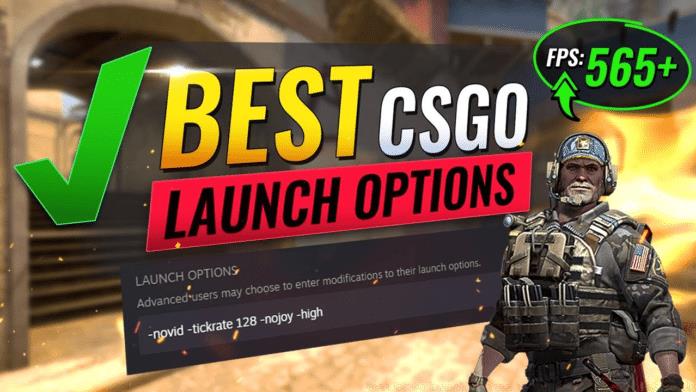
While Valve developers suggest that the optimal approach might involve minimal launch options, the reality is that default settings rarely deliver peak performance for competitive gaming. Custom configurations become essential when you consider the vast differences in computer hardware, network conditions, and personal playstyles among the CS:GO community.
Step-by-Step Setup Guide for Launch Options
Before exploring the most impactful CS:GO launch options, let’s establish the proper configuration process. Follow these straightforward steps to implement your custom settings:
- Navigate to your Steam library and right-click on ‘Counter-Strike: Global Offensive’ then select ‘Properties’
- In the properties window that appears, click on the ‘General’ tab located in the left sidebar
- Within the General settings, locate and click the ‘Set Launch Options’ button
- A new dialog window will open where you can input your desired CS:GO launch parameters
- Combine all selected launch options with single spaces separating each command
- Click ‘OK’ to confirm your launch option selections
- Close the properties window and launch CS:GO – your customized settings will now apply automatically with each game session
Pro Tip: Always test new launch options individually rather than implementing multiple changes simultaneously. This troubleshooting approach helps identify any problematic parameters that might cause instability or performance degradation.
Essential CS:GO Launch Options for 2023
Here are the most effective and widely-used CS:GO launch options to optimize your gaming experience in 2023:
- -novid: This command bypasses the introductory Valve video sequence, eliminating startup delays and saving valuable seconds each time you launch the game. This is particularly useful for players who frequently restart during practice sessions.
- -tickrate 128: Configures your local server to operate at 128 tick rate, matching the competitive standard used in professional tournaments and Faceit/ESEA platforms. Higher tick rates provide more frequent updates between client and server, resulting in more responsive gameplay and accurate hit registration during practice.
- -high: Assigns high CPU processing priority to CS:GO, potentially reducing system stuttering and improving frame time consistency. Note: This option may cause issues on some systems with background applications.
- -nojoy: Disables joystick and gamepad support functionality, freeing system resources that would otherwise be allocated to unused input devices. This minimal resource saving can contribute to slight performance improvements.
- -nod3d9ex: Deactivates DirectX 9Ex enhancements, which can significantly reduce alt-tab delay times between the game and desktop. This is particularly beneficial for multitaskers who frequently switch applications.
- -freq [refresh rate]: Forces the game to run at your monitor’s native refresh rate (e.g., -freq 144 for 144Hz displays). This ensures optimal motion clarity and reduces screen tearing without relying on in-game settings that might not apply correctly.
- -console: Enables the developer console automatically upon game launch, providing immediate access to debugging tools and advanced configuration commands without needing to enable it manually in settings.
Advanced Optimization Strategies and Common Pitfalls
Understanding that launch options produce different results across various system configurations is crucial for effective optimization. Some parameters may deliver impressive performance gains on one setup while causing instability on another.
Hardware-Specific Considerations: Players with older CPUs might benefit more from -high priority settings, while those with modern multi-core processors may see minimal improvement. Similarly, -nod3d9ex provides the most noticeable benefits on systems with limited RAM where alt-tabbing causes significant performance hits.
Avoid These Common Mistakes: Never combine conflicting options like multiple refresh rate commands or overlapping performance tweaks. Don’t copy professional player settings blindly – their high-end systems differ significantly from average gaming setups. Avoid using outdated options from older CS:GO versions that may no longer function correctly or could potentially trigger anti-cheat flags.
Testing Methodology: Implement one new launch option at a time and play several matches to assess stability and performance impact. Monitor frame rates, input latency, and any unusual stuttering or crashing. Create a baseline performance measurement before making changes to accurately quantify improvements.
Remember that launch options complement but don’t replace proper in-game video settings optimization. For maximum performance, combine strategic launch parameters with appropriately configured graphics settings matched to your hardware capabilities.
No reproduction without permission:GameCDjnh » Best CS:GO Launch Options to Use in 2023: Boost FPS Easily Optimize CS:GO performance with essential launch options, setup guide, and expert configuration tips